90 °C
60 °C
40 °C
Page 15 / 96
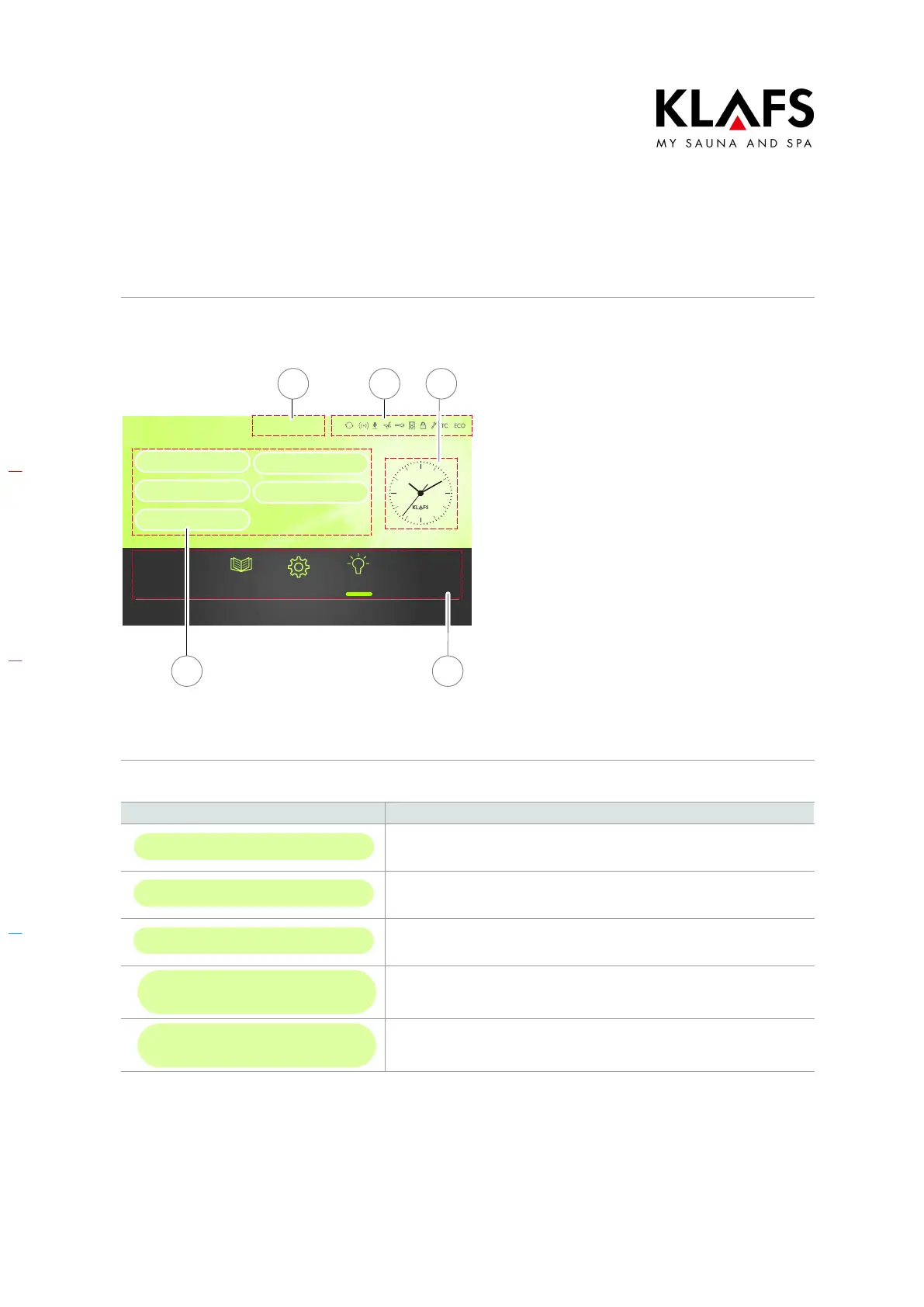
7.4. Touchscreen - Section 1: Sessions
Bathing mode
Sauna
Sanarium
Clues Settings Light
Infrared
Programs by type of
bathing
Programs by effect
1 32
5 4
1. Title line of the current window.
2. Status bar.
D Display only, no touchscreen
function.
D The symbol display depends on
the configuration.
D See page 16.
3. Clock.
D See page 17.
4. Tips, settings, light.
Tips and recommendations for
bathing modes or extras.
Controller system settings.
D For the system settings, see
page 18.
Switches the cabin light on/off.
5. Bathing sessions, program
selection according to criteria.
7.5. Touchscreen - Section 2: Bathing modes
Symbol: Display/function:
Sauna
Sauna mode.
D See page 31.
Sanarium
Sanarium bathing mode.
D See page 34.
Infrared
InfraPLUS bathing mode (optional).
D See page 37.
Programs by
type of bathing
Bathing mode: Programs by type of bathing.
D See page 61.
Programs by
effect
Bathing mode: Programs by effect.
D See page 63.



 To Next Page