90 °C
60 °C
40 °C
Page 28 / 96
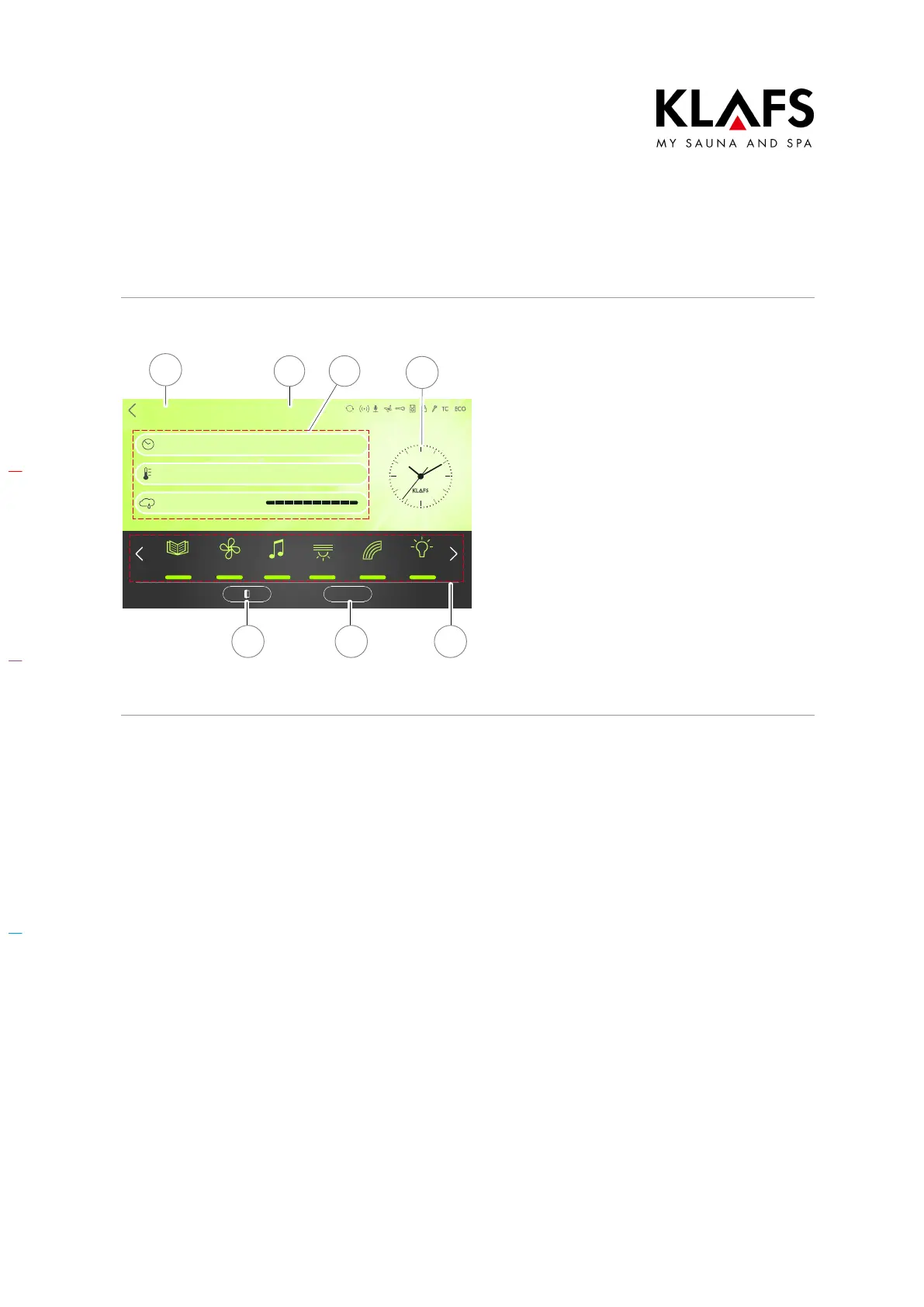
8.6. Standby mode
Sanarium
Bathing time
Temperature
Humidity
Back
Clues Fan Music
Light
Colour light
Sunset
START
2 3
4
1
6 57
The touchscreen displays the following
symbols in standby mode:
D Go back to the menu screen (1)
D Currently selected or last selected
bathing mode (2)
D Bathing parameters (3)
D Time (4)
D Extras (5) (depending on cabin
equipment)
D Start/Stop (6)
D Door contact switch (7) (optional)
The backlighting switches off automatically
after five minutes of non-use.
D The controller can be operated via
the touchscreen at any time whilst
in standby mode.



 To Next Page