90 °C
60 °C
40 °C
Page 25 / 96
8.4. Setting the time
SONSTIGES
Settings
Lock control
Activation ALEXA
Language
Water hardness
Servicemenu
Time
ASC PIN
Pairing Bluetooth
Clues Settings Light
Back
2
1
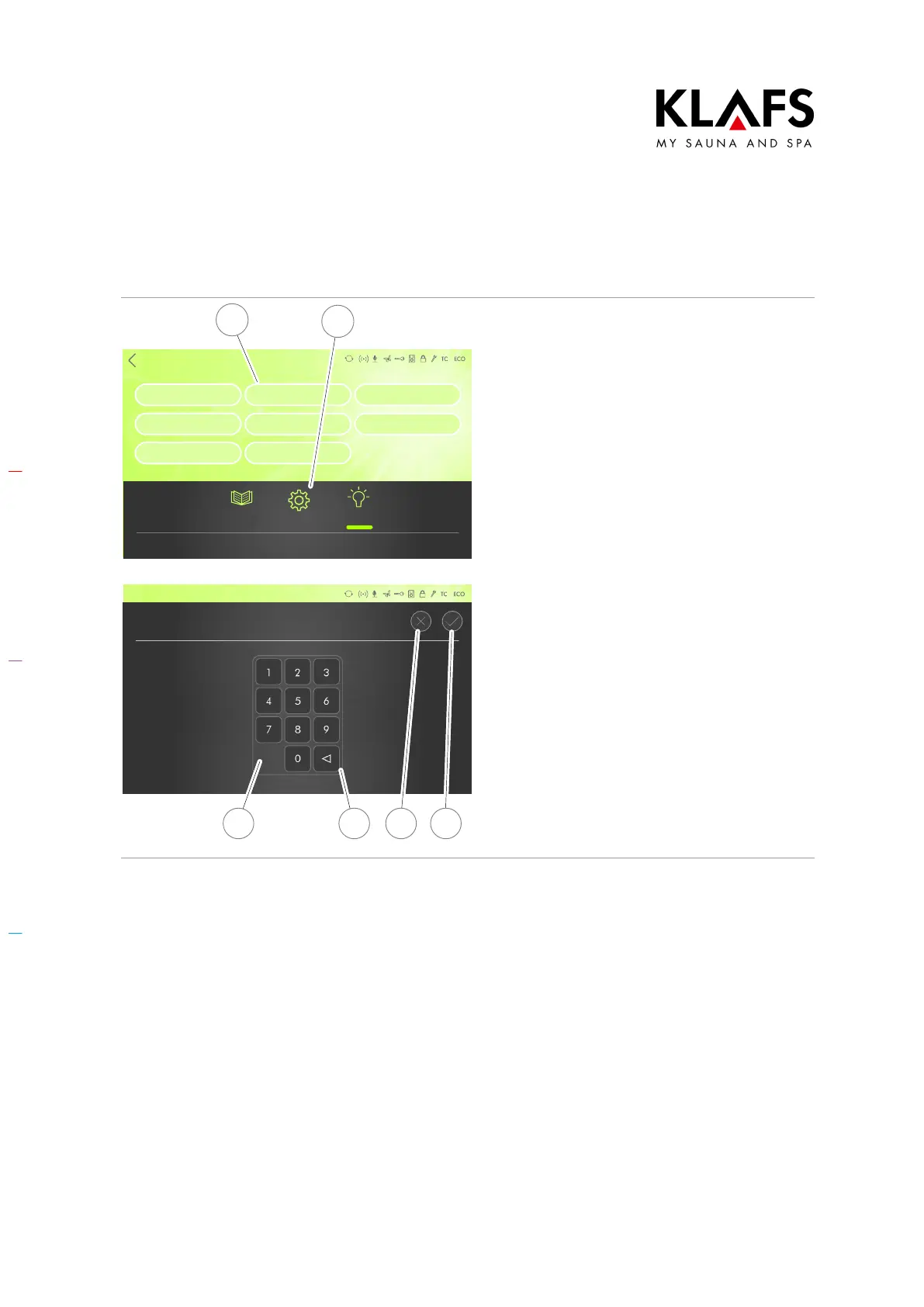
1. Press the "Settings" symbol (1).
D You can set the time by pressing
the analogue clock.
2. Touch the "Time" line (2).
The sub-menu for setting the time appears.
Temperature
Humidity
Time
19:00
3 4 6 5
3. Enter the time using the
keypad (3). Press button (4) to
delete a number if you enter the
wrong one.
4. Confirm the time you have set by
pressing the tick symbol (5) or
cancel the process by pressing the
cross symbol (6).
The time has been set.
D The clock in the controller has a
power reserve for a few months in
the event of a power failure.



 To Next Page