90 °C
60 °C
40 °C
Page 29 / 96
8.7. Setting the water hardness
Requirement:
D Ask your water supplier about your area's water hardness in order to set
the correct settings on the control panel.
SONSTIGES
Settings
SONSTIGES
Settings
Lock control
Activation ALEXA
Activation ALEXA
Language
Water hardness
Servicemenu
Time
ASC PIN
Pairing Bluetooth
Lock control
Back
Decalcification done
Language
Water hardness
Servicemenu
Time
ASC PIN
Pairing Bluetooth
Clues Settings Light
Back
3 46 5
12
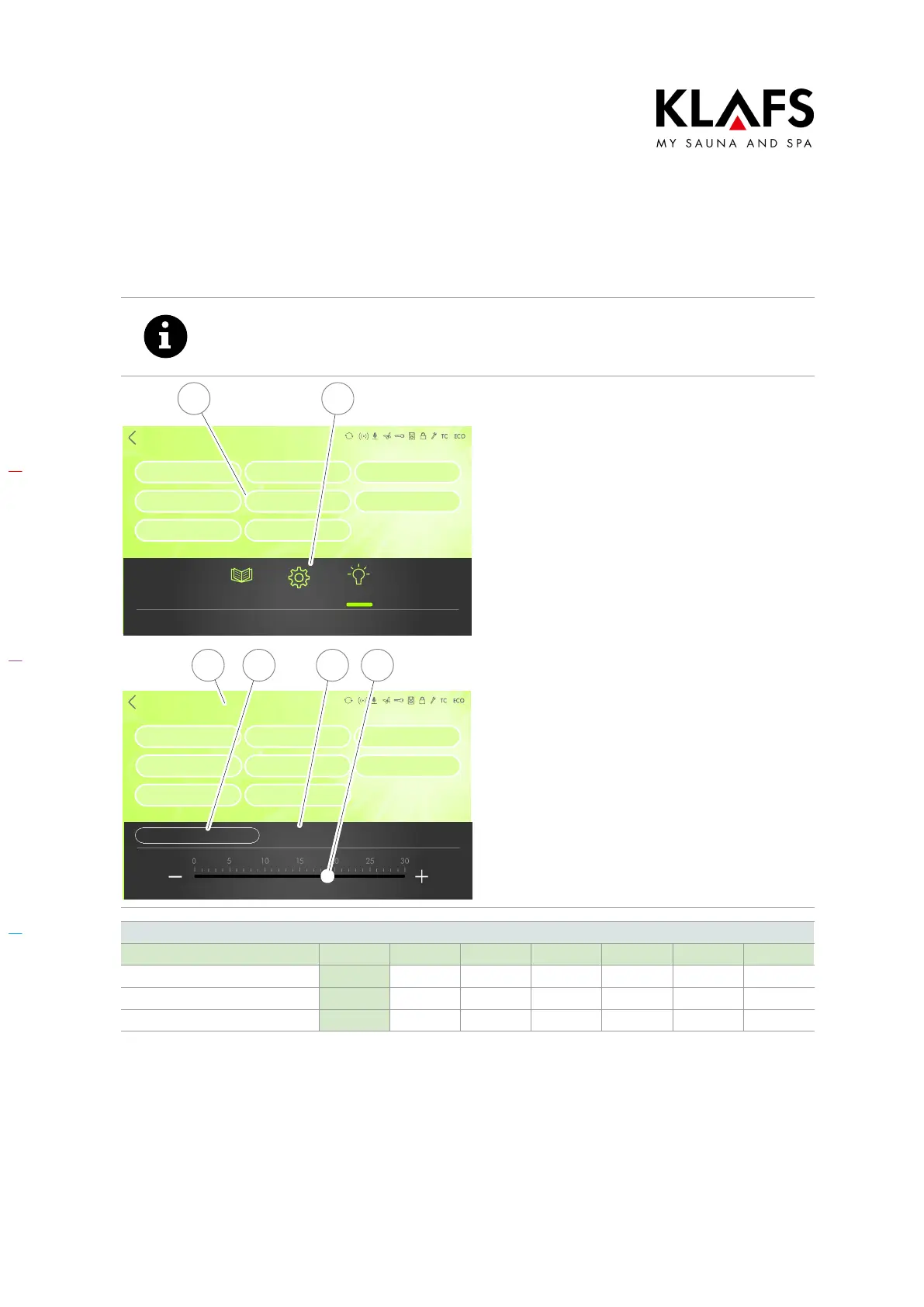
1. Press the "Settings" symbol (1).
2. Touch the "Water hardness"
line (2).
The sub-menu for setting the water hardness
appears.
D The currently selected hardness
range (3) is displayed.
3. Change the water hardness setting
by moving the slider (4) or pressing
the +/- symbols.
4. If decalcification has been carried
out, press the "Decalcification
complete" symbol (5).
5. The value is automatically
accepted after three seconds.
Alternatively, this can be done by
tapping on an empty area of the
screen (6).
Water hardness conversion table
°dH °e °fH ppm mval/l mmol/l
German level 1 °dH = 1 1.253 1.78 17.8 0.357 0.1783
English level 1 °e = 0.798 1 1.42 14.3 0.285 0.142
French level 1 °fH = 0.560 0.702 1 10 0.2 0.1



 To Next Page