90 °C
60 °C
40 °C
Page 32 / 96
9.2. Sauna mode
Sauna
Bathing time
Temperature
Clues Fan Music
Light
Colour light
Sunset
Sauna
Bathing time
Temperature
PUR
STOP
Back
PUR STOP
Back
Clues Fan Starry skyLight
Colour light
Sunset
90
19:00 - 22:00
2
3
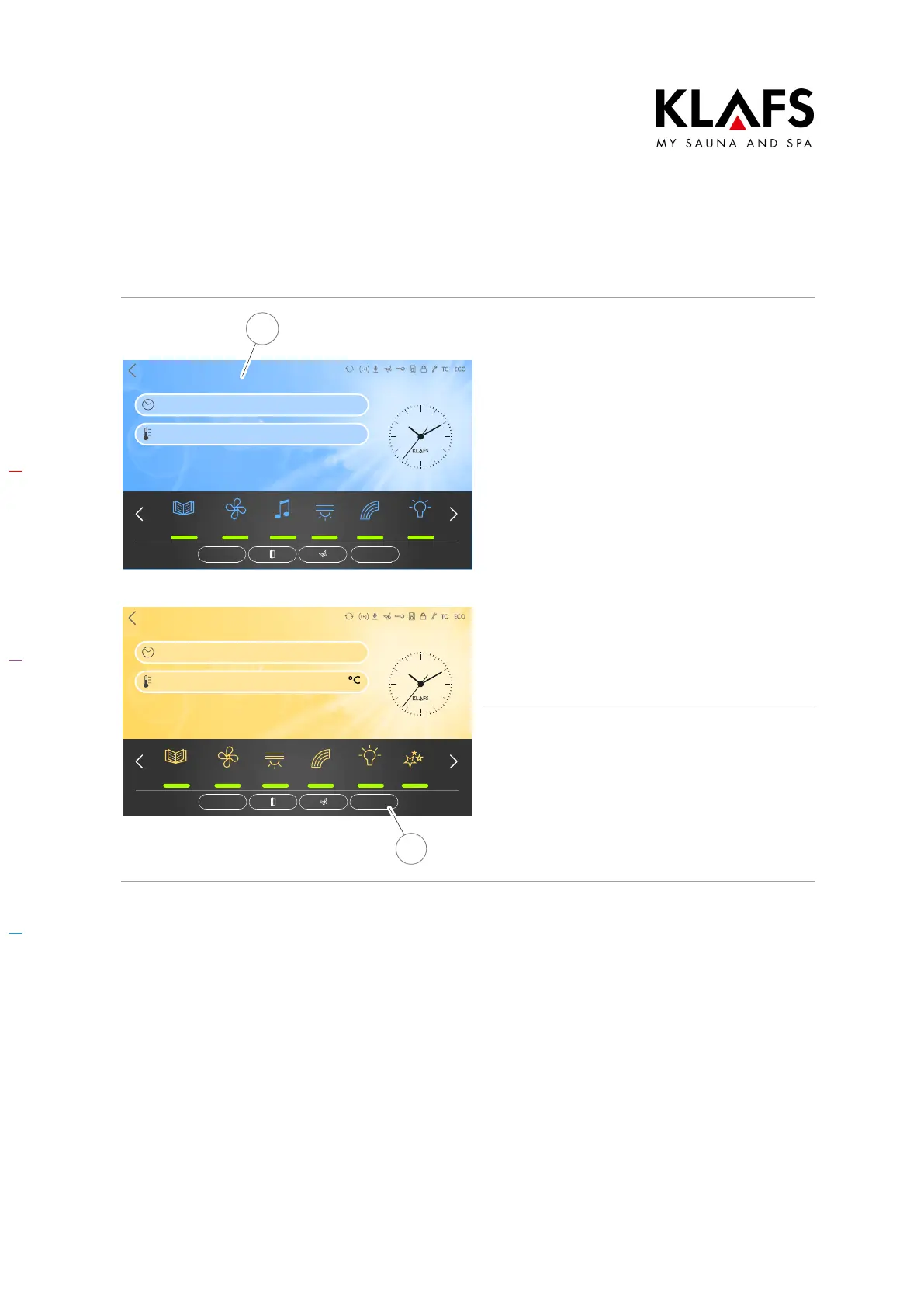
Starting Sauna mode
The background colour (2) changes to blue
during the heat-up phase. The sauna starts
with the bathing parameters that were set for
the last program used.
The sauna heater switches on and the cabin
heats up.
The background colour (2) changes to "ready
to use" (orange). The cabin is ready to use.
D To select a special
program/custom program, see
page 61.
D To change the temperature, see
page 66.
D To change the bathing time, see
page 65.
Stopping Sauna mode
1. Press the STOP symbol (3).
The sauna heater switches off.
The controller then goes into standby mode.
D After a bathing session, open the
cabin door to ventilate the cabin.



 To Next Page