90 °C
60 °C
40 °C
Page 73 / 96
10.9. Enabling/disabling "blockade control unit" (locking/unlocking the keypad)
Temperature
Humidity
Lock control
7
6
8
5
4
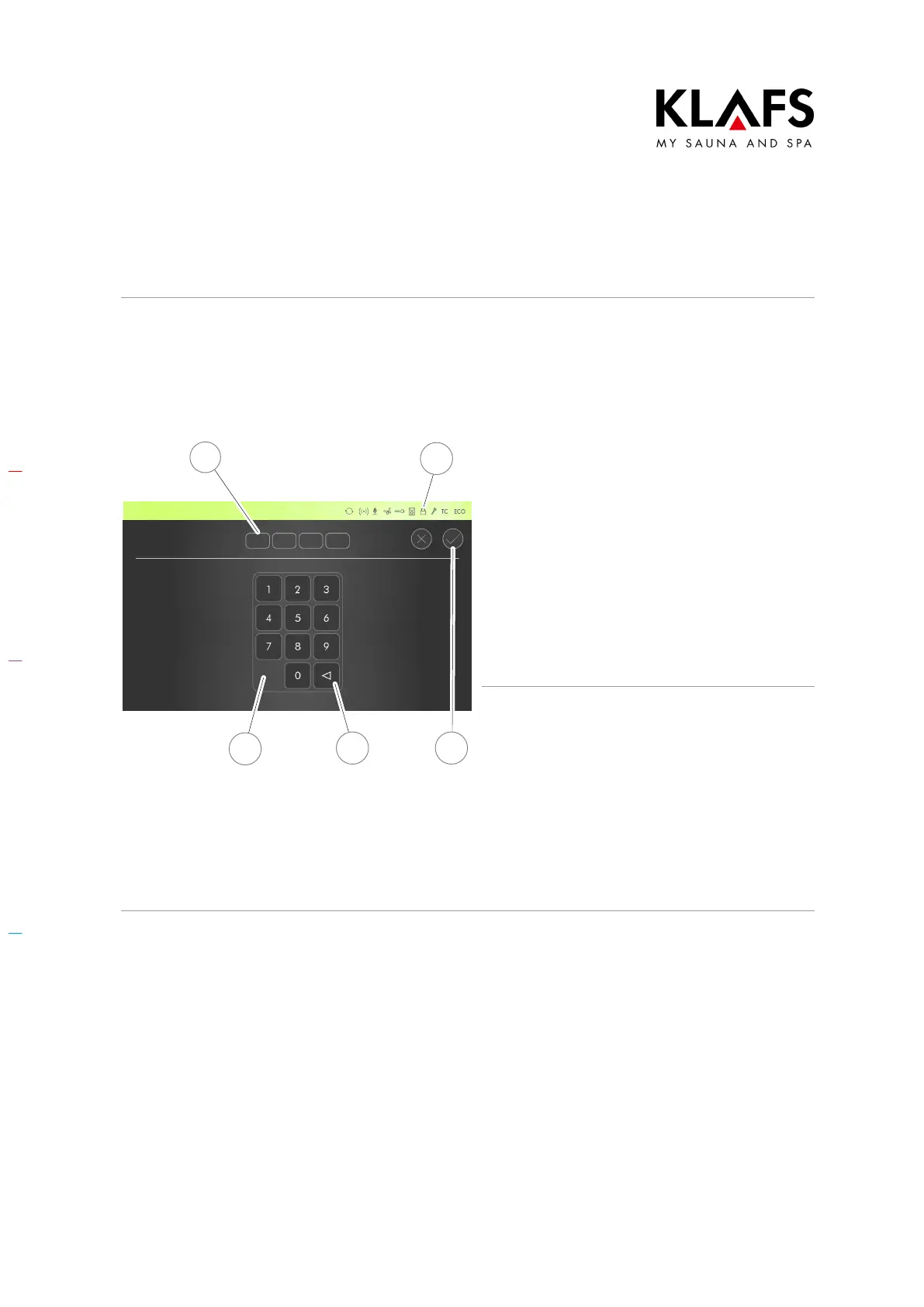
Enabling "blockade control unit" (keypad
lock)
Create and note down a custom security code
(four-digit number).
4. Enter the four digits using the
keypad (5). The digits will appear
in the line above (6). Press
button (7) to delete a number if
you enter the wrong one.
5. Confirm the four digits you entered
by pressing the tick symbol (8).
When "blockade control unit" is enabled, the
lock symbol will appear (4).
Once the controller has switched to standby,
you will not be able to operate it without
entering your custom security code first.
Disabling "blockade control unit" (keypad
lock)
1. Call up the "blockade control unit"
menu.
2. Enter "1111" using the keypad (5).
The digits will appear in the line
above (6).
3. Confirm the four digits you entered
by pressing the tick symbol (8).



 To Next Page