90 °C
60 °C
40 °C
Page 75 / 96
10.10. Extras
Light
Sanarium
Bathing time
Temperature
Humidity
Back
Off
Manual Scene
Colour Brightness
2
3
1
4
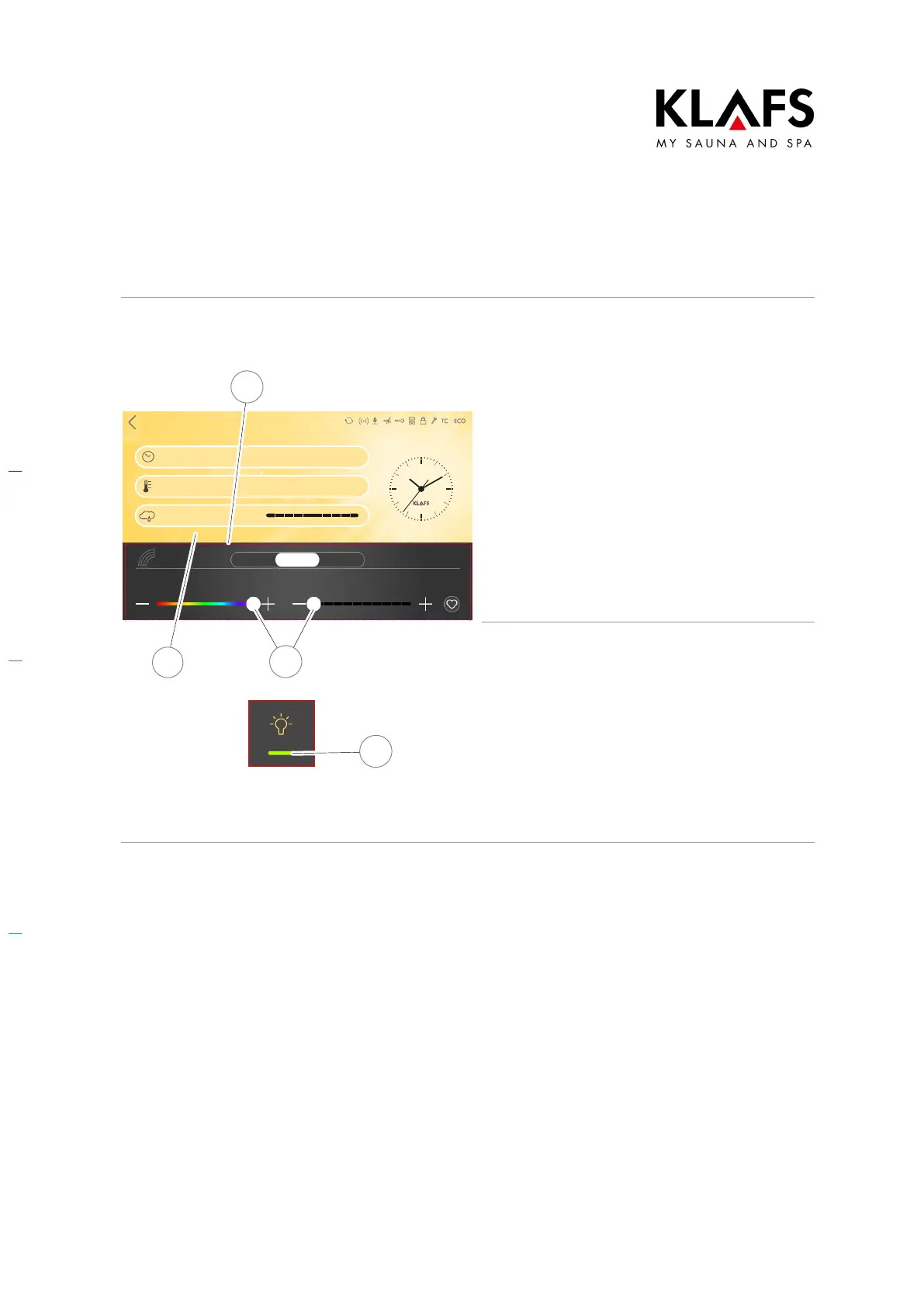
Switching on and configuring adjustable
extras
1. You can change the settings of
adjustable extras (1) using the +/-
buttons or the slider (2).
D Setting the adjustable extras (1) to
0 switches them off.
2. Apply the change by touching the
screen (3).
D The green light bar (4) appears.
The adjustable extra (1) then starts with the
setting entered.
Switching adjustable extras off
1. Change the settings of adjustable
extras (1) to 0 using the +/-
buttons or the slider (2).
2. Apply the change by touching the
screen (3).
The adjustable extra (1) is switched off.
D The green light bar (4) disappears.



 To Next Page