47
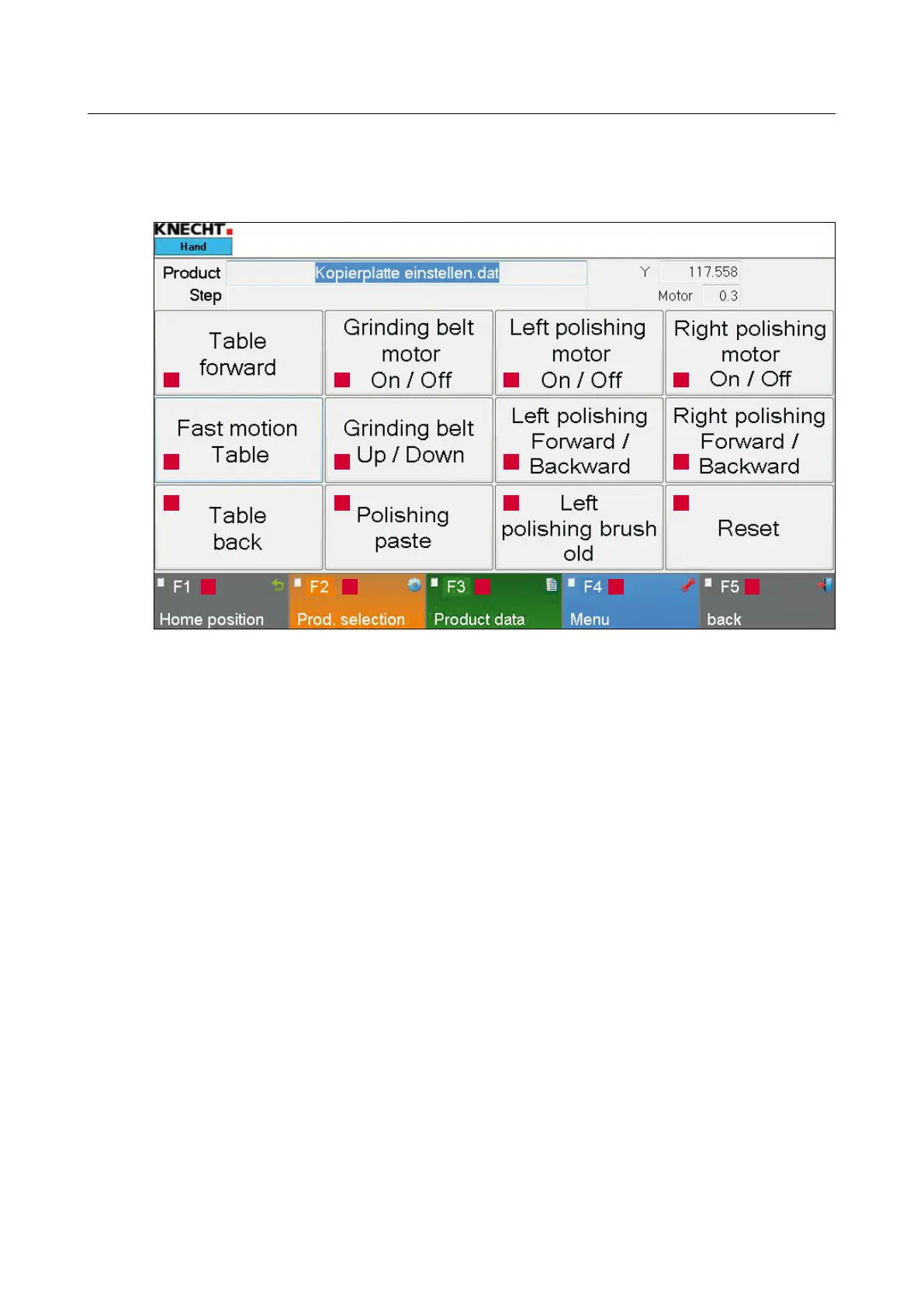
8.1 Main Screen
1 “Table forward”: For moving the table forward
2 “Fast motion, table”: Rapid traverse for table forward / backward
3 “Table back”: For moving the table backward
4 “Grinding belt motor On / Off”: Switches the wet grinding belt on / off
5 “Grinding belt Up / Down”: For raising / lowering the wet grinding belt
6 “Polishing paste”: Pulse for applying the polishing paste on the flap brushes (in addition to
the automatic cycle)
7 “Left polishing motor On / Off”: For switching the left polishing unit on / off
8 “Left polishing Forward / Backward”: For moving the left polishing unit forward / backward
9 “Left polishing brush old”: Press the touch panel button if brushes are worn out. Slide auto-
matically moves 10 mm further.
10 “Right polishing motor On / Off”: For switching the right polishing unit on / off
11 “Right polishing Forward / Backward”: For moving the right polishing unit forward / backward
12 “Reset”: For deleting temporary fault messages
13 “F1 Home position”: Moves the table to home position
14 “F2 Prod. selection”: For selecting the product files
15 “F3 Product data”: For changing the product data parameters
16 “F4 Menu”: For managing the settings and language of the user interface
17 “F5 Back”: For going back to the last view
8. Control system
Figure 8-1 Main screen
1
2
3
13 14 15 16 17
4
5
6
7
8
9
10
11
12



 To Next Page