52
8. Control system
8.4.1 Meaning of “Grinding” parameters
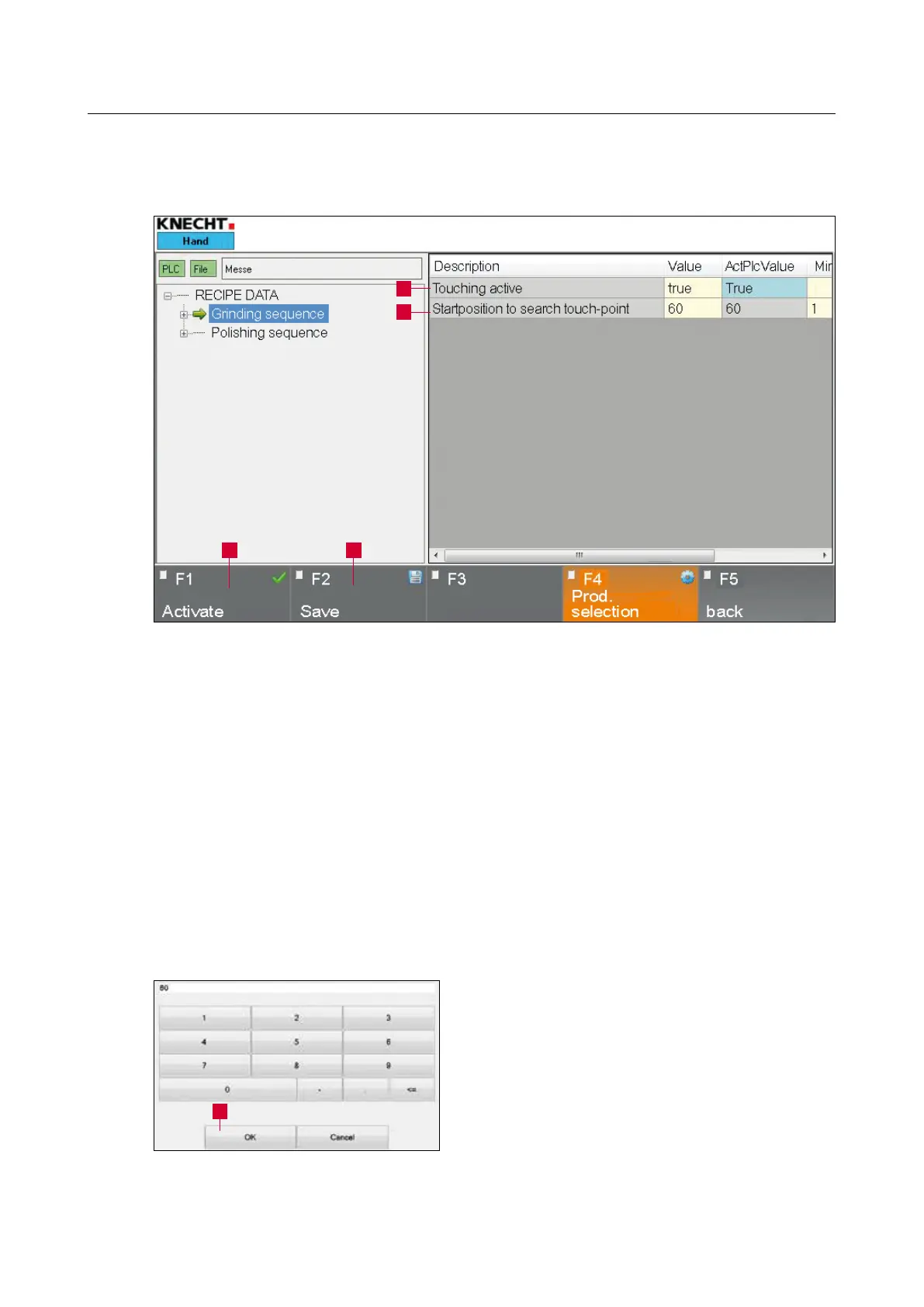
1 “Touching enabled”: true = touching enabled, false = touching disabled
2 “Start position for beginning of knife search”: Path that the knife covers for touching in
fast motion before speed is reduced (in mm)
To change the parameters, tap on the relevant
button highlighted in yellow.
Tap on “Numbers” to open the window as shown
in (8-13); tap on “Values” to open the window as
shown in (8-14).
Select the desired number and confirm with “OK”
(8-13/1).
The “Cancel” touch panel button closes the
window without accepting the number.
Figure 8-12 “Grinding” parameters
1
2
3 4
Figure 8-13 Editing the “Numbers” parameter
1



 To Next Page