58
8. Control system
8.5 Settings Data
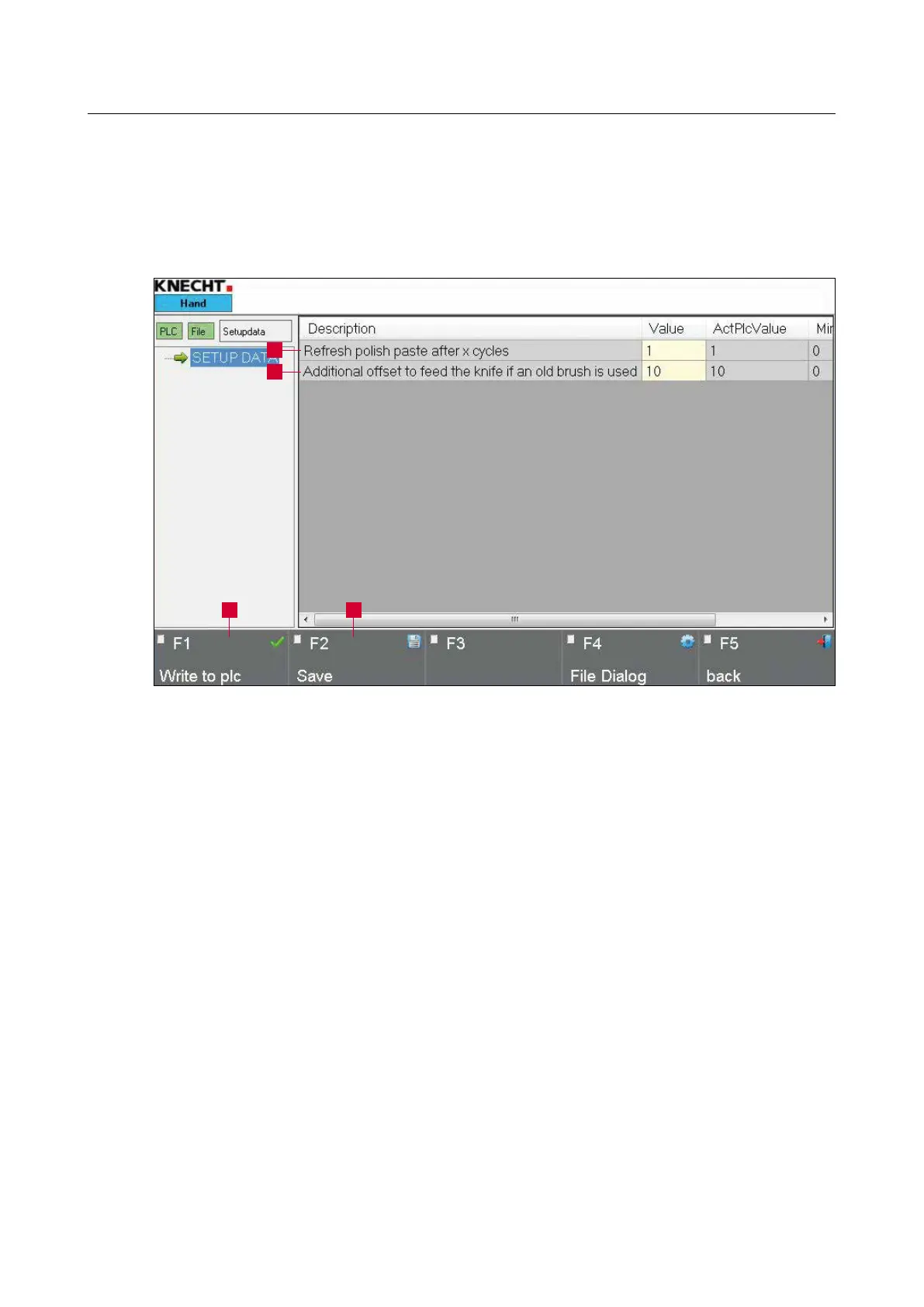
The settings data are called via the main menu “F4 Menu” (8-1/16) followed by “F2 Settings
Data”.
1 “Number of cycles up to polishing paste”: Number of grinding cycles before the polishing
paste is automatically applied on the flap brushes
2 “Correction value for worn left polishing brush”: On pressing the touch panel button
in the main screen (8-1/9), the slide moves forward by the set value so that the left flap
brushes can function optimally (in mm)
To change the parameters, tap on the relevant
button highlighted in yellow.
A window (8-21) opens when you click “Num-
bers”.
Figure 8-20 Settings data
1
2
3 4



 To Next Page