50
8. Control system
8.3.2 Creating the product file
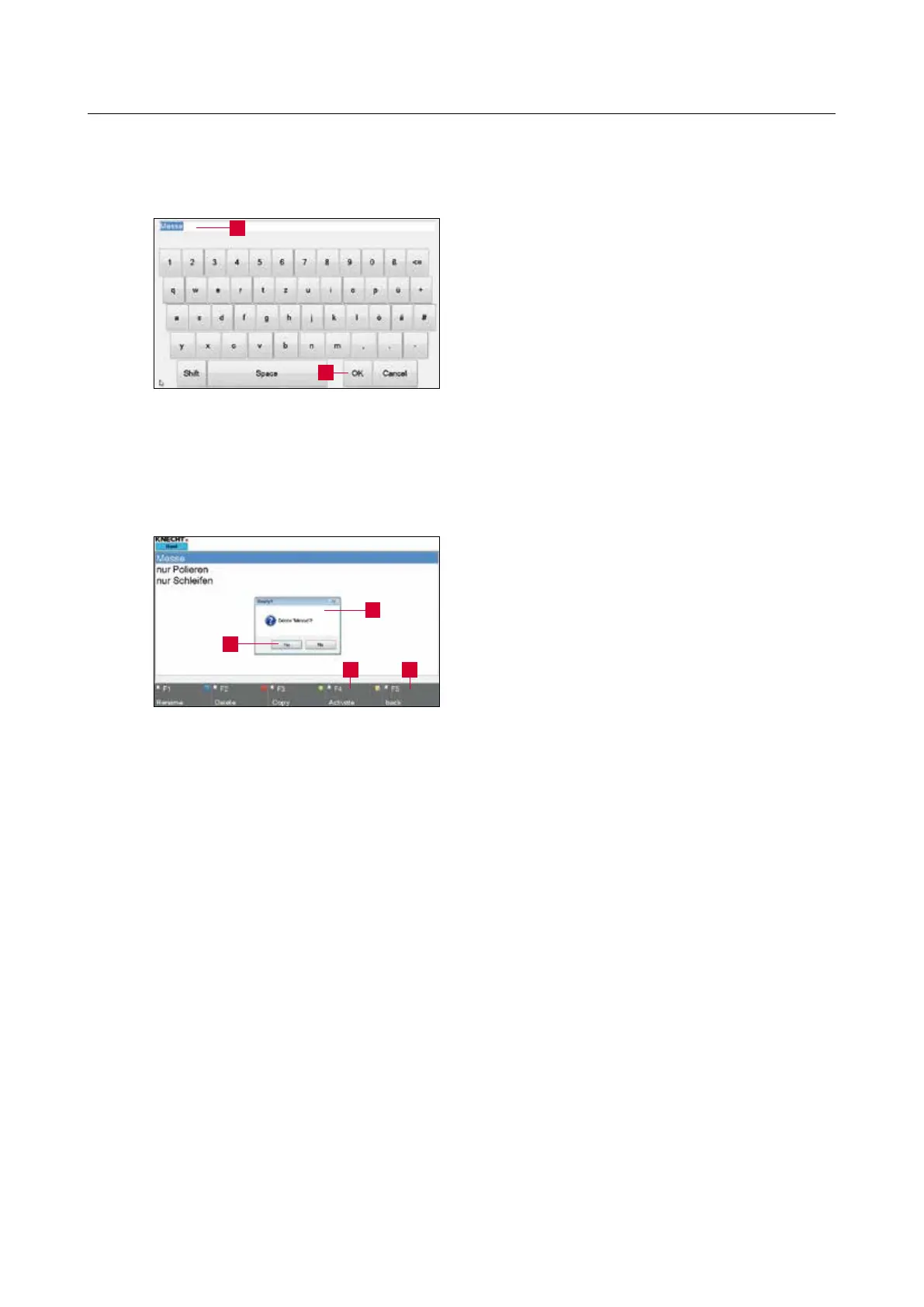
On pressing “F3 Copy” (8-6/3), a window as
displayed in the figure on the left (8-8) opens.
Edit the file name (8-8/1) using the keyboard and
confirm with “OK” (8-8/2).
The window closes. The new file appears in the
product file directory.
Continue with Chapter 8.4 to edit the parameters
of the product file.
8.3.3 Deleting the product file
On pressing “F2 Delete” (8-6/2), a pop-up win-
dow (8-9/1) opens.
Confirm with “Yes” (8-9/2); cancel with “No”.
The pop-up window closes.
Then activate a product file with “F4 Activate”
(8-9/3) or return to the main screen with “F5
Back” (8-9/4).
Figure 8-8 Creating the product file
Figure 8-9 Deleting the product file
2
1
1
2
43



 To Next Page