65
9. Care and maintenance
9.2 Cleaning
Clean the machine after each grinding process to prevent grinding sludge from drying, hence
making it harder to remove.
After cleaning, lightly grease the machine with non-corrosive oil (also refer to lubrication schedule
in Chapter 9.1.1).
The coolant must be changed every week.
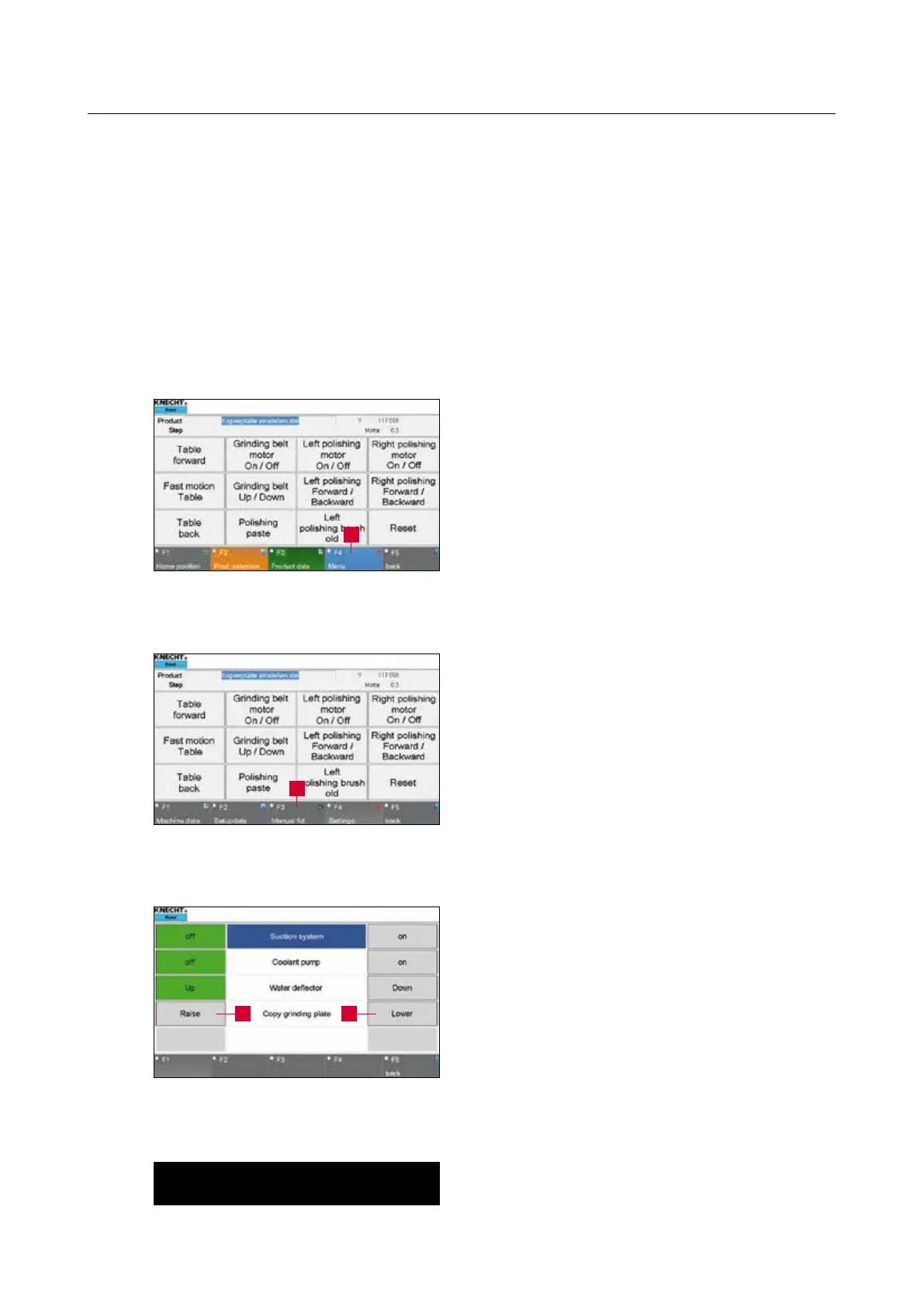
The copy clamping plate can be lowered for
cleaning the machine.
To do that, close the protective hood.
Press the “F4 Menu” (9-4/1) touch panel button
on the main screen. A new window (9-5) opens.
Press the “F3 Manual Function” (9-5/1) touch
panel button to call the manual function of the
machine.
Press the “Down” button (9-6/1) on the touch
panel. The copy clamping plate is lowered and the
grinding sludge can be removed with water.
To raise the copy clamping plate, press the “Up”
button (9-6/2) on the touch panel.
ATTENTION
Dispose of the coolant in an environmentally
friendly way!
Figure 9-4 Main screen
Figure 9-5 Menu
Figure 9-6 Manual functions
1
1
12



 To Next Page