37
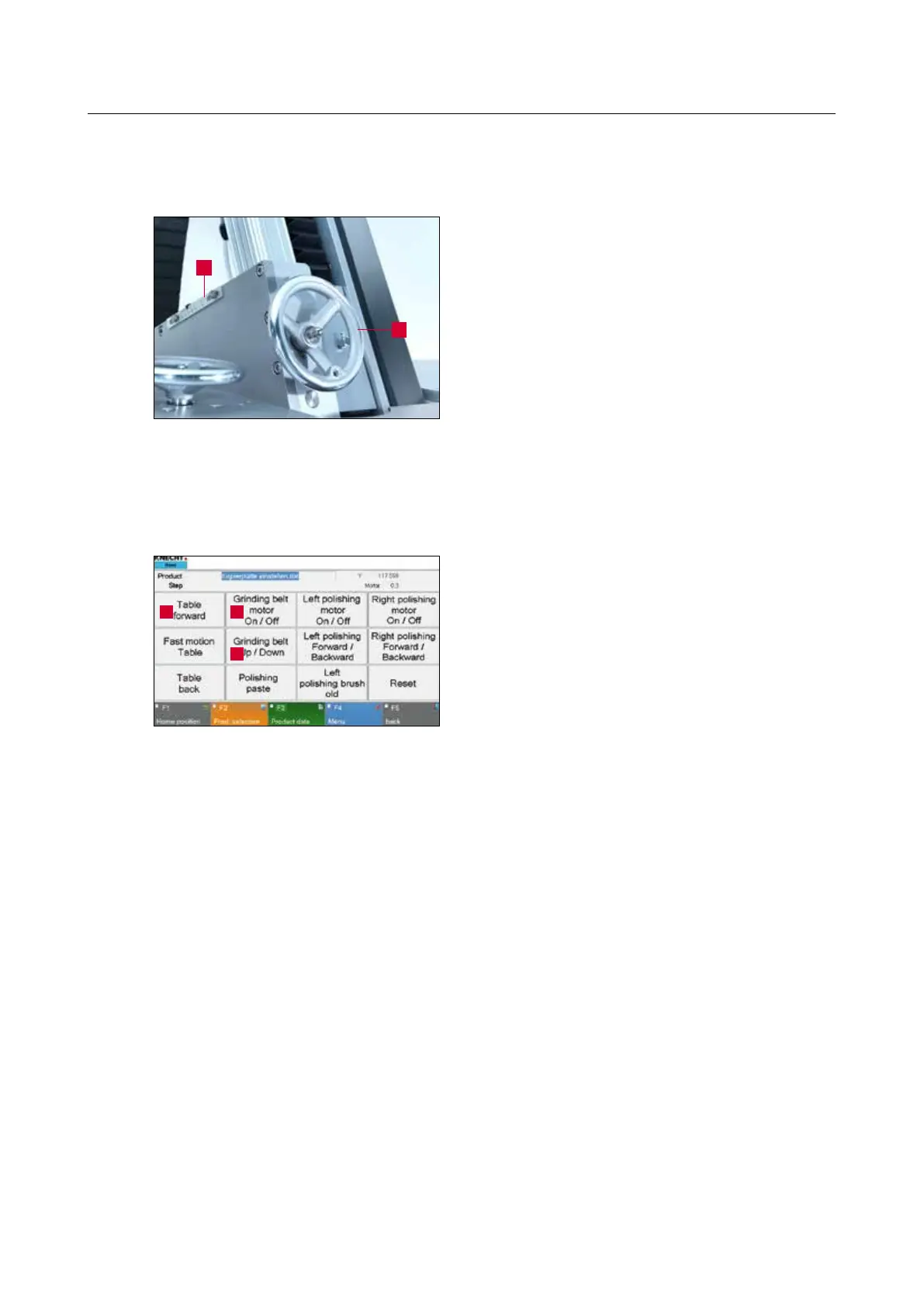
Figure 7-5 Adjusting the grinding angle
1
2
7.3.3 Adjusting the grinding angle
Adjusting the grinding angle with the hand wheel
(7-5/1).
The grinding angle can be read off the scale (7-
5/2).
7.3.4 Aligning the grinding unit
Turn the “Setting Mode” key switch (3-6/6) to
position “1”.
Move wet grinding belt to working position by
pressing the “Grinding belt Up/Down” button (7-
6/2) on the touch panel.
Open the coolant tap (3-10/1) roughly halfway.
Press the “Table forward” button (7-6/3) on the
touch panel until wet grinding belt and knife are
almost touching each other.
Press the “Change copy grinding plate” but-
ton (3-6/4). Check the direction of travel of the
copy grinding plate and press the button again
as necessary to make the copy grinding plate
move in the desired direction. Hold the button in
depressed position until the copy grinding plate
stops moving. The wet grinding belt is now at the
knife tip.
7. Operation
13
2
Figure 7-6 Main screen



 To Next Page