41
7.4 Changing the copy clamping plate
Never change the copy clamping plate with knives clamped.
There is a risk of crushing and pinching at the drive pinion.
This can result in serious injuries.
Only press the “Change copy clamping plate” button (3-6/4) with the
copy grinding plate mounted.
CAUTION
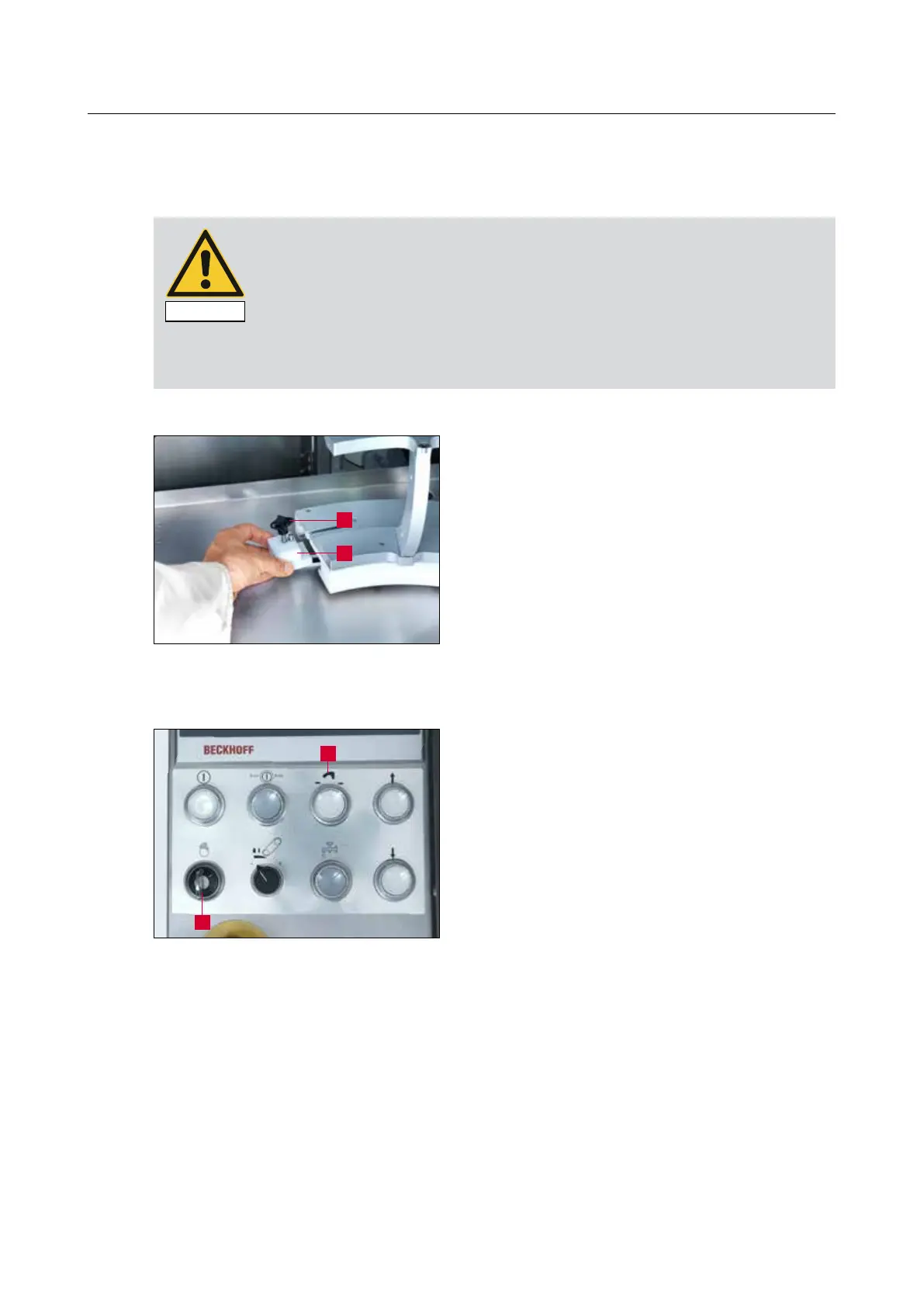
Loosen the star knob (7-14/2).
Take out the limit switch cam (7-14/1).
Set the “Setting Mode” key switch (7-15/1) to
“1” and press the “Change copy grinding plate”
button (7-15/2). Check the direction of travel
of the copy grinding plate and press the button
again as necessary to make the copy grinding
plate move in the desired direction. Hold the but-
ton in depressed position until the copy grinding
plate stops moving.
Then detach the copy clamping plate from the
guide carriage by hand without twisting it and
keep it in a safe place.
7. Operation
Figure 7-14 Changing the copy clamping plate
Figure 7-15 Control panel
2
1
2
1



 To Next Page