48
8. Control system
ATTENTION
Fast motion highlighted in green: Unit
traverses continuously without interruption.
Fast motion highlighted in gray: Unit
traverses a predefined distance.
8.2 Activating the product file
A separate product file for each grinding task is stored. This product file must be selected and
loaded before grinding in automatic mode.
The procedure is as follows:
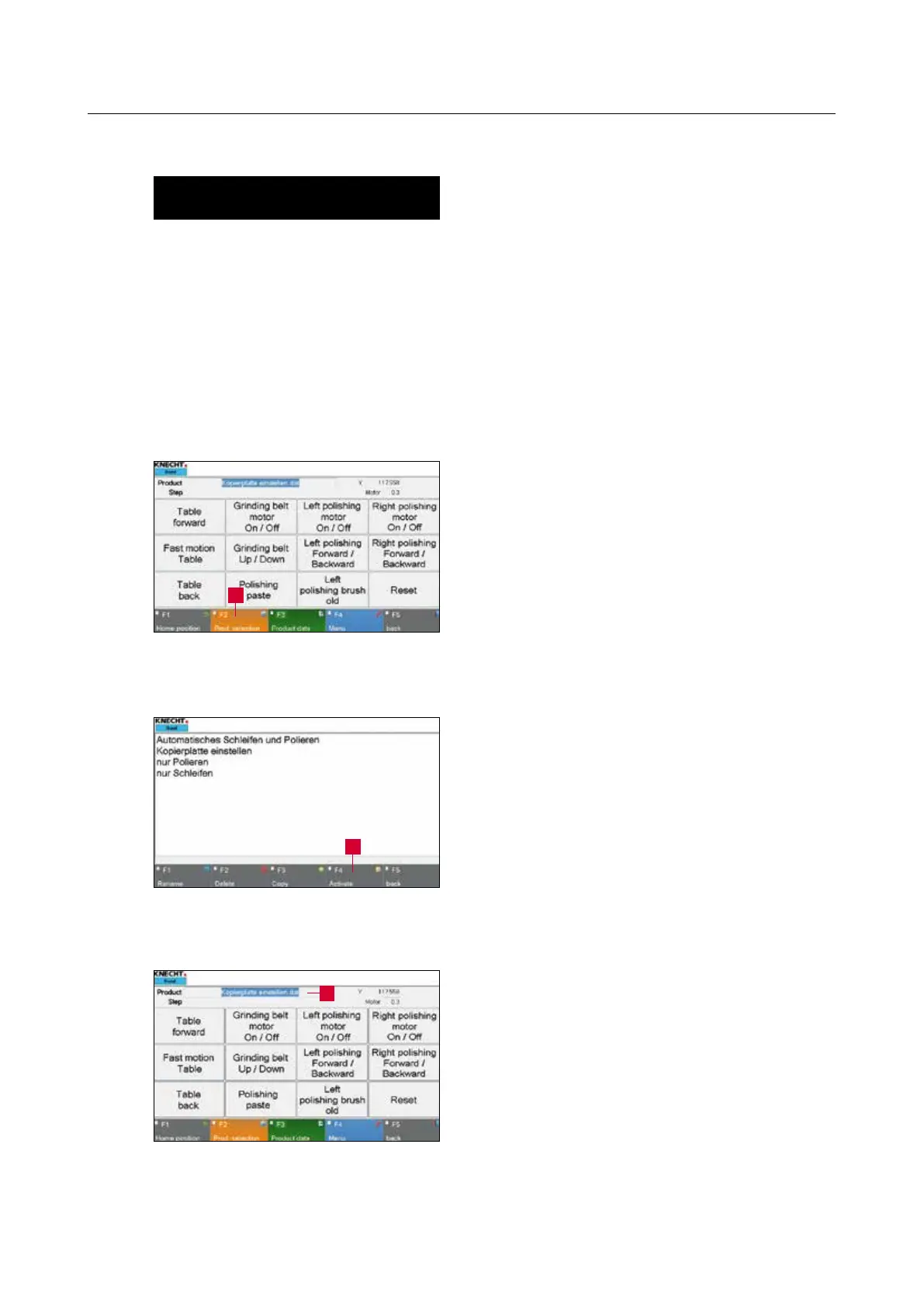
Activate the “F2 Prod. Selection” (8-2/1) touch
panel button. A new window (8-3) opens.
Select the desired file so that it is highlighted in
blue.
Load the product file in the control unit via the
“F4 Activate” (8-3/1) touch panel button.
The program automatically switches back to the
main screen.
The new product file appears in the “Product”
row (8-4/1). The new parameters are now loaded
by the control unit.
Figure 8-4 Main screen
Figure 8-2 Main screen
1
Figure 8-3 Selecting the product file
1
1



 To Next Page