35
7.3 Grinding the cutter knives
7.3.1 Switching on the grinding machine
Set the main switch (see figure 3-5/1) to “I”. Wait for the controls to initialize. The main screen
appears.
Press the “Control On” button (3-6/2). The control unit is now activated.
Turn the “Setting Mode” key switch (3-6/6) to position “1”.
7.3.2 Mounting the copy clamping plate
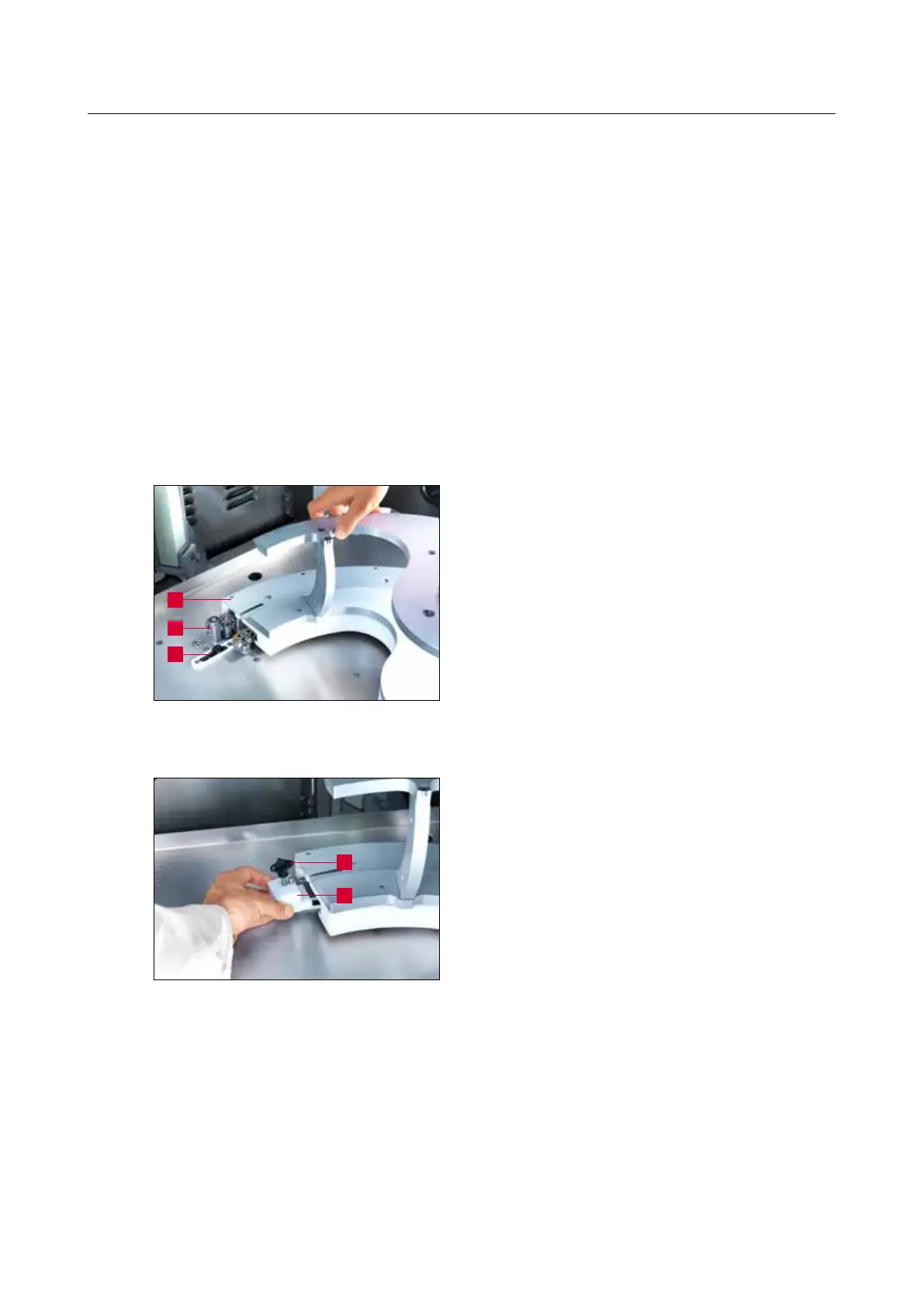
Push the copy clamping plate (7-2/1) as far as it
will go on the ball bearings of the guide carriage
(7-2/2) while pressing against the limit stop with
the right hand.
Press and hold the “Change copy clamping plate”
button (3-6/4) until the copy clamping plate has
moved over the limit switch (7-2/3).
With the pin in front, push the limit switch cam
(7-3/1) under the copy clamping plate and tighten
the star knob (7-3/2).
7. Operation
Figure 7-3 Mounting the limit switch cam
Figure 7-2 Mounting the copy clamping plate
2
1
2
1
3



 To Next Page