56
8. Control system
8.4.3 Meaning of “Polishing Process” parameters
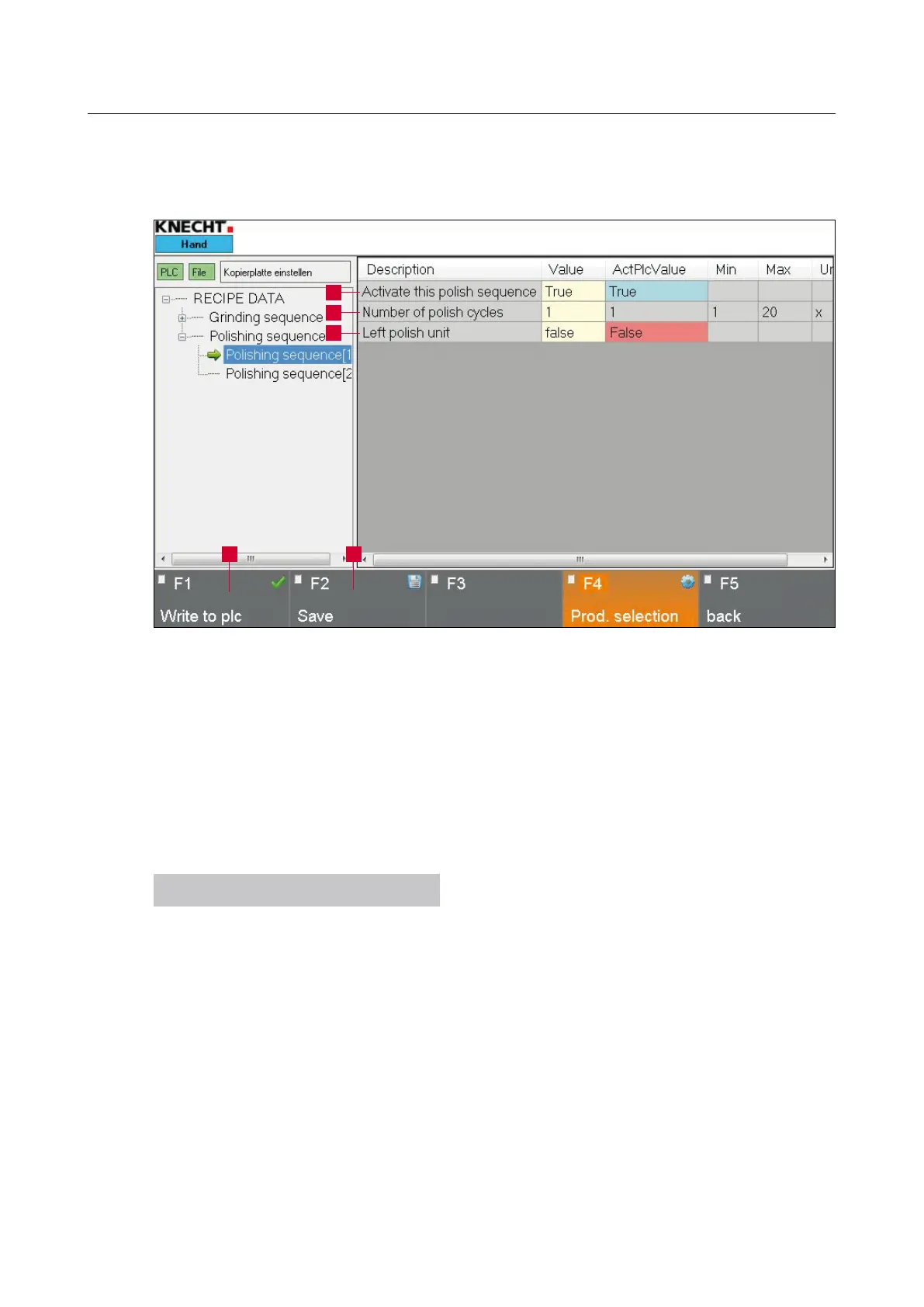
1 “Polishing process enabled”: true = polishing process activated, false = polishing process
deactivated
2 “Number of Cycles”: Polishing cycles in a particular polishing process
3 “Left polishing unit”: true = left polishing unit activated, false = right polishing unit
activated
NOTICE
The above parameters refer to the 2nd
polishing process.
To change the parameters, tap on the relevant
button highlighted in yellow.
Tap on “Numbers” to open the window as shown
in (8-18); tap on “Values” to open the window as
shown in (8-19).
Figure 8-17 “Polishing process” parameter
1
2
4 5
3



 To Next Page