61
8. Control system
8.7 Language
The user interface language can be changed to
the language of the country of use. The parameter
descriptions are always in English.
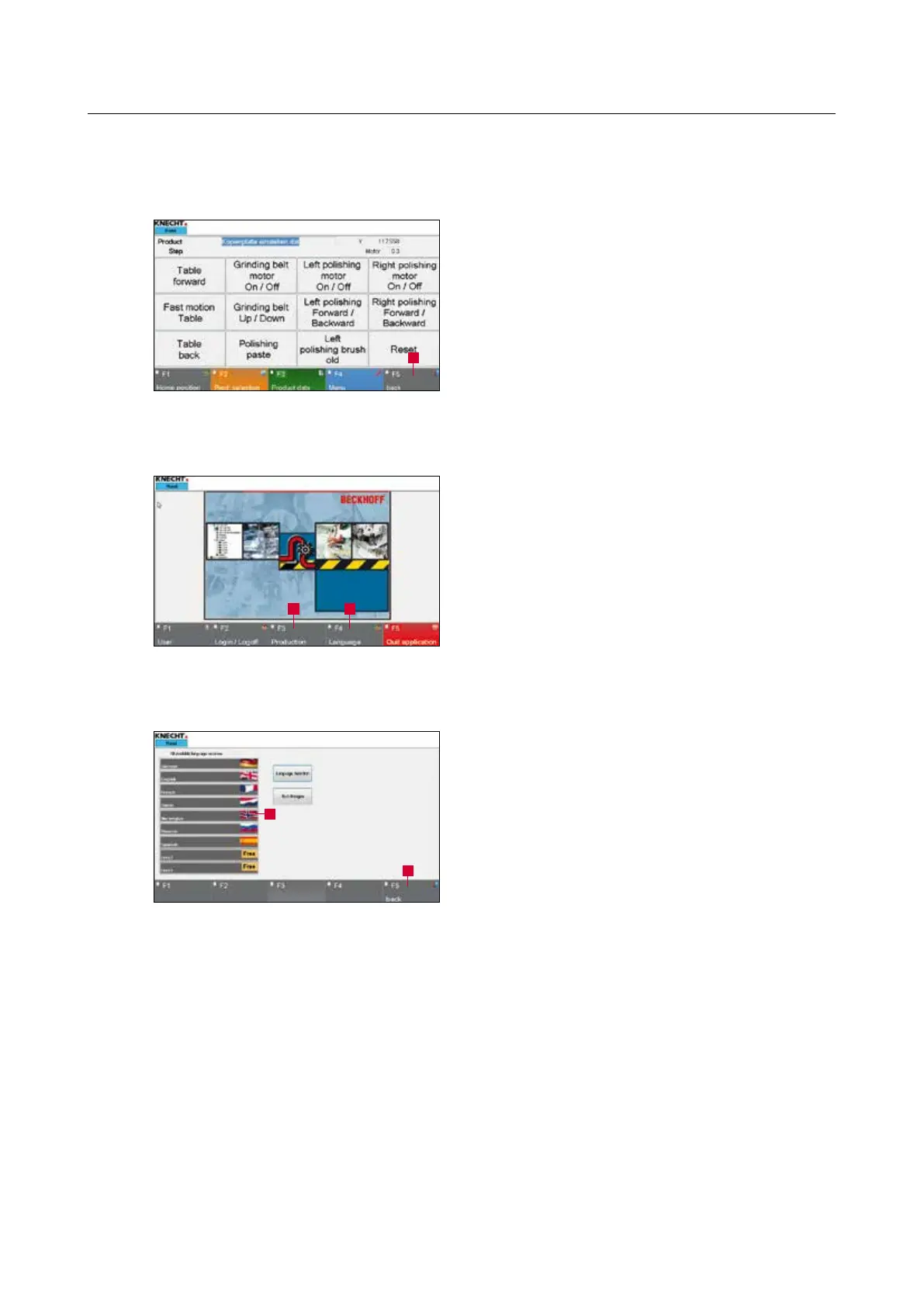
Press the touch panel button “F5 Back” (8-23/1)
to go back to the start screen.
Press the “F4 Language” (8-24/1) touch panel
button.
A new window (8-25) opens.
The desired language is selected and automatically
activated by pressing the corresponding touch
panel button (8-25/1).
Then return to the start screen by pressing the
“F5 Back” (8-25/2) touch panel button.
The main screen appears when the “F3 Produc-
tion” (8-24/2) button is pressed.
Figure 8-25 Selecting the language
Figure 8-23 Main menu
1
Figure 8-24 Start screen
12
2
1



 To Next Page