SECTION 2 - SET-UP
1-2-6
2-6
© 2018 Konami Gaming Inc. P/N 810352
CONCERTO CRESCENT
(Original Instructions)
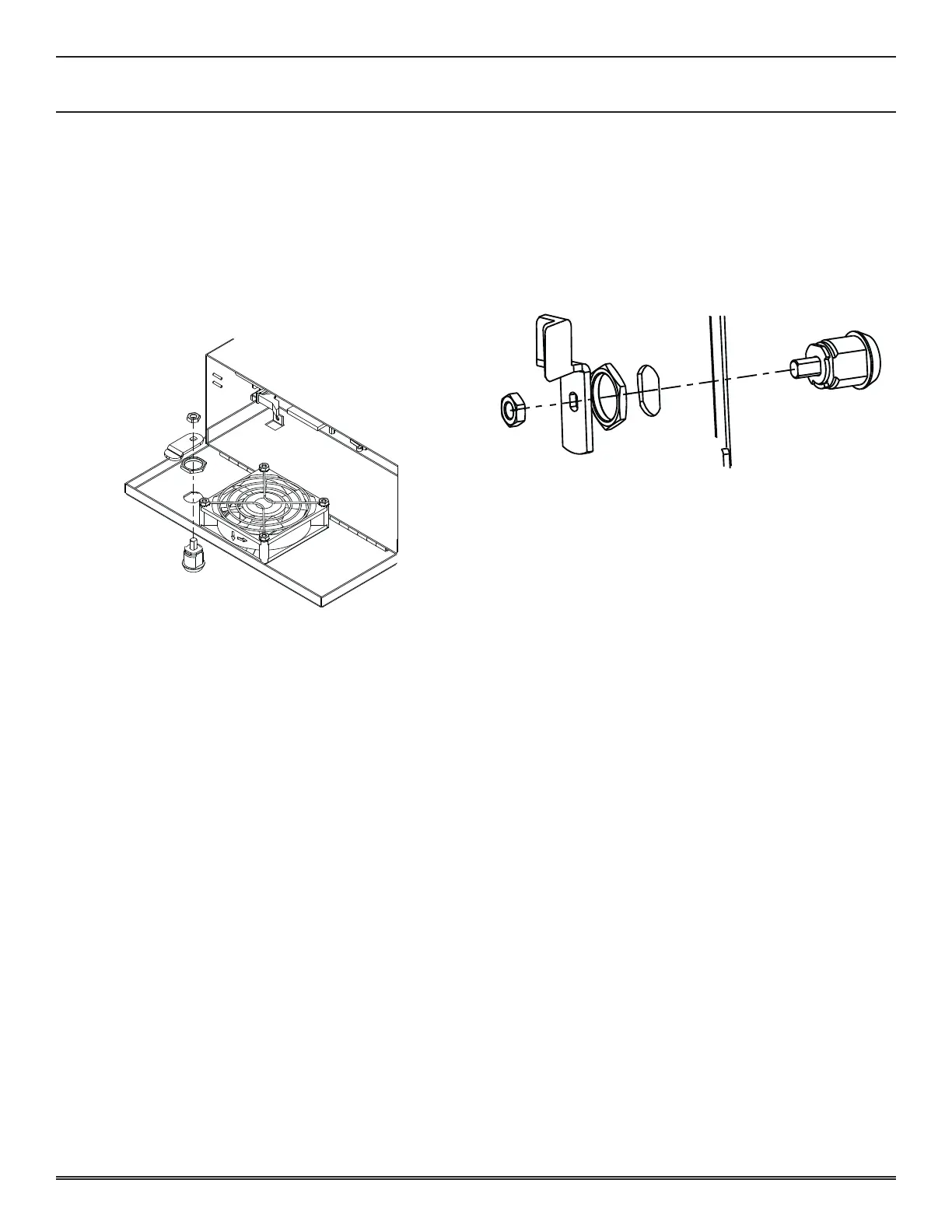
logic unit door lock
1� Open Main Deck Door�
2� Open Logic Unit Door�
3� Replace Lock�
4� Turn the key 90° counter-clockwise to open the Logic Unit
Door, then return it to the original position�
5� Make sure that the Lock is installed properly by locking
and unlocking the Door�
If any of the following problems exist before turning on the
power, check that the key works properly for the installed lock�
• The door will not open and close easily�
• The key cannot be removed or turned�
If the 012 LOGIC DOOR OPEN message appears after turning
on the power, check that the above procedure was performed
properly� The probable causes of the error are:
• The lock is not installed properly�
• The logic door switch is not depressed completely�
If the 032 LOGIC DOOR ACCESSED message appears after
turning on the power, turn the reset key switch�
Go to DIAGNOSTIC DOOR in the KMS Diagnostics to check
the logic door switch�
sub door lock
1� Open Sub Door�
2� Replace Lock�
3� Turn key 90° to open Main Door then return it to the
original position�
4� Make sure that the Lock is installed properly by locking
and unlocking the Door�
If any of the following problems exist before turning the power
on, check that the key works properly for the installed lock�
• The Door will not open or close easily�
• The Latch does not engage easily�
• The key cannot be removed or turned�
If the SUB DOOR OPEN message appears after turning the
power on, make sure that the above procedure was performed
properly� The probable causes of the error are:
• The lock is not installed properly�
• The Main Door Switch is not depressed completely�
If the SUB DOOR ACCESSED message appears after turning
the power on, turn the reset key switch�
Go to DIAGNOSTIC DOOR in the KMS Diagnostics to check
sub door switch and sensor�















 To Next Page