SECTION 2 - SET-UP
1-2-7
2-7
© 2018 Konami Gaming Inc. P/N 810352
CONCERTO CRESCENT
(Original Instructions)
bill validator door lock
1� Open Main Door�
2� Open Bill Validator Door�
3� Replace Lock�
4� Turn key 90° counter-clockwise to open the Bill Validator
Door, then return it to the original position�
5� Make sure that the Lock is installed properly by locking
and unlocking the Door�
If any of the following problems arise before turning the power
on, check that the above procedure was performed properly�
• The Door will not open and close easily�
• The key cannot be removed or turned�
If the 014 BILL DOOR OPEN message appears after turning
on the power, check that the above procedure was performed
properly� The probable causes of the error are:
• The Lock is not installed properly�
• The Bill Validator Door Switch is not depressed completely�
If the 034 BILL DOOR ACCESSED message appears after
turning the power on, turn the Reset key switch�
Go to DIAGNOSTIC DOOR in the KMS Diagnostics to check
the bill box door switch�
BILL ACCEPTOR (FACTORY PRESET)
The bill acceptor validates, either accepting or rejecting bills
inserted into the bill validator module (bill head)�
Accepted bills are transported to the cash cassette, and an
appropriate number of credits register on the credit meter� For
example, an accepted U�S� $1�00 bill shows as four credits
on a 25¢ machine� Rejected bills are returned to the player�
• Remove the bill validator module (refer to the Section
3 - Assemblies, Parts & Hardware)�
NOTE: Remove the spacer for a short lock. Retain the
spacer and other small parts for future use if not required
for this application.
collecting bills
When the Bill Stacker is full, the BILL STACKER FULL
message appears� This suspends the game until the bills
are collected� Please note that Bills should be collected
periodically before the Bill Stacker becomes full�
1� Open the Sub Door�
2� Open the Bill Stacker Door�
3� Pull out the Bill Stacker�
4� Unlock the locks (two (2) places) on the back of the Bill
Stacker at the same time and remove the bills�
5� Install the Bill Stacker in the Bill Validator unit�
6� Close the Bill Stacker Door and Sub Door�
7� Turn the Reset key-switch to recover from the error�
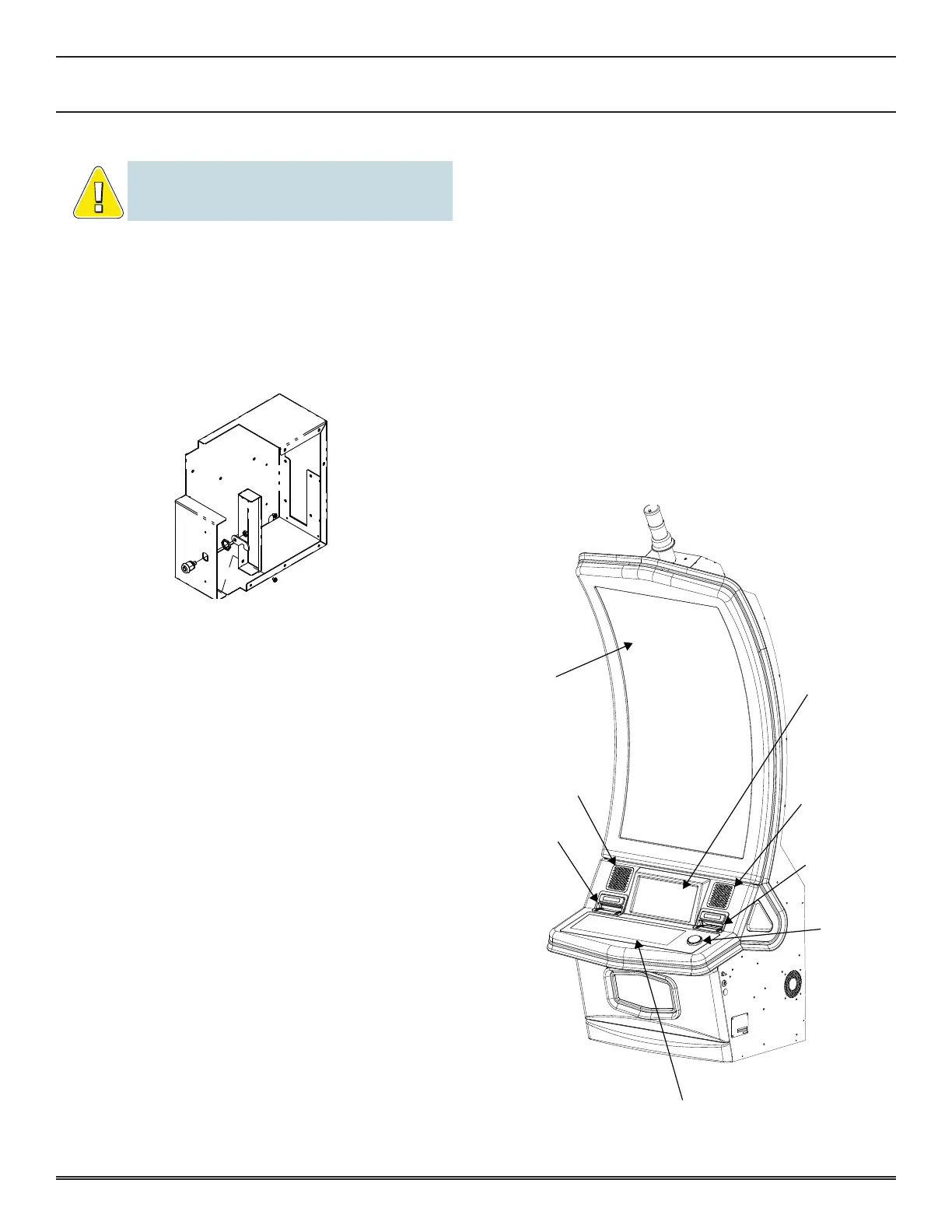
PLAYER/OPERATOR INTERFACE
The following illustration identifies the Player/Operator
interface items used to play the game�
Bill Entry
Ticket
Chute
Speaker
LCD
Player
Tracking
Panel
Select Number of Lines
Spin
Button
Select Bet Per Line
Speaker
Flat Panel
Button Panel















 To Next Page