SECTION 3 - PARTS, ASSEMBLIES & HARDWARE
1-3-4
3-4
© 2018 Konami Gaming Inc. P/N 810352
CONCERTO CRESCENT
(Original Instructions)
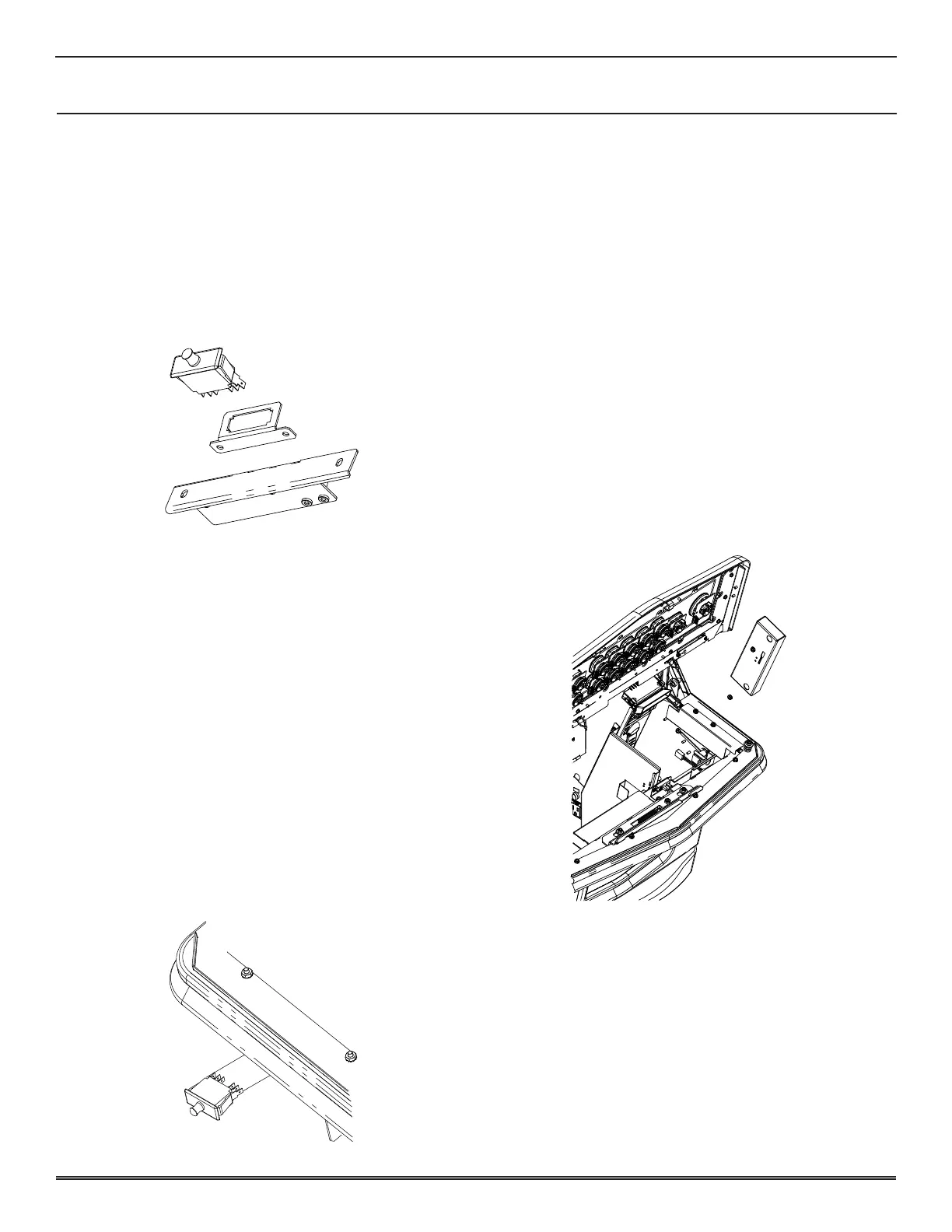
DISPLAY DOOR SWITCH
reMoval
1� Unlock and open Deck Door�
2� Unlatch Display Door and remove door to access Switch�
3� Note wire locations for installation and remove wires
from back of Switch�
4� Grasp the Display Door Switch from the top and bottom
behind the mounting bracket and push Switch forward�
installation
1� Insert switch from the front of machine�
2� Gently push switch into the bracket until it seats�
3� Connect wires to terminals�
4� Install and latch display door�
5� Turn on machine power�
6� Close and lock deck door�
SUB DOOR SWITCH
reMoval
1� Unlock and open Sub Door�
2� Note wire locations for installation and remove all wires
from Switch�
3� Gently grasp Sub Door Switch from the top and bottom
behind the mounting bracket and push the Switch forward�
installation
1� Insert Switch from the front of the machine�
2� Gently push Switch into the bracket until it seats�
3� Connect wires to the terminals�
4� Turn on machine power�
5� Close and lock Sub Door�
BILL VALIDATOR SWITCH ASSEMBLY
reMoval
1� Unlock and open Sub Door and Main Deck Door�
2� Turn off machine power�
3� Open Bill Validator Door and remove Stacker�
4� Remove Bill Validator�
5� Disconnect harnesses from Bill Validator Door Switch
Assembly�
6� Remove two #8-32 nuts and Bill Validator Door Switch
Assembly�
installation
1� Install Bill Validator Door Switch Assembly and secure
with two #8-32 nuts�
2� Connect harnesses to Bill Validator Door Switch Assembly�
3� Install Bill Validator�
4� Turn on machine power�
5� Close and lock Main Deck Door and Sub Door�















 To Next Page