8 Parameter detail setup
100 © Copyright Reserved KONICS Co., Ltd.
8.5.1 Record Mode (Recode mode)
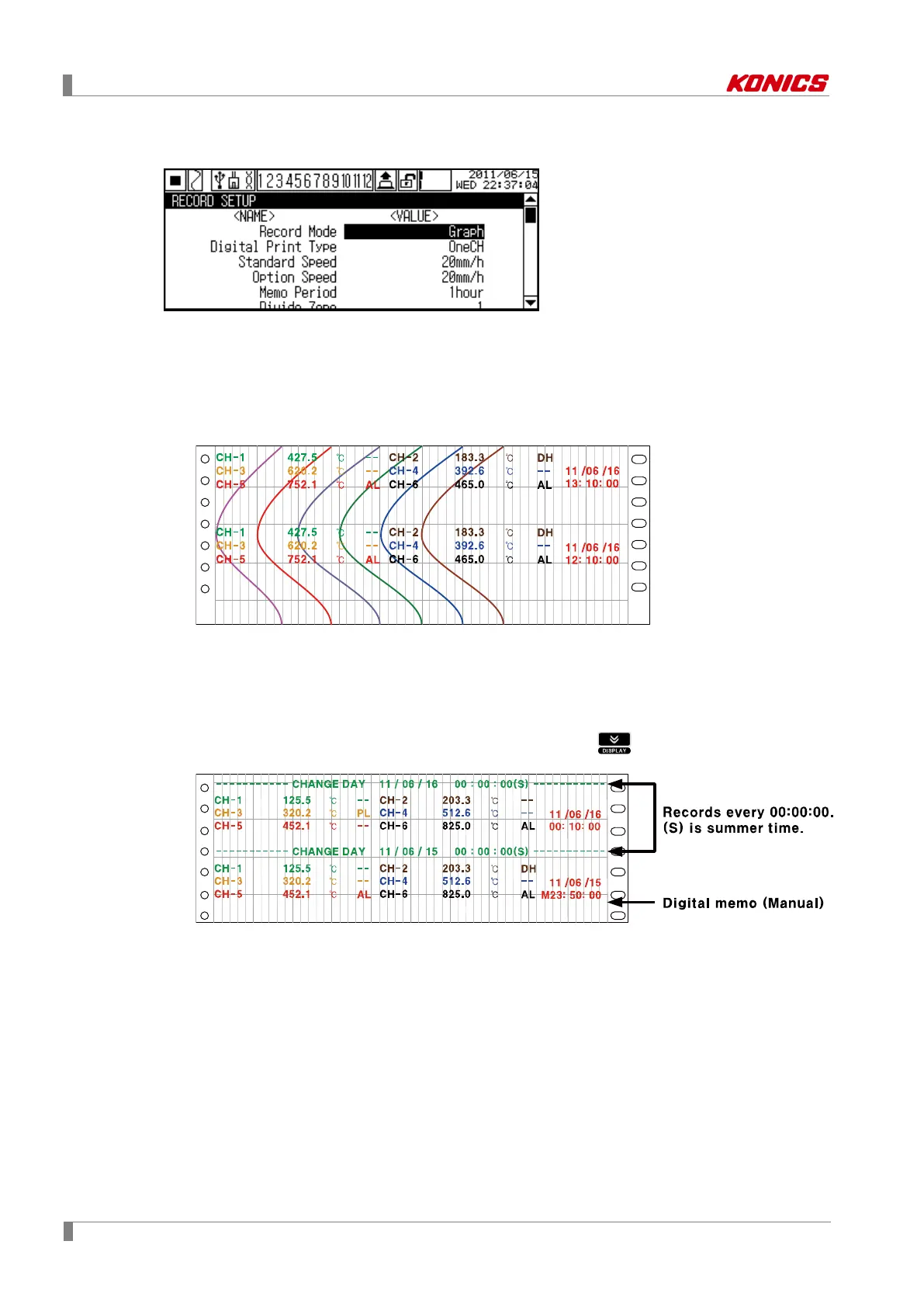
Set record mode to record display value on recording paper. KRN100 supports Graph, and
Digital record modes.
(1) Graph
Records display value as graph type on recording paper.
It records current time (hh:mm:ss), display value by channel in set Memo Period(Digital
memo record period)
(2) Digital
Records display value as numeric on recording paper.
It records current time (hh:mm:ss), display value by channel in set Standard Period
(Print/Record period) and also records current date (Year-Month-Day) and time in every
00:00:00.
You can record digital memo manually by front key (press key for 3 sec), or digital
input terminal.
Set range: Graph ↔ Digital
Factory default: Graph


 To Next Page