6 Display
© Copyright Reserved KONICS Co., Ltd. 43
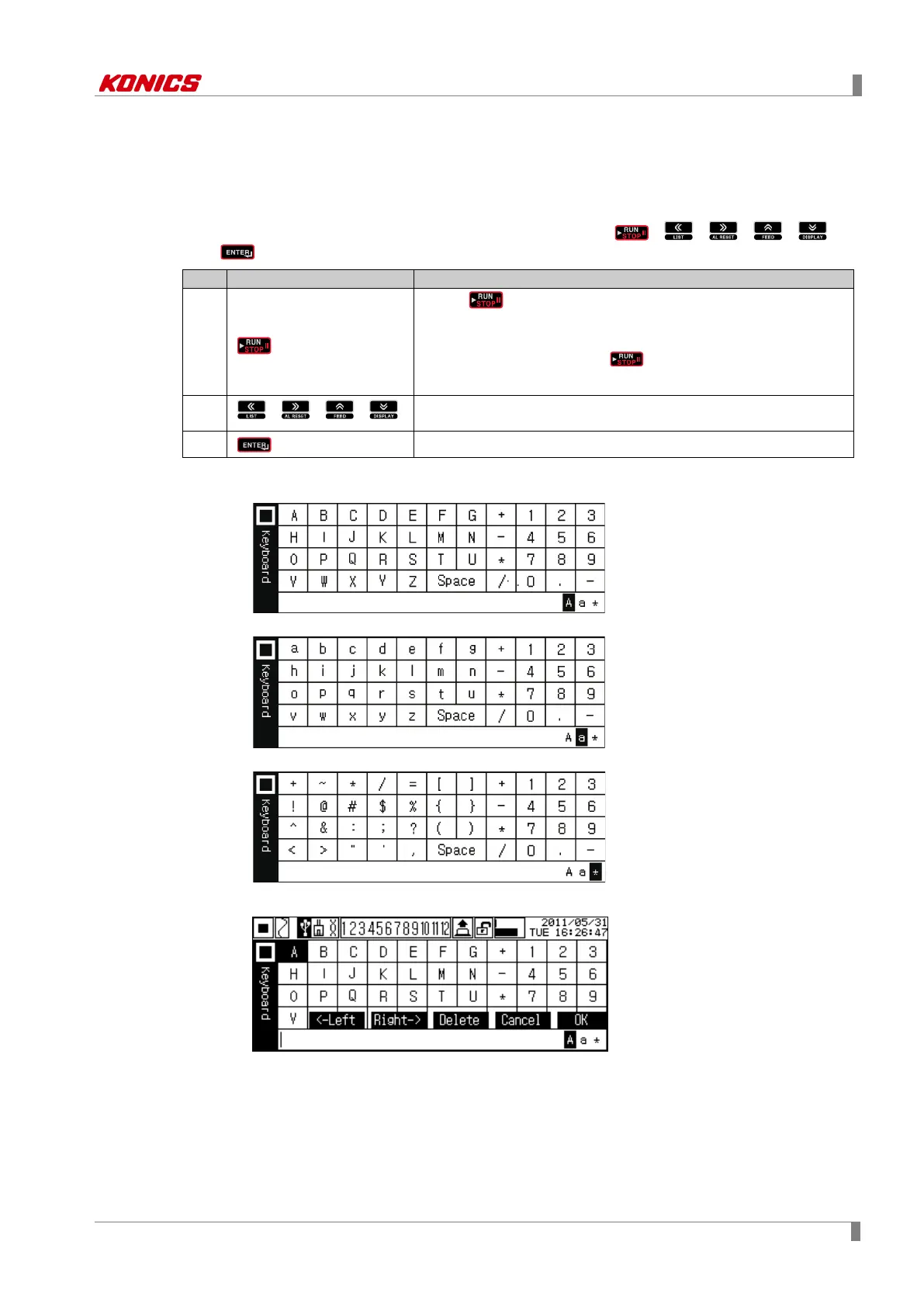
6.2.2 Virtual keyboard
You can enter set value with vertual keyboard. (Supports only English letters for entering
character.).
Virtual keyboard is activated when set value is input.
You can enter English letters, numbers, special characters by , , , , ,
and keys.
1
Press key once and English capital letters, English small
letters, and special character virtual keyboard is switching.
※
1
When pressing and holding key, screen of Function key
is displayed.
※
2
2
, , ,
Moves digit to select character of virtual keyboard
3
Enters set characters
※1. Enterable characters are as below.
English capital letters
English small letters
Special character
※2. Screen of Function key using



 To Next Page