8 Parameter detail setup
116 © Copyright Reserved KONICS Co., Ltd.
8.6.6 Reservation Type (Reservation record)
This function is to set reservation time. At the set time, it starts/stops recording automatically.
You can select reservation record either Repeat(Repeat ON/OFF) or Single(Single ON/ OFF).
When selecting reservation record, ‘Reservation Period(Reservation record period)’ and
‘Reservation Time(Reservation record time)’ are activated. When reservation record is set,
icon flashes with (recording) or (stop recording) icon.
icon tuns OFF when reservation setting is ‘Disable’.
Set range: Disable ↔ Repeat ↔ Single
Factory default: Disable
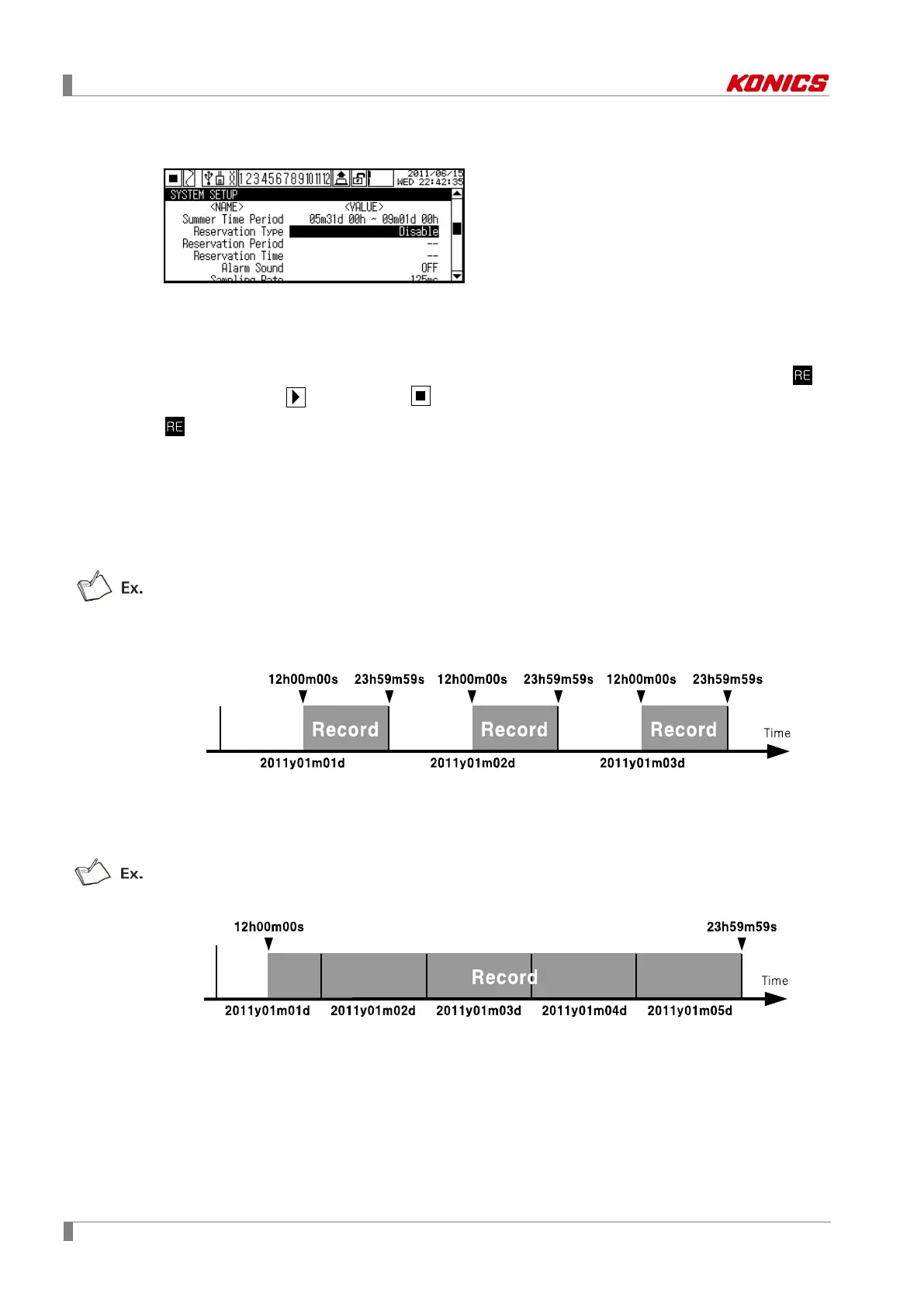
(1) Repeat(Repeat ON/OFF)
From start recording date to end recording date, it records data at from the set start time to
the set end time. End time must be later than Start time.
Reservation Period(Reservation record period) setting: Start Date 2011/ 1/ 1, End Date
2011/ 1/ 3
Reservation Time(Reservation record time) setting: Start Time 12/ 00/ 00, End Time 23/ 59/
59
It records data every at from 12:00:00 to 23:59:59 in from 1
st
, Jan, 2011 to 3
rd
, Jan, 2011.
(2) Single(Single ON/OFF)
Starts recording at the start set time on start date and finishes recording at the end set time
on end date.
Reservation Period(reservation record period): Start Date 2011/ 1/ 1, End Date 2011/ 1/ 5
Reservation Time(reservation record time): Start Time 12/ 00/ 00, End Time 23/ 59/ 59
It starts recording at 12:00:00 on January 1
st
2011 and finishes it at 23:59:59 January 5
th
2011.



 To Next Page