5 Installation
36 © Copyright Reserved KONICS Co., Ltd.
5.3 USB to Serial driver
Install USB to serial driver which is applied for KRN100 sereis and connect DAQMaster and you
can set parameter setting.(It is available only when communication output card (KRN-COM) is
connected. Supporing OS for USB to Serial driver is Windows XP 32/64bit, Windows 7 32/64bit.)
5.3.1 Driver installation
1st Visit our homepage www.konics.com and downlaod 'KRN100_USB_Serial_Drivers’.
Unzip this file to the desired folder.
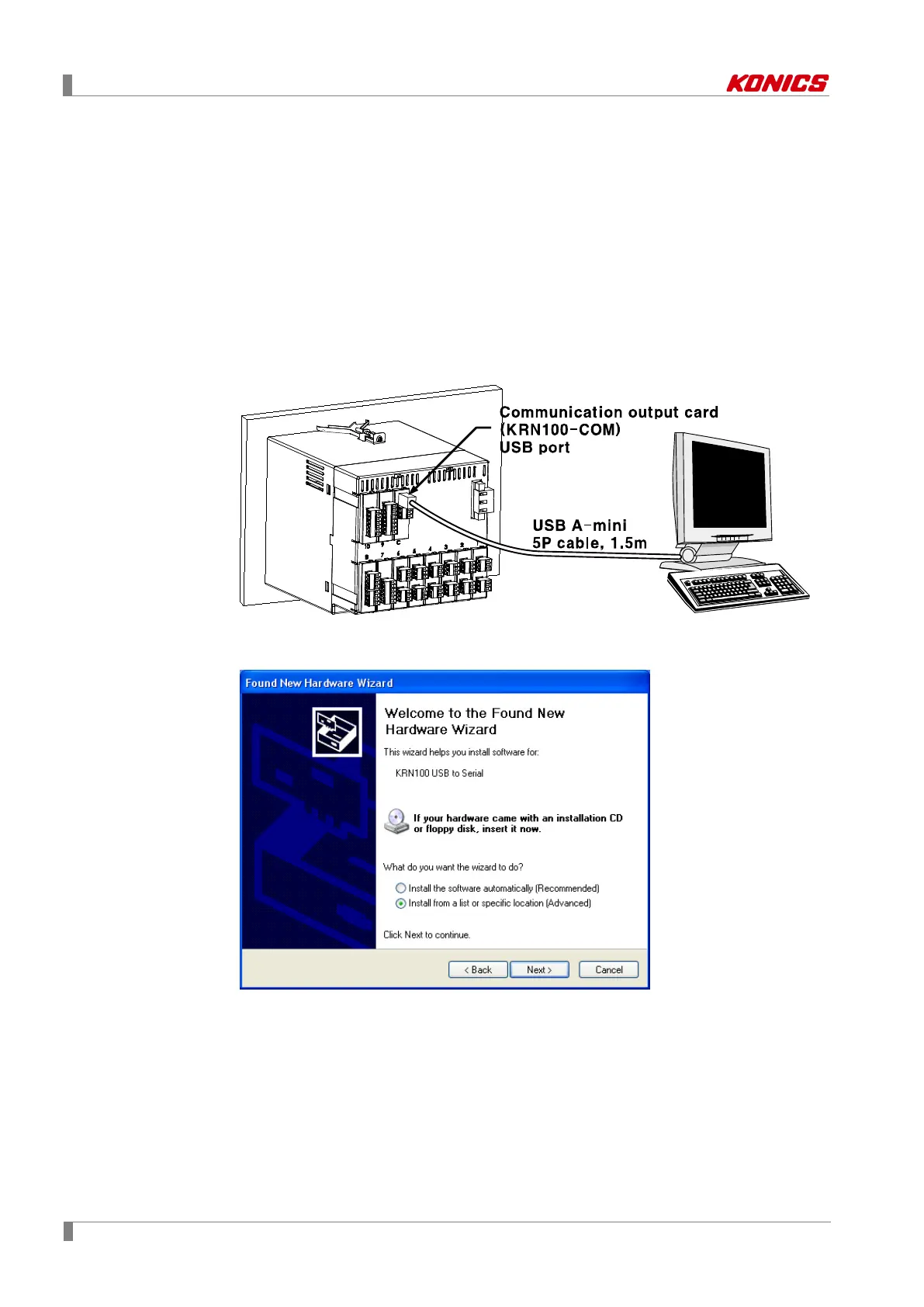
2nd Connect KRN100 USB port of communication output card(KRN-COM) and PC USB
port with USB cable (A-Mini 5P, 1.5m).
3rd ‘Found New Hardware Wizard’ appears.
Select ‘Install from a list or specific location (Advanced)’ and click ‘Next>’.



 To Next Page