8 Parameter detail setup
© Copyright Reserved KONICS Co., Ltd. 129
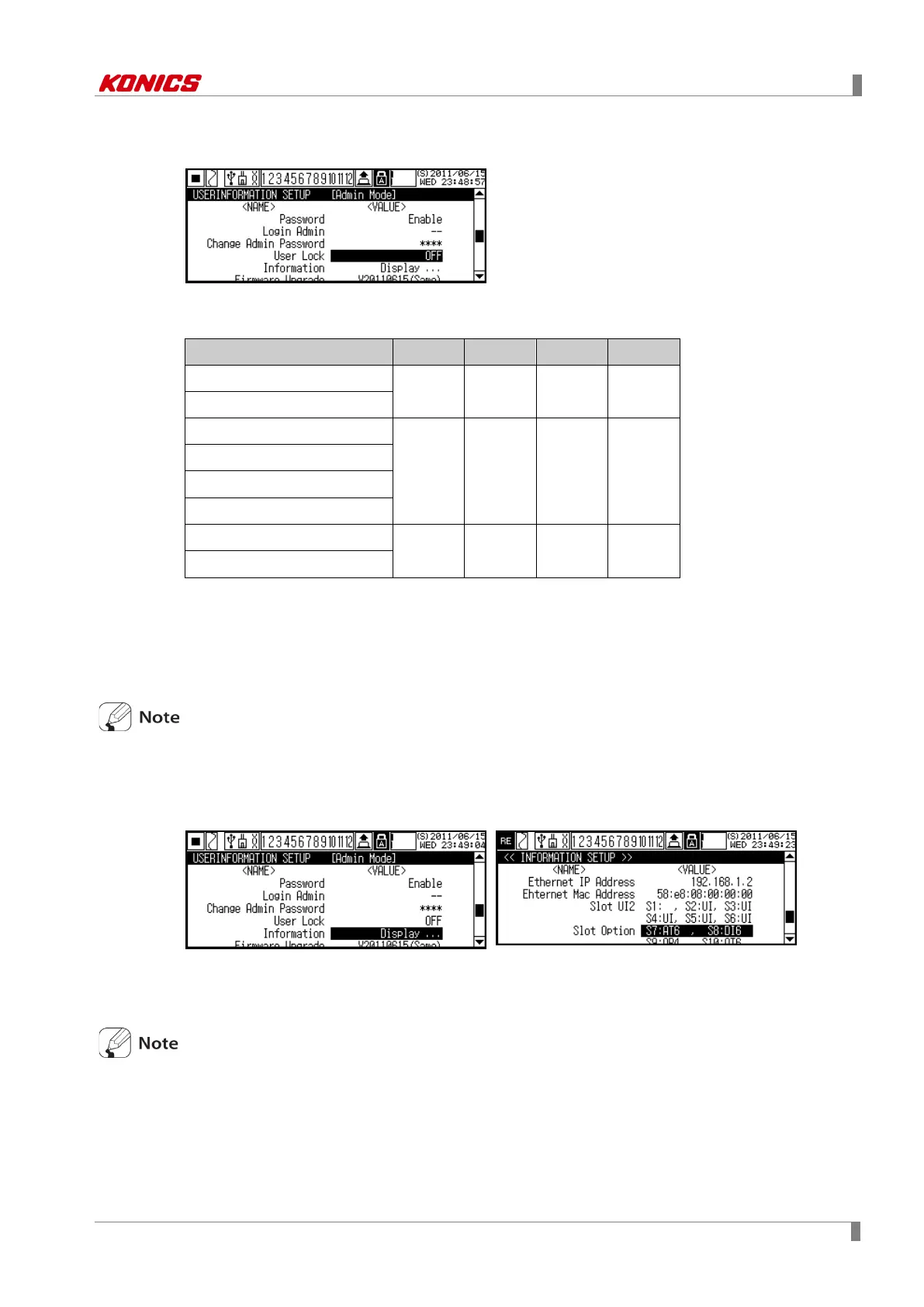
8.8.4 User Lock (Change user authority)
User(general user) mode has three levels for function set authority.
Setable parameter by function set authority is as below.
DIGITAL INPUT
● ● ● ▲
ALARM SETUP
INPUT SETUP
● ● ▲ Ⅹ
RECORD SETUP
SYSTEM SETUP
COMMUNICATION SETUP
RECORD BACKUP DATA
● ▲ Ⅹ Ⅹ
FILEMEMORY SETUP
●: Enables to check and change set value, ▲: Enables to check set value, Ⅹ: Disable to
check and change set value
Set range: OFF ↔ LOCK1 ↔ LOCK2 ↔ LOCK3
Factory default: OFF
Regardless of User Lock(change user authority) setting, User(general user) mode cannot
change firmware upgrade, the set file initialize, password mode disable functions.
8.8.5 Information (Check system information)
Check system information of KRN100.
You can firmware version, an USB memory capacity, communication concerns, slot connection
status, etc.
If connected and displayed card on slot and actaul connected card is inconsists, check the
connect status of card and re-supply power. If it is not recognized even though re-supplying
power, please contact our service center. KONICS service center: +82-32-820-2343



 To Next Page