9 DAQMaster
142 © Copyright Reserved KONICS Co., Ltd.
9.3.4 Backup data checking function
This function is output downloaded backup data by DAQMater or an USB memory.
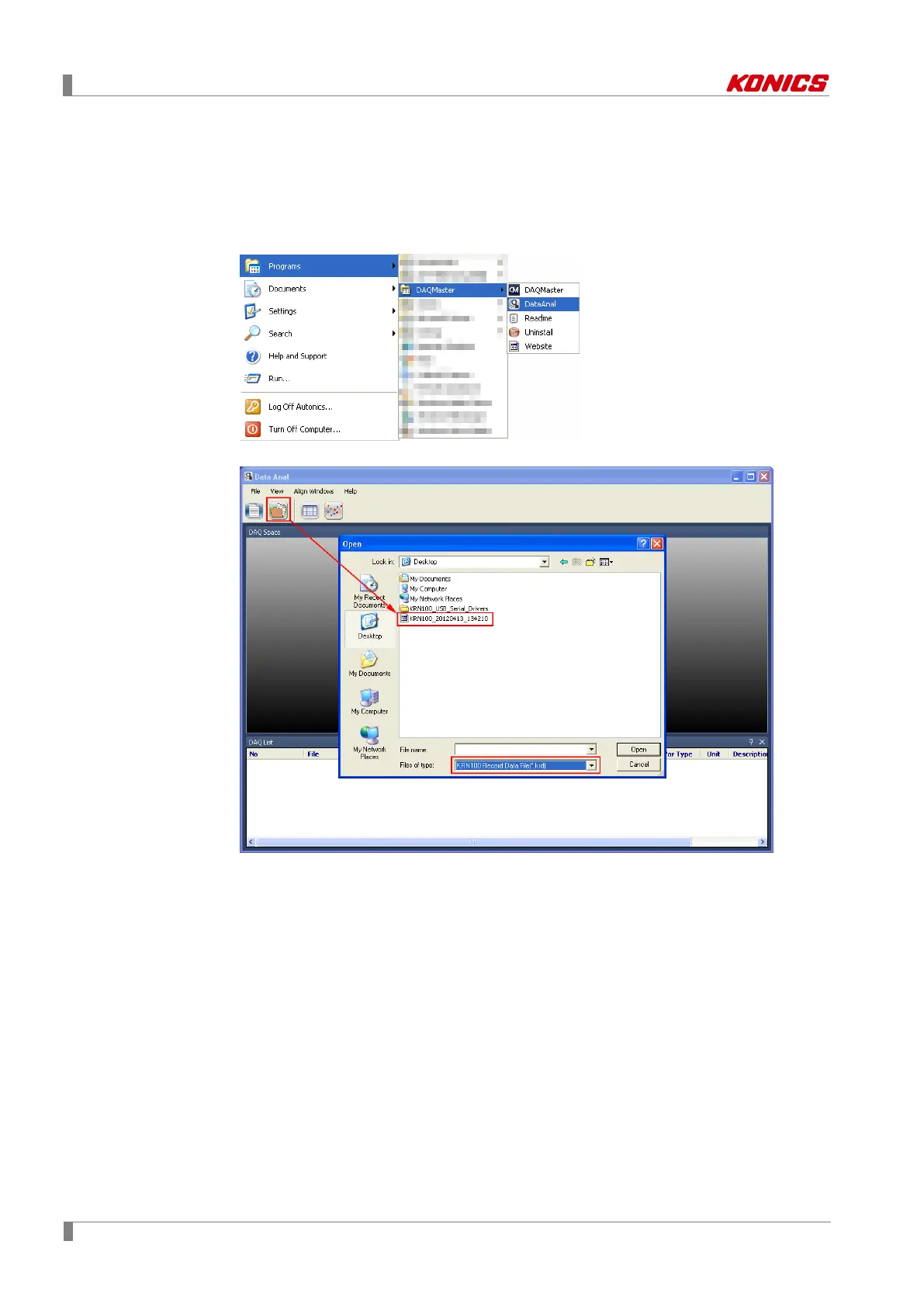
1st Execute Data Anal. At taskbar, click [Start]-[Program]-[DAQMaster]-[DataAnal] or at
DAQMaster menu, click [Tool]-[Data Anal].
2nd ‘Data Anal’ program opens. Click open file icon and select downloaded ".KRD" file.



 To Next Page