5 Installation
38 © Copyright Reserved KONICS Co., Ltd.
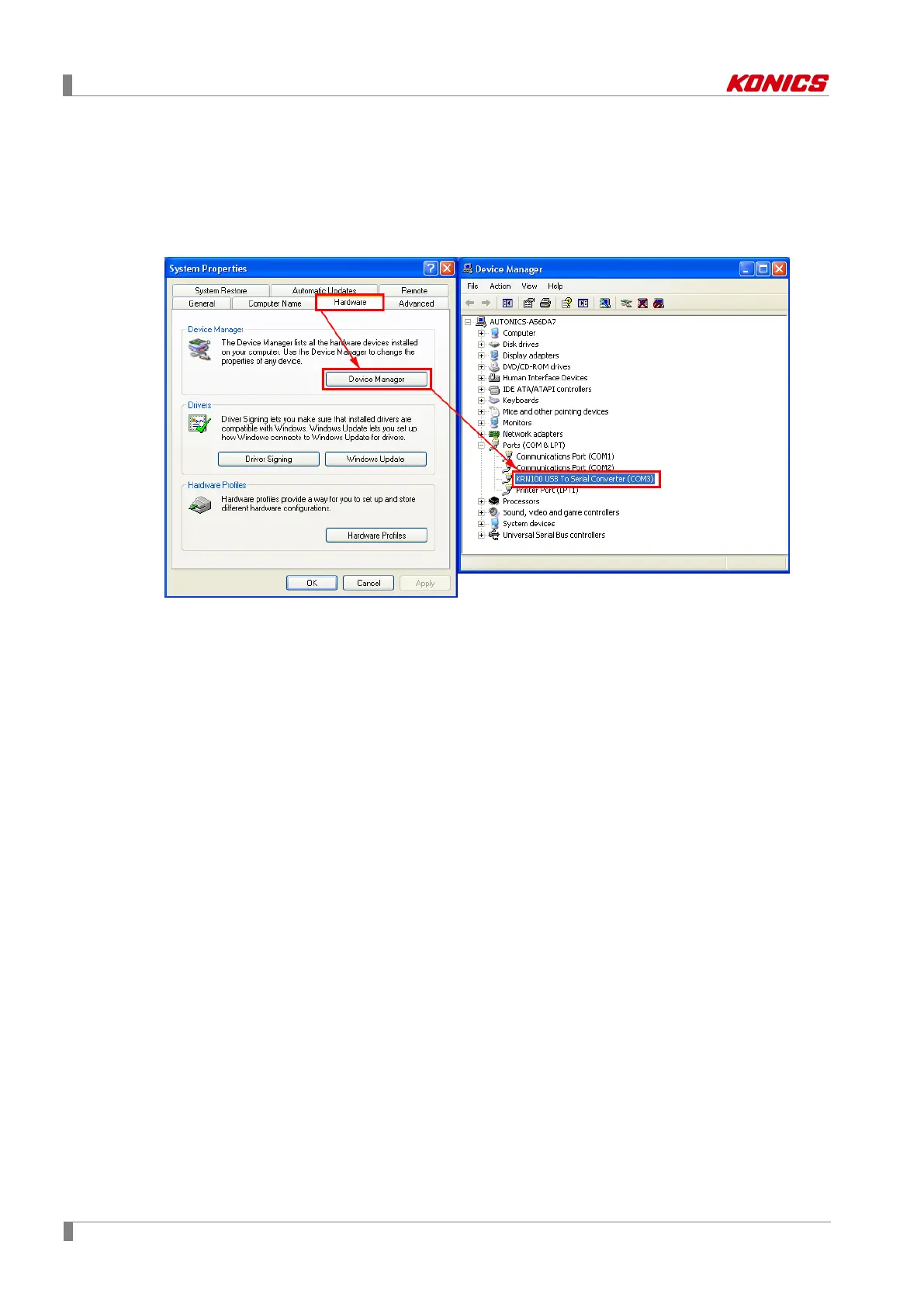
5.3.2 Checking driver
To check the driver, right click 'My computer' and select 'Properties' on pop-up menu. 'System
Properties' dialog appears.
Select ‘Hardware’ tab and click 'Device Manager'. ‘Device Manager’dialog appears.
Check ‘Ports(COM & LPT)’ - 'KRN100 USB To Serial Converter (COMx)'.



 To Next Page