5 Installation
© Copyright Reserved KONICS Co., Ltd. 35
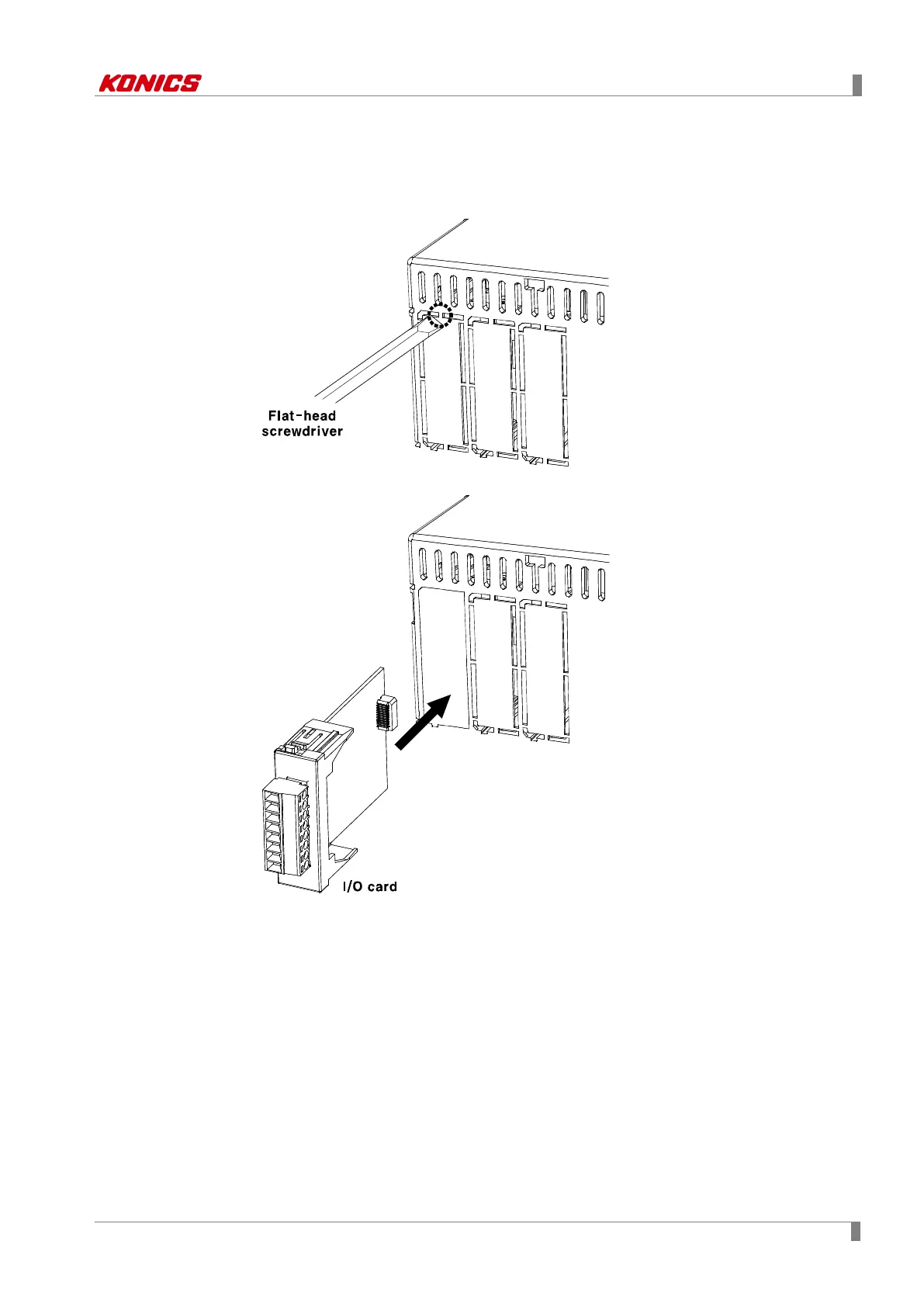
5.2.2 Additional I/O card connection
1st To connect I/O card additionally, turn OFF the power of KRN100.
Remove the proper slot cover to insert I/O card with flat-head screwdriver or knife.
2nd Insert I/O card to the proper slot and turn ON the power of KRN100.



 To Next Page