8 Parameter detail setup
© Copyright Reserved KONICS Co., Ltd. 59
8.1.6 Tag Name (Channel name)
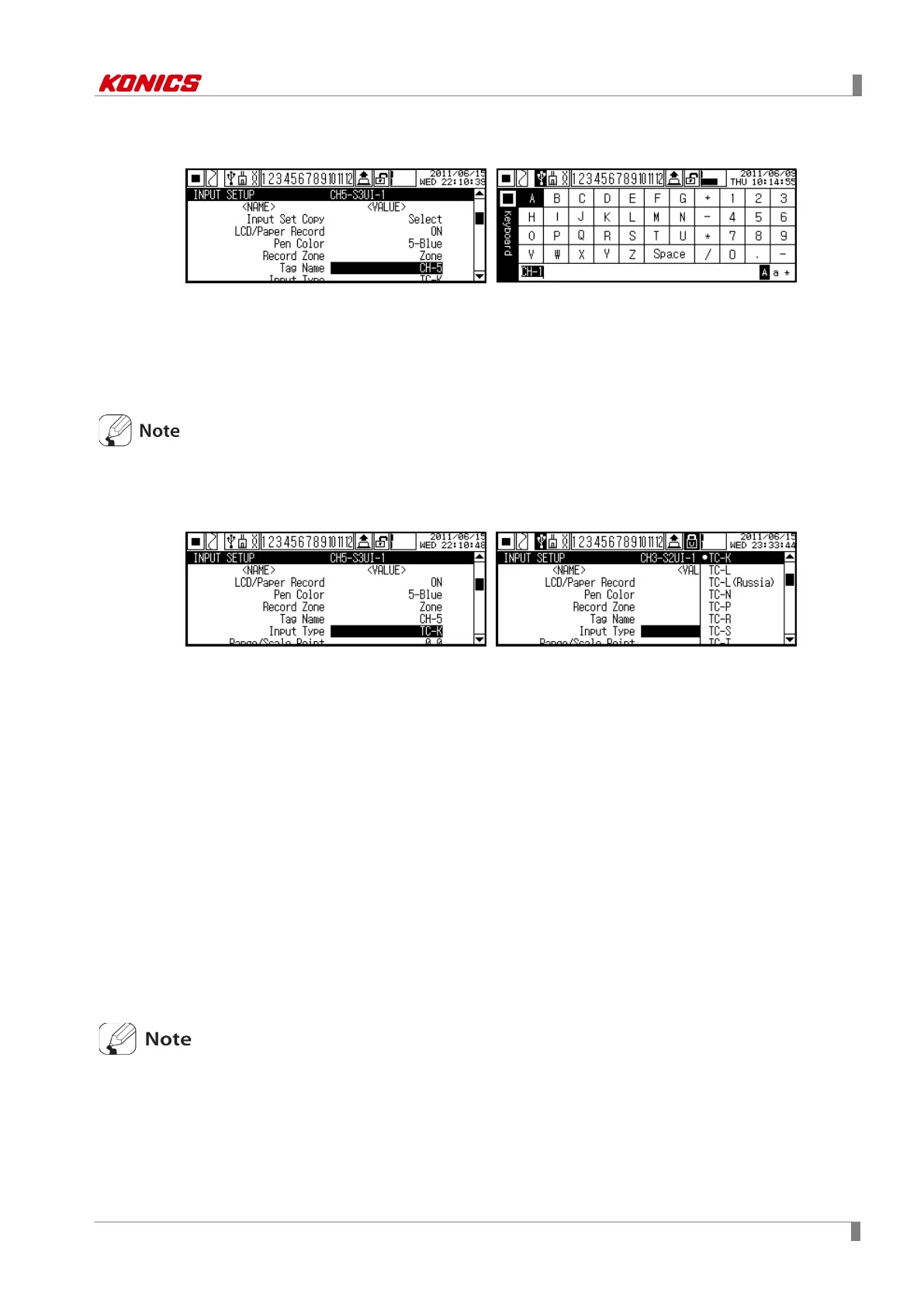
Designate channel name with virtual keyboard.
You can enter max. 6 characters with English capital letters, English small letters, and speical
characters.
Set range: 1 to 6 characters
Factory default: CH-1 to CH-12(Channel number by slot)
Some special character may be printed in low quality due to low print resolution.
8.1.7 Input Type (Input specification)
Set input specification of channel.
Set input speicfication is total 27 such as thermocouple, RTD, voltage, and current. For more
details, please refer to ‘2.3 Input specification and measuring range’. For jumper pin setting of
universal input card (KRN-UI2) by inpust specification, refer to ‘4.2 I/O card’.
Set range: Refer to ‘2.3 Input specification and measuring range’
Factory default: TC-K
8.1.8 Range/Scale Point (Decimal point)
In case Input Type(Input specification) is temperature sensor(thermocouple, RTD), set wheter to
display decimal point to measuring value. In case analog(voltage, current), set decimal point
position of Low Scale(Lower limit scalevalue), High Scale(Upper limit scale value).
Set range
In case Input Type(Input specification) is temperature sensor(thermocouple, RTD): 0 ↔ 0.0
In case analog(current, voltage): 0 ↔ 0.0 ↔ 0.00 ↔ 0.000 ↔ 0.0000
Factory default: 0.0
If you want high accuracy display, select ‘0.0(decimal point)’. If you want to stable accuracy
display, select ‘0 (no dicimal point)’.



 To Next Page