5 Installation
© Copyright Reserved KONICS Co., Ltd. 37
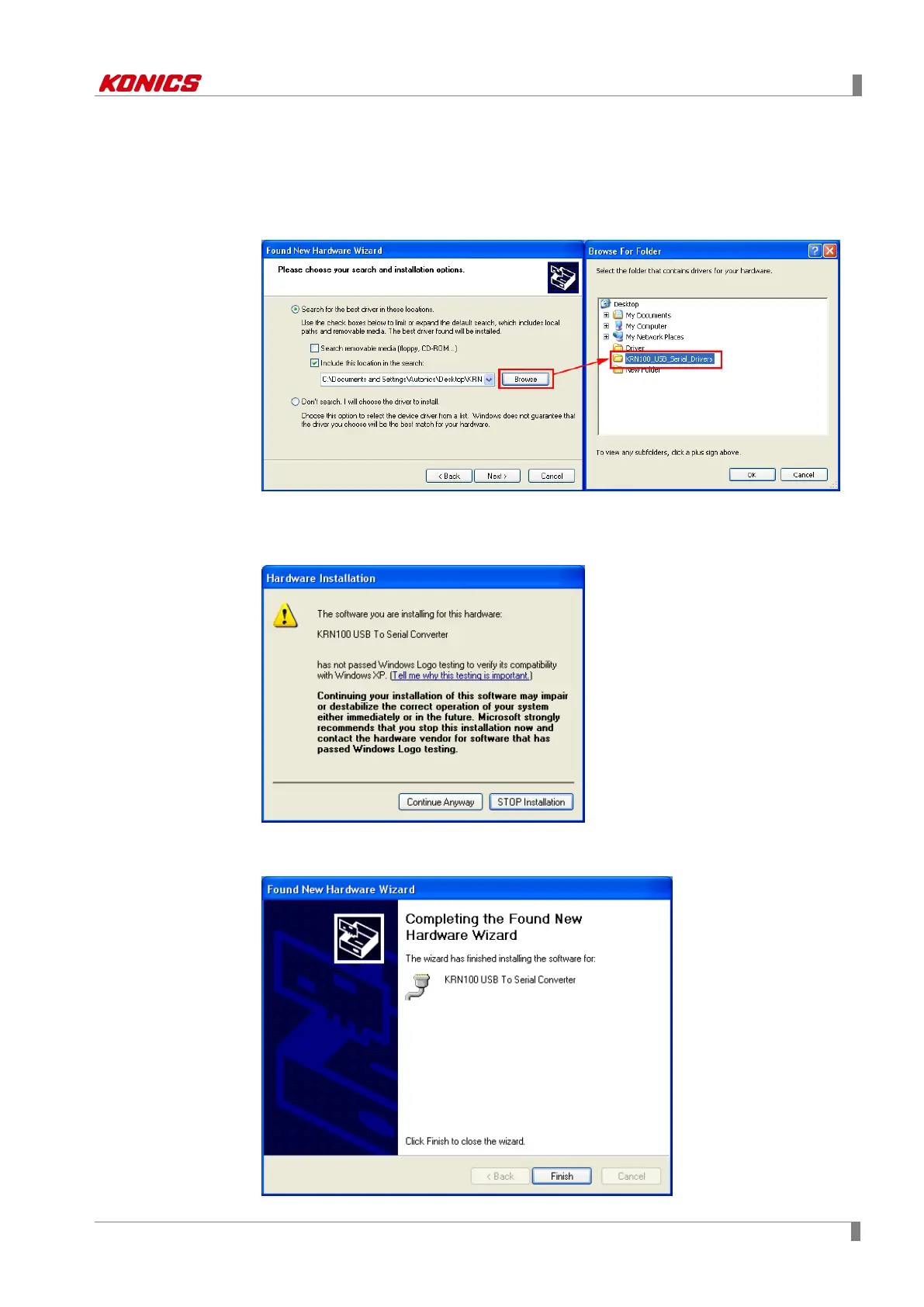
4th Select ‘Search for the best driver in these locations’ and check ‘Include this locationin
the search:’.
Click ‘Browse’ and select the folder which has 'KRN100_USB_Serial_Drivers’ and
click ‘OK’.
5th If hardware compatibility message appears, click ‘Continue Anyway’ and it processes
the next.
6th At ‘Completing the Found New Hardware Wizard’, click ‘Finish’ and driver installation
is complete.



 To Next Page