7 Operation
© Copyright Reserved KONICS Co., Ltd. 49
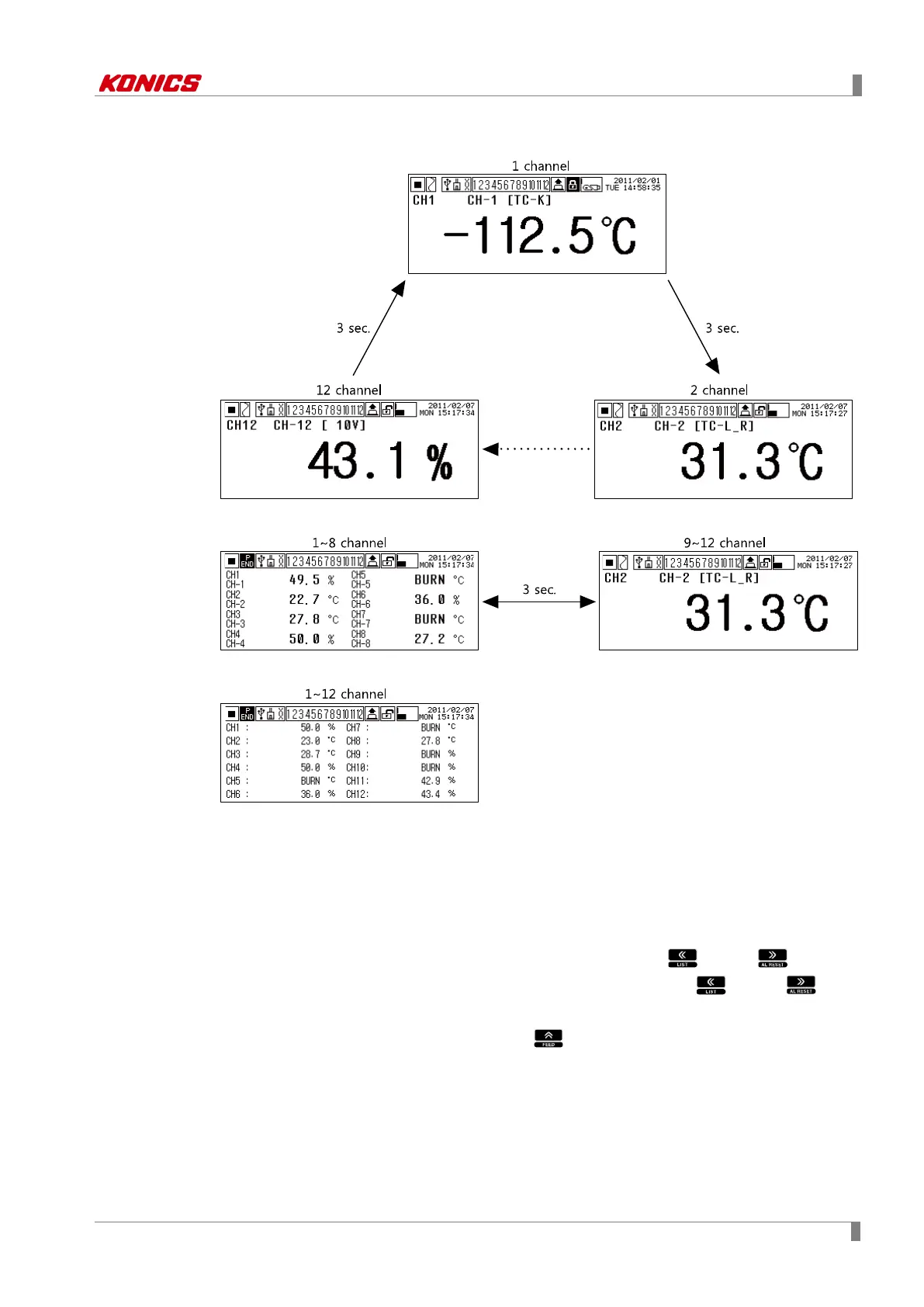
(3) Digital number(1 channel)
(4) Digital number(8 channels)
(5) Digital number(12 channels)
Digital number (12 channels) displays all channels (1 to 12 channel). It does not support
auto/manual channel switch function.
7.1.2.2 Auto channel switch mode↔ Manual channel switch mode
1st When supplying/re-supplying power to KRN100, it is display currently display and
auto channel switch mode.
2nd If you want to change manual channel switch mode, press key or key.
3rd You can switch/select the to-be displayed channel by pressing key or
key.
4th In manual channel switch mode, press key to change to auto channel switch
mode.



 To Next Page