Terminal – menus [Medium Plus/Comfort Plus Electronics] 9
Menu 4 "Bale scales" 9.10
Supplement to Operating Instructions 150000773_00_en
BiG Pack 1270, BiG Pack 1270 XC, BiG Pack 1290, BiG Pack 1290 HDP, BiG Pack 1290 HDP XC, BiG Pack
1290 XC, BiG Pack 890, BiG Pack 890 XC
59
9.10 Menu 4 "Bale scales"
For the "bale scales" version
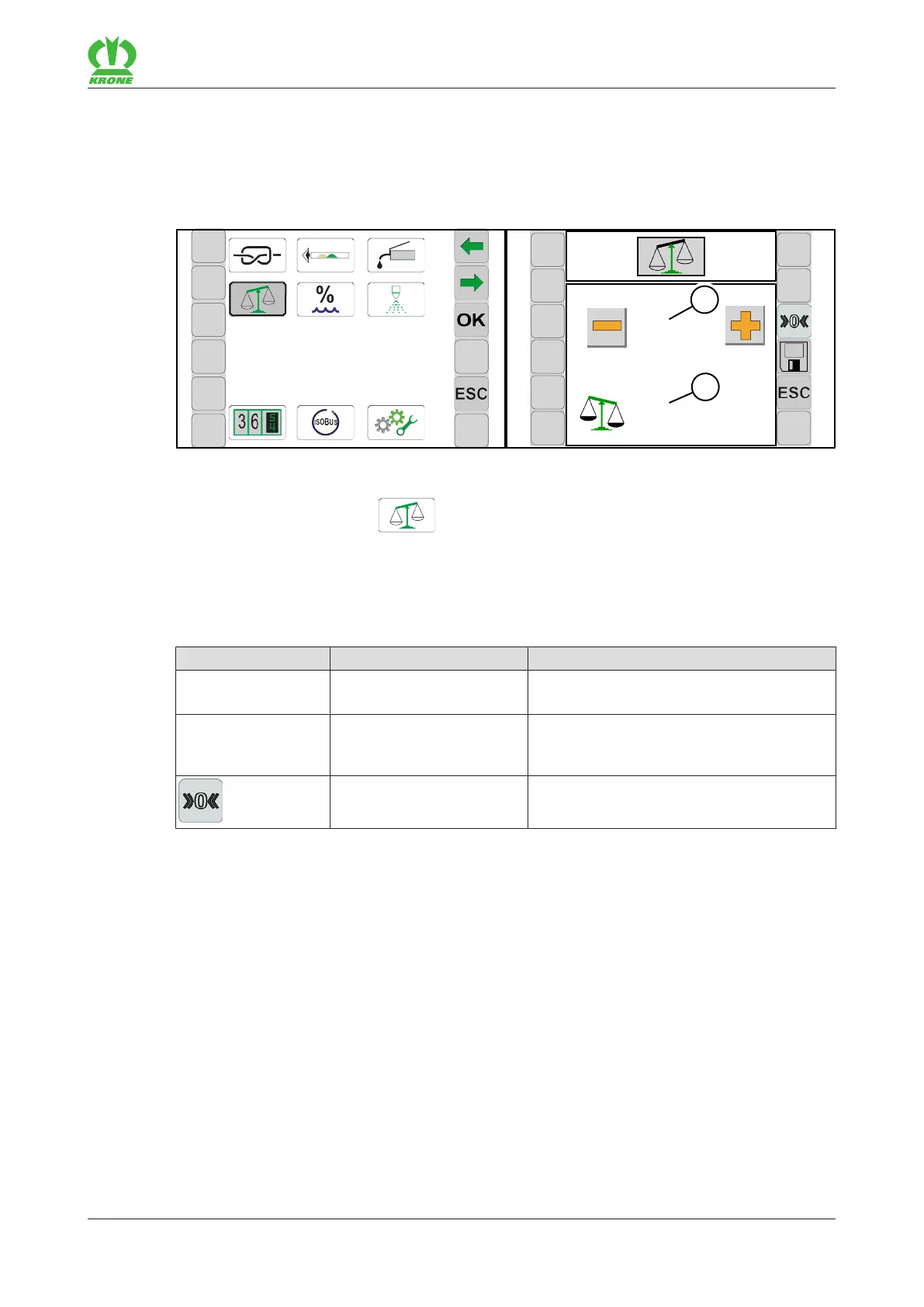
In this menu a correction value can be set for the bale scales if the calculated weight (2)
deviates from the weight of external calibrated scales.
EQ001-003 / EQ001-066
ü The menu level is called, refer to page49.
To open the menu, press
.
Æ The display shows the "Bale scales" menu.
Recurring icons refer to page48.
Display range
Icon Designation Explanation
(1) Correction value • Adjustable value range: 90-105%
• Factory setting: 110%
(2) Value • Calculated weight
• Unit depending on selected system of
units
Zeroise • Zeroise only when the bale scales are
unloaded.
Setting the bale scales
ü The machine is shut down and safeguarded, refer to page21.
ü The bale chute has been lowered refer to page41.
Check
Zeroise the bale scales, refer to page60.
Place a calibrated test weight from 200 - 300 kg in the centre of the bale scales.
Read off the displayed weight.
Æ If the displayed value corresponds to the weight of the test weight, it is not necessary to
adjust the bale scales.
Æ If the displayed value differs from the weight of the test weight, the bale scales must be
adjusted.








 To Next Page