9 Terminal – menus [Medium Plus/Comfort Plus Electronics]
9.11 Menu 5 "Moisture measurement"
60
Supplement to Operating Instructions 150000773_00_en
BiG Pack 1270, BiG Pack 1270 XC, BiG Pack 1290, BiG Pack 1290 HDP, BiG Pack 1290 HDP XC, BiG Pack
1290 XC, BiG Pack 890, BiG Pack 890 XC
Adjusting bale scales
Press
or until the value (2) corresponds to the weight of the test weight.
To save the value, press
.
Æ The
icon is briefly displayed and the value is saved.
INFORMATION
If the limit range is not adequate to adjust the bale scales, contact KRONE customer
service.
Zeroising bale scales
If there is no bale (weight) on the bale scales, but a value (2) is displayed, when the bale chute
is lowered, the sensors B55 "Bale chute at rear" and B56 "Bale chute at front" must be zeroised.
During the zeroising process the acceleration sensor is calibrated.
ü The bale chute has been lowered refer to page41.
ü There is no bale (weight) on the bale scales.
ü The machine is shut down and safeguarded, refer to page21.
To zeroise the bale scales, press
.
ð The
icon is briefly displayed and the acceleration sensor is calibrated.
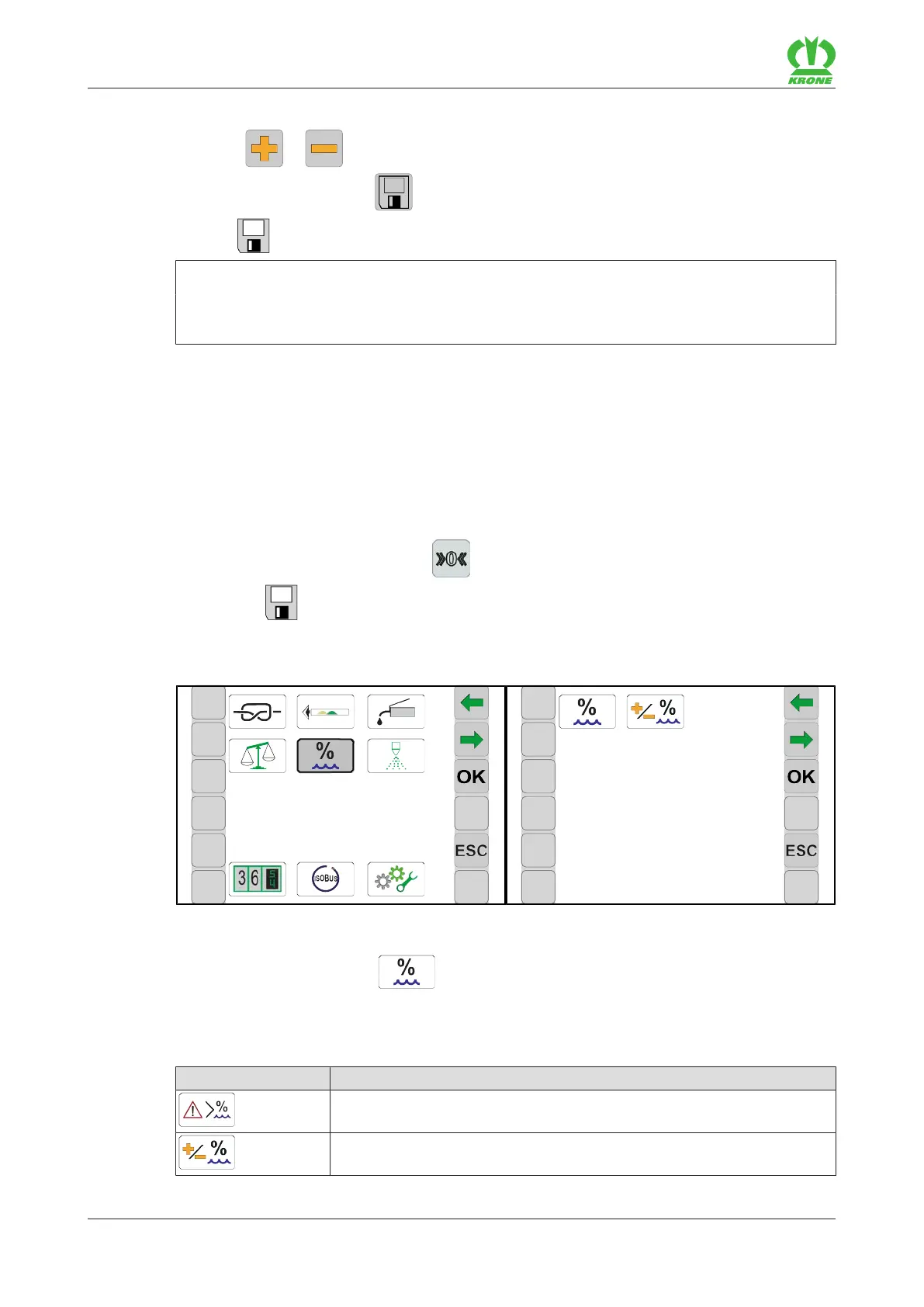
9.11 Menu 5 "Moisture measurement"
EQ001-003 / EQ001-006
ü The menu level is called, refer to page49.
To open the menu, press
.
Æ The display shows the "Moisture measurement" menu.
The "Moisture measurement" menu is divided into the following sub-menus depending on the
machine configuration:
Icon Designation
Menu 5-1 "Alarm message for moisture measurement", refer to
page61
Menu 5-2 "Correction value for moisture measurement", refer to
page61








 To Next Page