VIII - 14
Control unit Comfort
Prog Quit
#
12 5678 90
34
RP600017
STOP
- Nulleinstellung 1
Wegaufn. Links: 0
Wegaufn. Rechts: 0
weiter.......ja=quit
13
11
b
12
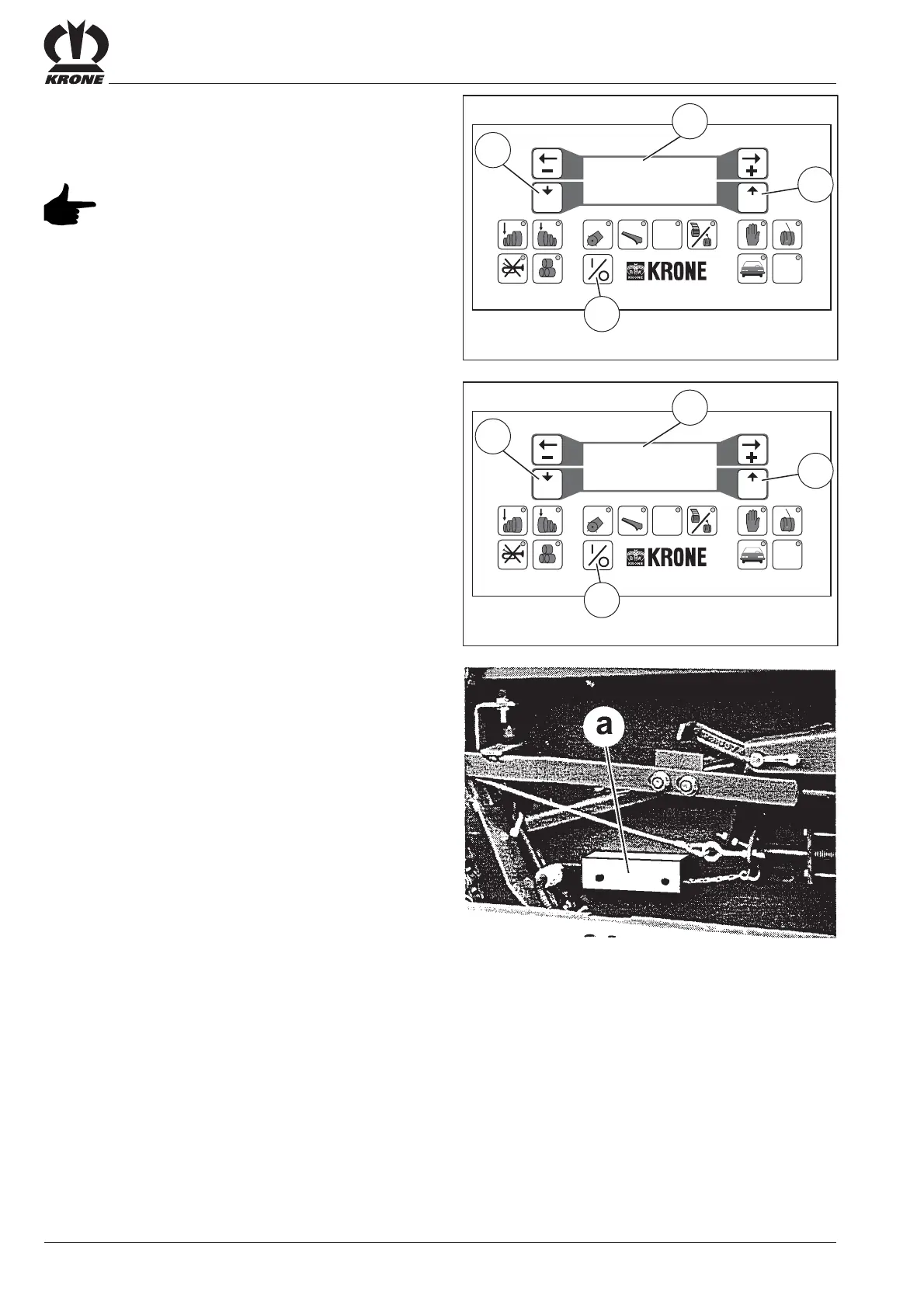
8.12 0-setting of the baling pressure
indicators
• Switch the control unit comfort off (11).
• Press PROG key (13) and keep it pressed.
Switch the control unit comfort on again (11) (this will
activate the sensor testing mode).
• Page through using the (13) key until „0 setting 1“
appears on display (b) (actual values are shown).
The figures behind LH distance sensor
RH distance sensor
must be values between 3 and 6. If this should not be
case, the distance sensors must be readjusted.
For this:
• Page through using the (13) key until „0 setting 2“
appears on display (b).
For adjustment release the RH or LH distance sensor (a)
(loosen the M8 nuts) and move the sensor until figures
between 3 and 6 appear on display (b). The difference
between the RH and the LH distance sensor should be as
small as possible.
Secure the distance sensors again (tighten the M8 nuts).
• Pressing the QUIT key (12) will store the values.
During this step the figures behind
LH distance sensor...3
RH distance sensor...3
will disappear for a short time.
Prog Quit
#
12 5678 90
34
RP600018
STOP
- Nulleinstellung 2
Wegaufn. Links: 0
Wegaufn. Rechts: 0
weiter.......ja=quit
13
11
b
12
Before any correction of the values
transmitted by the distance sensors, it must
be checked that the mechanical
adjustment is correct (see section
„Adjustment of the baling pressure
indicators“).









 To Next Page