KW Aufzugstechnik GmbH OPERATING MANUAL DAVID-613
DAVID-D613-V125-E 13.04.2021 Page - 116 -
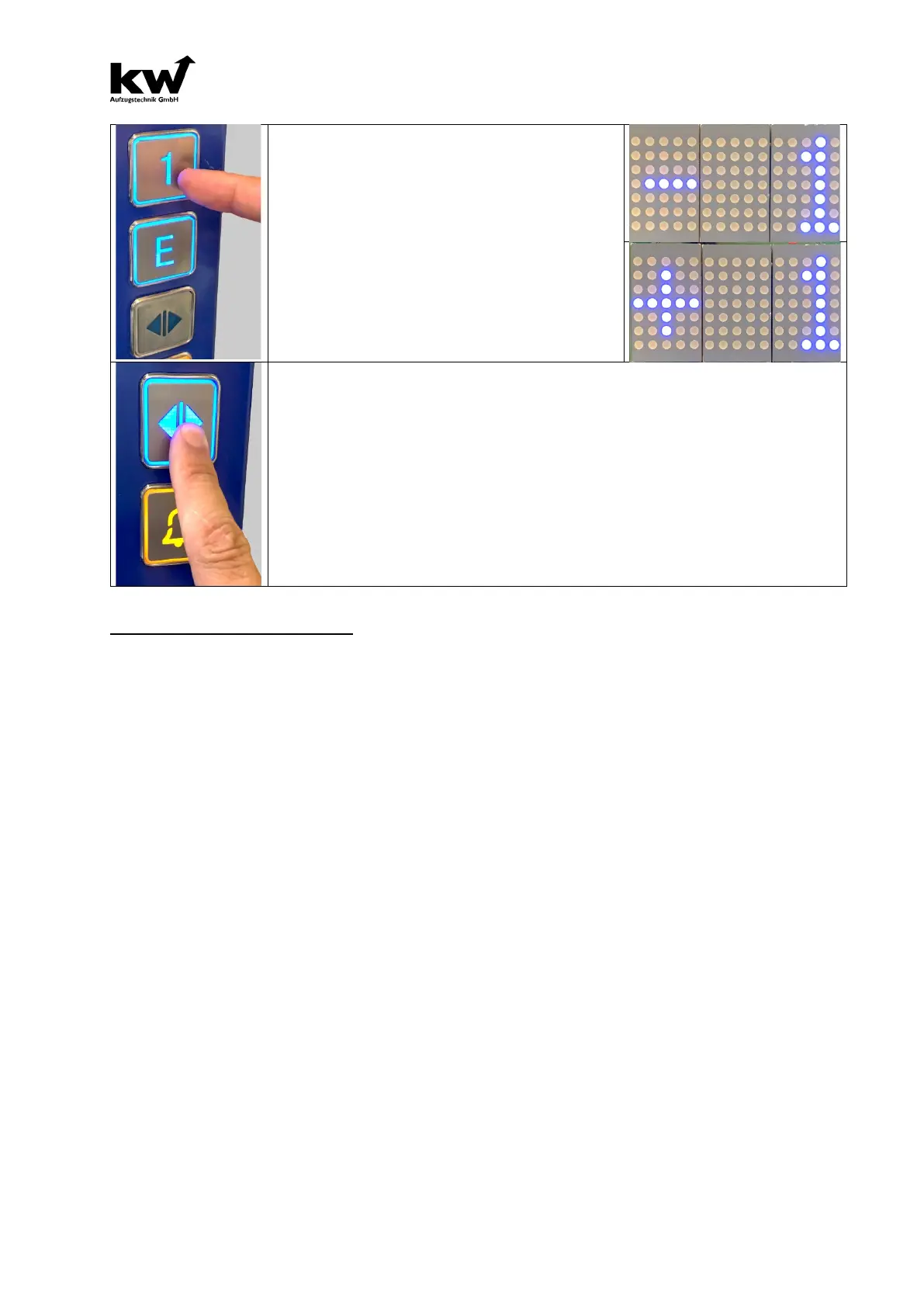
With the “lowest floor” call button, the level
downwards
can now be corrected if the cabin is
too high. With the call button "lowest floor + 1"
the level can be corrected upwards
too low.
Each press of the button changes the
correction
value by 1mm up or down and is acknowledged
with an acoustic signal. If the corresponding call
button is held down for more than 2 seconds, the
correction value is changed by 10mm. This is
acknowledged with an acoustic double signal. The
currently selected value of the flush adjustment ap-
pears in the display.
To save the corrected leveling value, the "DOOR OPEN" button must be pressed
for two seconds. The entry is acknowledged with a longer acoustic signal. The value
is now saved, the two lowest indoor call buttons no longer flash, the display changes
back to the normal display mode. Now another level can be approached with the
help of the car call button and the leveling correction can be made there.
The control is still in the
special mode "Internal priority". After the flush has been
adjusted on all floors, the control must be switched back to normal mode. This hap-
pens either by deactivating the parameter in menu B42 / 43: "Flush correction car
panel: no" or by briefly activating the inspection mode. After one hour, the parameter
is automatically deactivated by the control.
PARAMETER: LEVELING FLOOR-XX
After a learn-drive, you must put in this parameter in the level-values for each floor. Here you can correct unlevels
for every floor. If the consice position was chosen, then the value for every floor can be registered in mm. ( For
Example Floor1 -0000mm, Floor2 -3000mm….)



 To Next Page