KW Aufzugstechnik GmbH OPERATING MANUAL DAVID-613
DAVID-D613-V125-E 13.04.2021 Page - 195 -
C0 Controller reset
In sub-menu CO RESET it is possible to put back the controller unit. If during the assembly, enterprise
or error tracing come to a condition so that the controller is locked, a control reset can be released by
the HPG60.
For example it is possible to set car calls to move car again.
C1 Give calls
In submenu C1 give calls are possible to call C10 car calls. Car calls can be set with the help of the
two right keys and enter key. Car calls are processed by control.
Because the HPG60 can be put in central computer, car computer and car calling controller. So one has
the possibility to admit car calls from different places.
Menu option C11 priority calls are not activatable now.
In menu C12 random calls inside the random number generator can be activated for car calls. The
function can be scheduled temporally by input of a temporal upper limit of up to 48 hours.
In menu C13 random calls car the random number generator can be activated for priority calls. The
function can be scheduled temporally by input of a temporal upper limit of up to 48 hours.
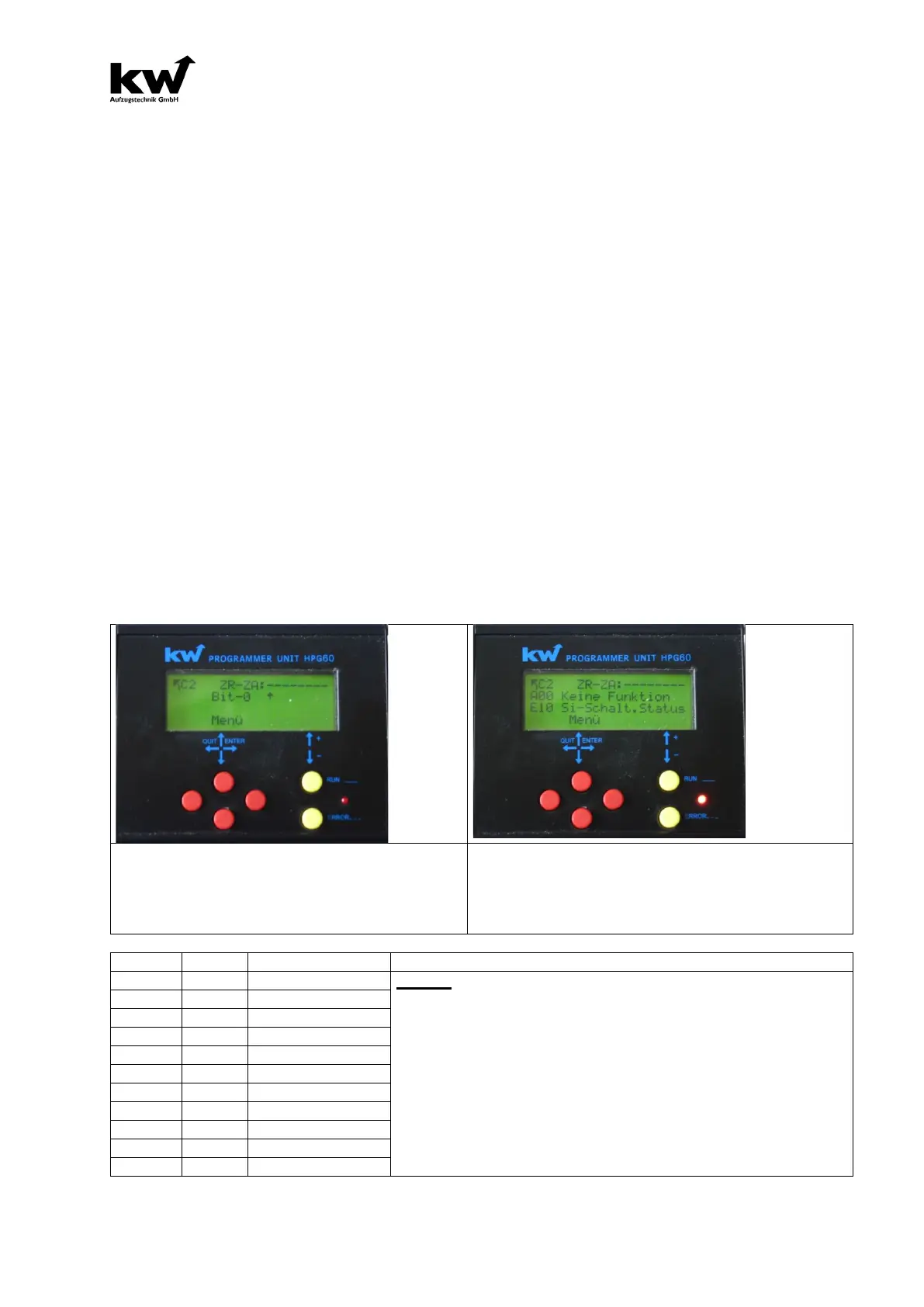
C2 In / Output Signals
In the submenu C2 of In/Out Signals it is possible to regard lining up signals to regconize as well as the
programmed output and input functions on this clamp!
The desired plugin can be selected by upper and
lower red-key.
The bits can be selected with two right yellow keys.
In alternating representation the bit and deposited out-
put and input function are represented.
For example terminal ZA0 has no output function but a
input function. “Safety Circuit off”. Terminal ZA0 has no
„- „ no tension on terminal
„* “ tension +24V on terminal



 To Next Page