KW Aufzugstechnik GmbH OPERATING MANUAL DAVID-613
DAVID-D613-V125-E 13.04.2021 Page - 159 -
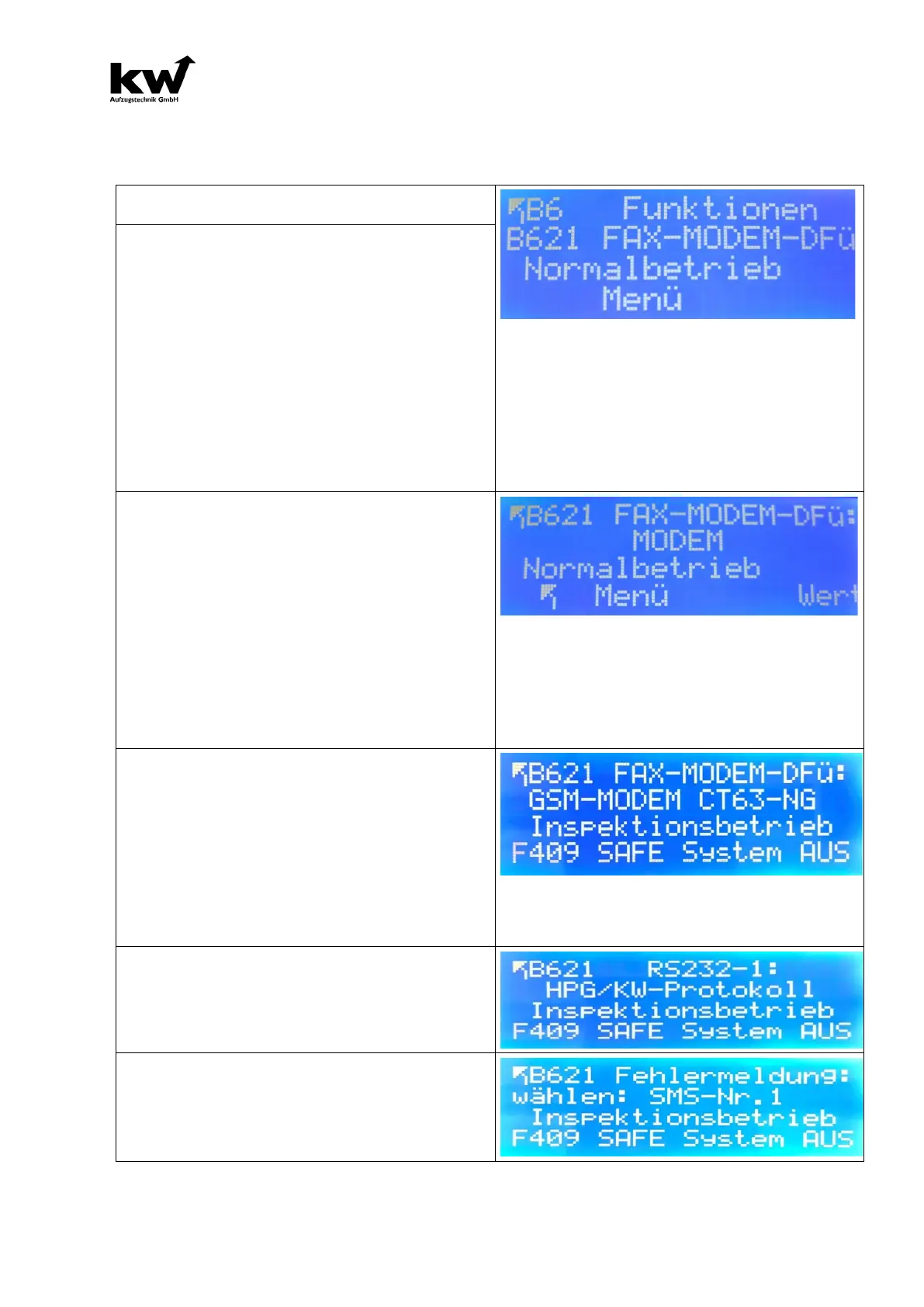
B621 Fax-Modem-DUN
In this menu you have the possibility of determining the kind of the monitoring and of specifying the most
important attitudes.
Control menu B621
B621 Settings for unit type
The following attitudes are possible:
1.) OFF
2.) REIMANN LTP
3.) FAX
4.) MODEM
5.) FAX + MODEM
6.) GSM-MODEM
7.) SAFELINE SL6
8.) TELEGÄRTNER GSM11
9.) LEITRONIC EA GSM
10.) AMPHITECH GSM AS0300
11.) MS-AG 4104
12.) GSM-MODEM CT63 -NG
13.) KW-Gateway
Settings MODEM or FAX-MODEM
The following attitudes are possible:
1.) Settings: MODEM
2.) Please register tepephone number locally.
3.) First telefon number of fax which should be in-
formed.
4.) Second telefon number of fax which should be in-
formed.
5.) First telefon number of modem which should be in-
formed.
6.) Second telefon number of modem which should be
informed.
The second number serves in each case as alternative
number, if first connection cannot be developed.
Finally assign a code word from the modem access.
Only with valid codeword a telecommunications
access from the distance can take place.
Settings GSM-MODEM CT63-NG
1.) Please register tepephone number locally.
2.) Telefon number of SMS which should be informed.
3.) Telefon number of fax which should be informed.
4.) First telefon number of modem which should be in-
formed.
5.) Second telefon number of modem which should be
informed.
The second number serves in each case as alterna-
tive number, if first connection cannot be developed
Finally assign a code word from the modem access.
Only with valid codeword a telecommunications
access from the distance can take place.
B621 Settings for RS 232-1
1.) HPG/PC
2.) HPG/PC & REIMANN LTP
3.) REIMANN LTP
1.) OFF
2.) Modem-No.1-> Error message above the modem
3.) SMS-No.1 -> Error message with SMS (Only with
GSM-Modem CT-63-NG).



 To Next Page