KW Aufzugstechnik GmbH OPERATING MANUAL DAVID-613
DAVID-D613-V125-E 13.04.2021 Page - 135 -
Floor Message
Here, you can choose whether a voice message for each floor will be played. A prerequisite is that the
voice message texts were loaded for each floor in the TFT module.
Time
Here, you can set whether the time is displayed to the TFT module.
Date
Here, you can set whether the date is displayed to the TFT module.
Time in Line
Here, you can set whether and in which text line (1 to 4) the time is displayed.
B510- TFT/LCD – Floor
This menu is made for the settings on the TFT display floor.
Text-1 Manufacture
Here, the indication of the manufacture for the labeling in the inner panel of the cabin is determined.
Text-2 Factory-No.
Here, the specification of the serial number on the labeling in the inner panel of the cabin is determined.
Text-3 Build Year
Here, the year of manufacture on the labeling in the inner panel of the cabin is determined.
Text-4 CE-Sign
Here, the specification of the CE-No., or the rebuilding year for the labeling in the inner panel of the
cabin is determined.
Floor Indicator
There are three visualization modes: fixed, rolling and as an animation.
Arrow Indicator
There are three visualization modes: fixed, rolling and as an animation.
Display String-1
Here, it is determined whether the string-1 is displayed on the TFT display.
Display String -2
Here, it is determined whether the string-2 is displayed on the TFT display.
Display String -3
Here, it is determined whether the string-3 is displayed on the TFT display.
Display String -4
Here, it is determined whether the string-4 is displayed on the TFT display.
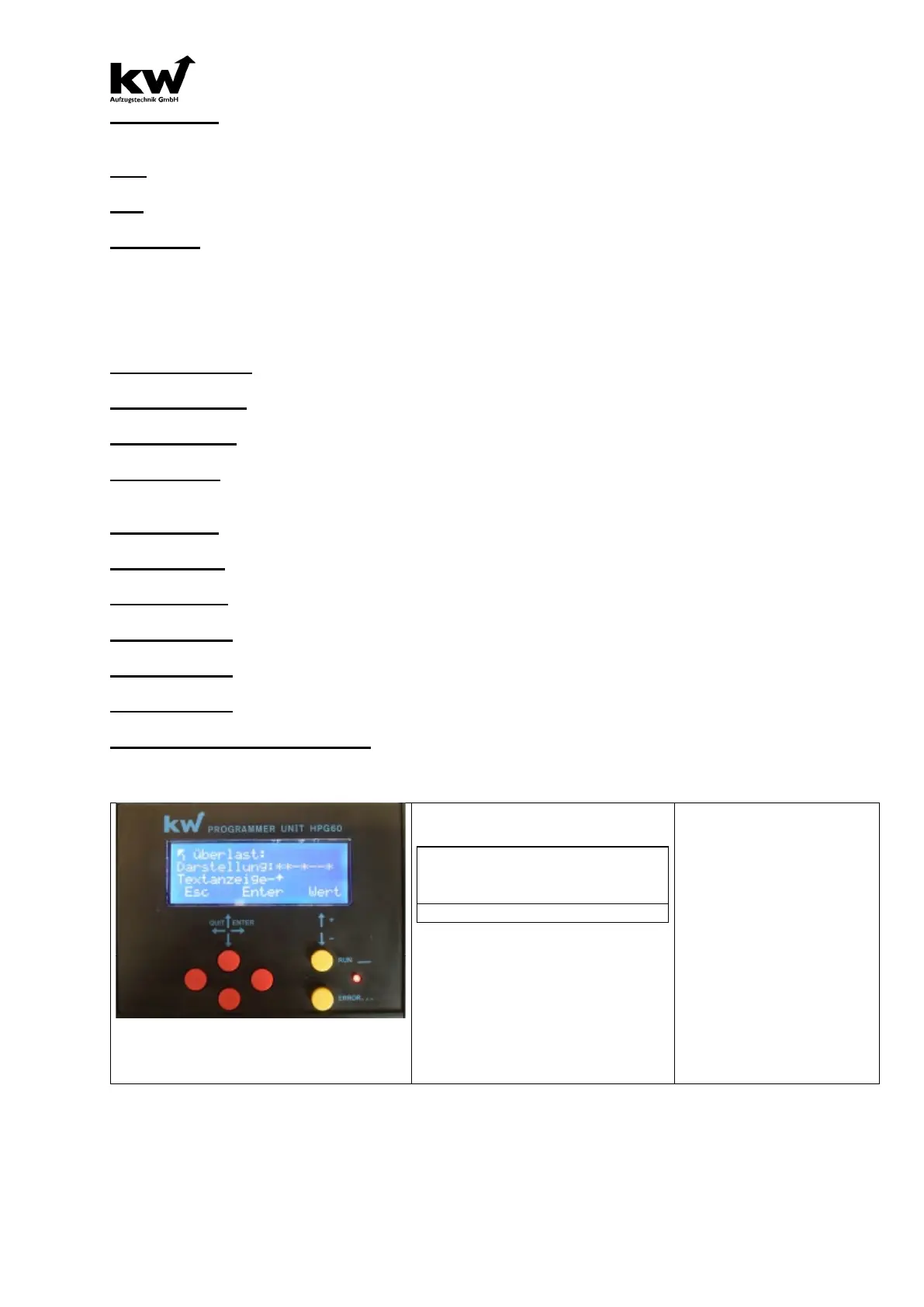
Message Overload … Please Speak
When KW display protocol up to 16 special messages can be transmitted serially. In this menu the fol-
lowing settings can be defined for each message:
Imaging:**-*--* Dis-
playtext-^
Here, the display text is activated by
the star, will appear on the TFT dis-
play of the special text.
(* Display ON, - Display OFF)
-> Overload
-> Evacuation
-> Fire Evacuation
-> Emergency Power Evac.
-> Fire Fighter Travel
-> Special Travel
-> Bed Travel
-> Guide Mode
-> Out Of Order
-> Maintenance
-> Loadingtime Active
-> Door Opening
-> Door Closing
-> Please Leave Car
-> Please Wait



 To Next Page