KW Aufzugstechnik GmbH OPERATING MANUAL DAVID-613
DAVID-D613-V125-E 13.04.2021 Page - 80 -
During the setting selective, only one door button is attached during a selective door control. The re-
action of the button is always arranged the last door movemant at Door 1 / Door 2. The standard value
is together.
PARAMETER: BUTTON DOOR CLOSE REACTION
At this parameter you can choose the delay-time, when the push-button door-close is active.
PARAMETER: DOOR CONTROL ATTEMPS
At this parameter you can choose how many attemps you can make to close or open the door, before
there it would show a door-fault. The standard value is 3 attemps.
PARAMTER: DOOR OPEN TIME
If you have a car-door without endswitches, you can choose the parameter’s time, when the ZR-Unit
shows you that the door is open. Please measure the time, which the doors need to open.
PARAMTER:DOOR OPEN
There are two possibilities – automatically -> Normal Function or Only with Door Open-Push-Button.
PARAMETER: DOOR CLOSE
There are two possibilities – automatically-> Normal Function or Only with Door Close-Push-Button.
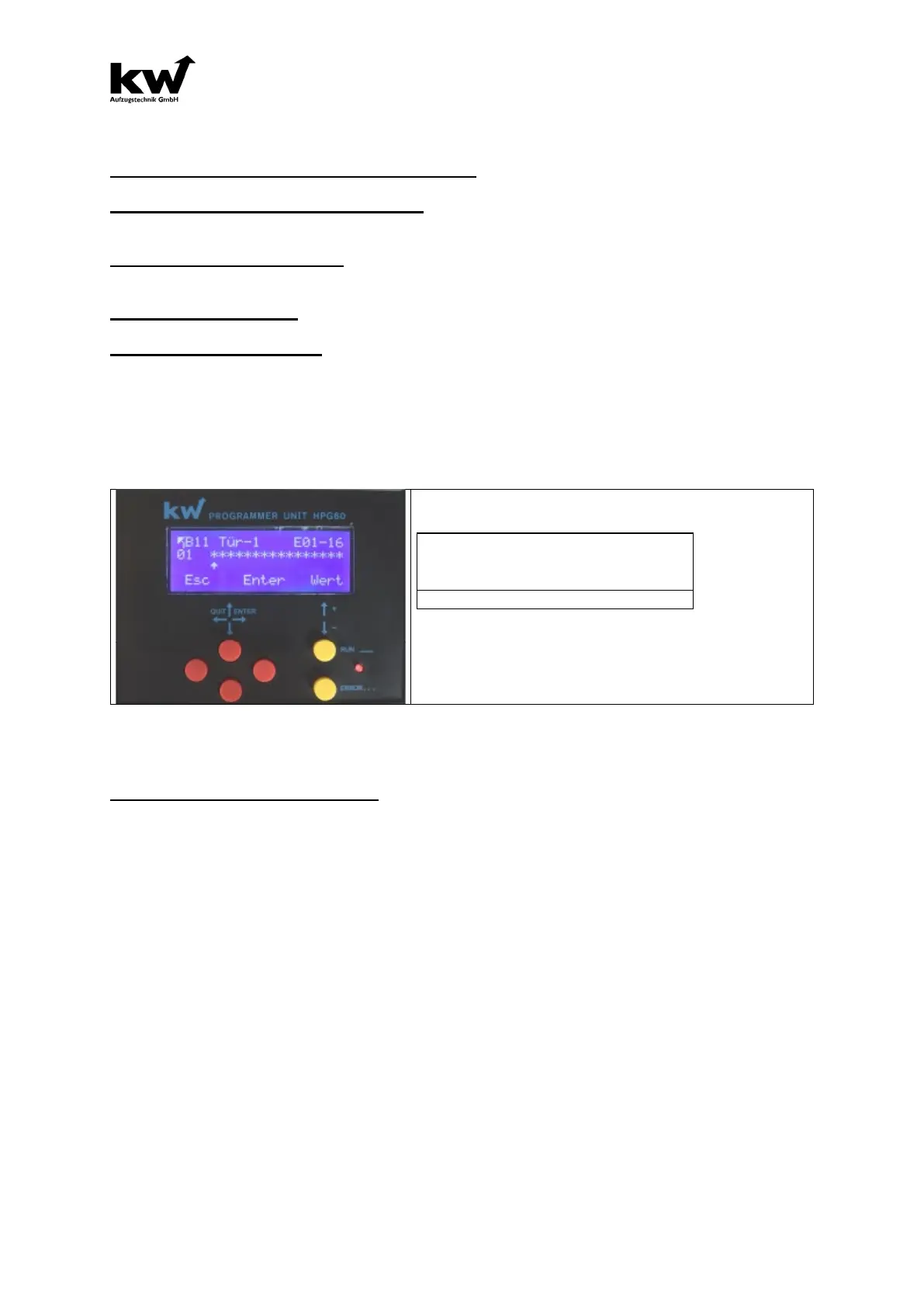
B11- Table of Entrance
Menu B11 is active only if you choose in menu “ A Liftparameter/ A3 Shaft/ A3.4 Door Sides” the
option “3 Door Sides”. For every floor, there are three sides prepared. Now you can decide, which
door really exists.
****************
^
Here the existing doors are set by the star, or by the -
away.
( * Door exist, - No door )
.
B12- Safery Photocell
PARAMETER: SAFETY PHOTOCELL
Setting Saftey Photocell: At an elevator with a shaft door without a car door the entrance “safety
photocell” can be seen. In the stop or standard drive, i.e. the jets of the safety photocell are not in-
terrrupted, meaning that landing and car calls are accepted and progressed. If there is an interruption
of the safety photocell, then the input safety photocell is deactivated at the FKR. As a result all callings
are erased. The drive is only possible with car calls. The landing calls are not possible.
Setting CEDES: In this setting, you can support the system CEDES LI.
A. Testing the saftey photocell also before lowering travel
B. No lowering travel, if there was a break in the journey of the saftey photocell before. Only possible
after a reset at the input channel of function E254.
C. No releveling, if there was a break in the journey of the saftey photocell before. Only possible
after a reset at the input channel of function E254.
D. Locking after there was a break in the journey of the saftey photocell, except when releveling.
E. When CEDES Li, after saftey photocell interruption and subsequent reset the elevator can return
with car or landing calls.
F. As long as the input (E187 = 0), no operation is applied, and the landing door is open is in the floor,
then you can relevel with open doors.
Setting DUOMETRIK: This setting takes the requirements of the DUOMETRIK Li safety light curtain
into account.
A. Test the light grid with each ride.
B. No lowering, if a break in the light grid existed before. Only possible after
a reset to input with function E254
C. No catch-up, if there was a break in the light grid before. Only possible after
a reset to input with function E254.
D. Blocking after each light curtain interruption while driving, except when catching up.



 To Next Page