KW Aufzugstechnik GmbH OPERATING MANUAL DAVID-613
DAVID-D613-V125-E 13.04.2021 Page - 134 -
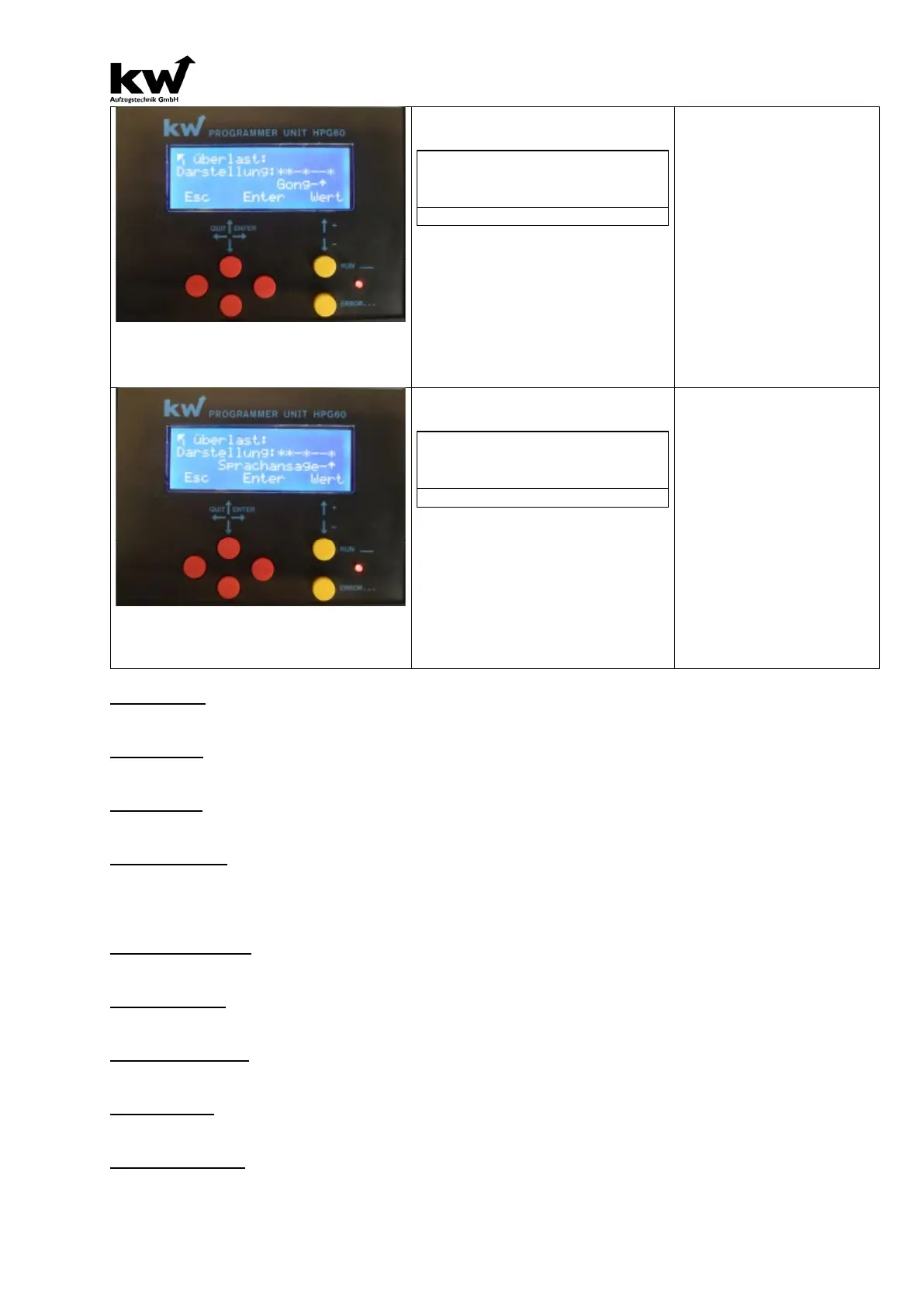
Imaging:**-*--*
…………………………… ……….Gong-^
Here, the "Gong" option is enabled
by the star, as heard in the TFT dis-
play of Gong pulse.
(* Display ON, - Display OFF)
-> Overload
-> Evacuation
-> Fire Evacuation
-> Emergency Power Evac.
-> Fire Fighter Travel
-> Special Travel
-> Bed Travel
-> Guide Mode
-> Out Of Order
-> Maintenance
-> Loadingtime Active
-> Door Opening
-> Door Closing
-> Please Leave Car
-> Please Wait
Imaging:**-*--*
… Voice Announcer-^
Here, the "voice announcement" by
the star is activated, sounds
display of the voice message text for
the message.
(* Display ON, - Display OFF)
-> Overload
-> Evacuation
-> Fire Evacuation
-> Emergency Power Evac.
-> Fire Fighter Travel
-> Special Travel
-> Bed Travel
-> Guide Mode
-> Out Of Order
-> Maintenance
-> Loadingtime Active
-> Door Opening
-> Door Closing
-> Please Leave Car
-> Please Wait
Buzzer Short
Here, the pulse duration of the summer-short signal is determined. The value is adjustable from 2 to 255
milliseconds. The factory setting is 100 ms. The factory setting is 1 second.
Buzzer Long
Here, the pulse duration of the summer-long signal is set. The value is adjustable between 1, 2, 3 sec-
onds, and permanently. The factory setting is 1 second.
Gong-Signal
Here the number of Gong signals is determined. The value is adjustable between 1, 2 and 3x Gong
pulse. The factory setting is 1x Gong pulse.
Display- Format
Here, the orientation of the display is set:
- Automatic (by tilt sensor of the TFTs)
- Vertical
- cross
Display-Brightness
Here, the brightness of the display can be adapted to the environment. The range extends from 1% to
100%. The factory setting is 90%.
Volume Speech
Here, the volume of the display can be adapted to the environment. The range extends from 1% to
100%. The factory setting is 50%.
Tone Pitch Speech
Here, the pitch of the display can be adapted to the environment. The range extends from 1% to 100%.
The factory setting is 50%.
Volume Music
Here, the volume of the background music of the display can be adapted to the environment. The range
extends from 1% to 100%. The factory setting is 50%.
Backgroundmusic
Here, you can choose whether the background music is played. A prerequisite is that the desired music
loaded in the TFT module.



 To Next Page