KW Aufzugstechnik GmbH OPERATING MANUAL DAVID-613
DAVID-D613-V125-E 13.04.2021 Page - 250 -
4.0 STEP-3: Safecopying – Teach Zones
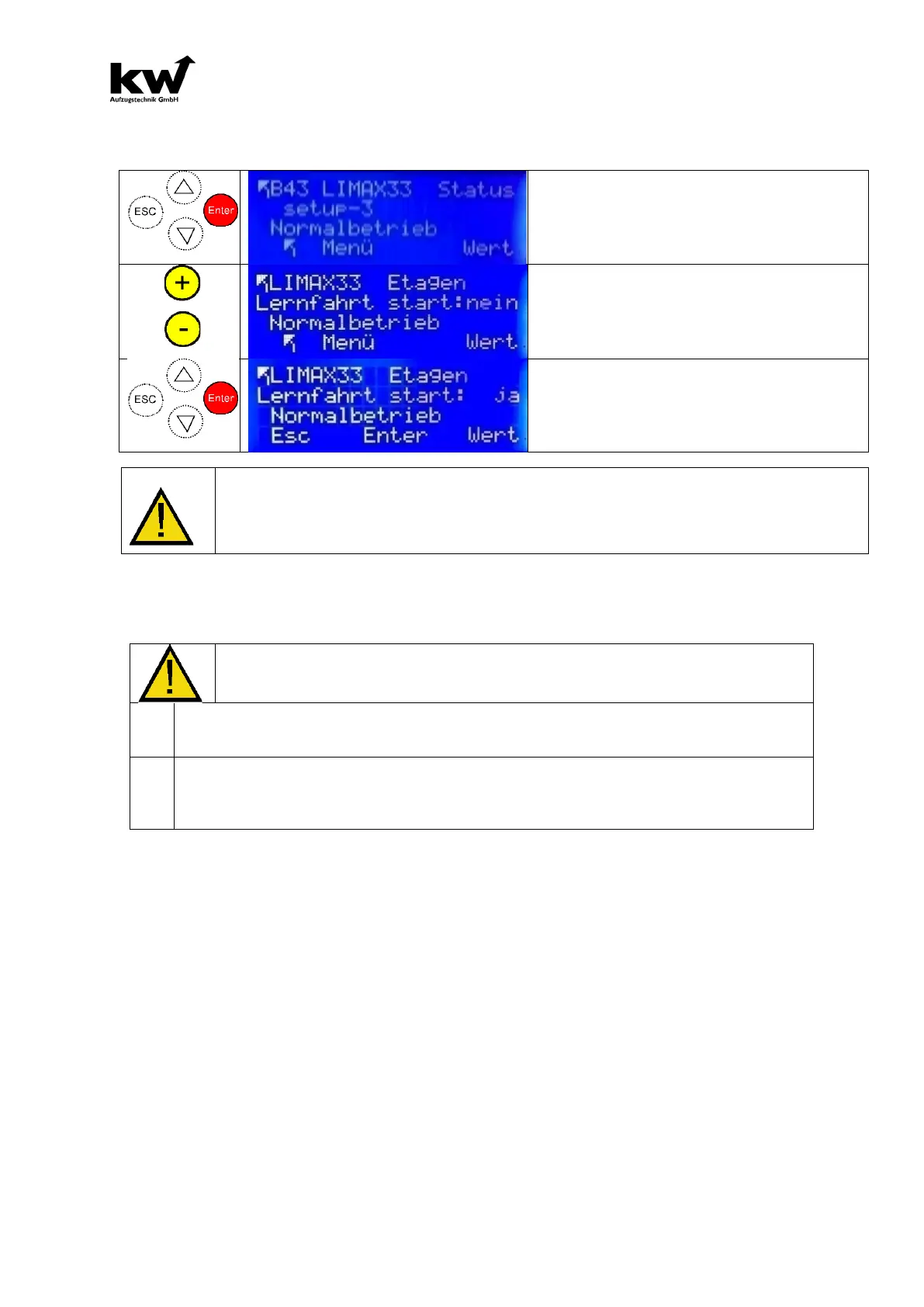
Navigate with arrow keys and select the
menu item with ENTER.
Use yellow keys + or - to navigate and
enter "yes"
Note: Elevator moves 2x all floors. After-
wards, the status of the LIMAX-CP33 sys-
tem is in "normal operation" and all zones
are output and monitored.
If the Step-3 is not closed successfully, there is a message like „Out of
Order“ in the displays and all 25 Seconds a warning-signals appeares!
A Normal-operation is NOT possible!
4.1 Setting the readjustment
Before activating readjustment, you must make the following pa-
rameter settings in menu B17 readjustment:
In the parameter Max. Catch-up distance you set the length of the catch-up path. The catch-
up distance should always be shorter than half the zone area. Please also note the following
facts: The zone area must be set so that it is shorter, such as the length of the door sash.
In the Parameter Tolerance Recalculate you set the starting point for the beginning of the
retrieval. As a default, you should not go below 5 - 10mm, as otherwise existing rope vibra-
tions lead to unnecessary readjustment.
If the above entries have been made, the parameter Catch-Up can be activated.
4.2 ELGO LIMAX CP33 -Copy – Error handling
If the LIMAX33 detects a serious error and locks, this state can only be reset by a RESET
command for safety reasons. This can be done on the D613 by briefly changing the state of
the inspection or return switch.
This will send a RESET command to the LIMAX33CP via the CANopen protocol and this will
reboot.



 To Next Page