2M4/2M5/2M6/2M7-1
1-6-1
1-6 Requi rements on P WB Replacement
1-6-1 Upgrading the firmware
Follow the procedure below to upgrade the firmware of main PWB.
Firmware can be upgraded by USB connection.
Before performing a firmware upgrade by USB, the Firmware Upgrade Driver must be installed on the com-
puter.
Procedure
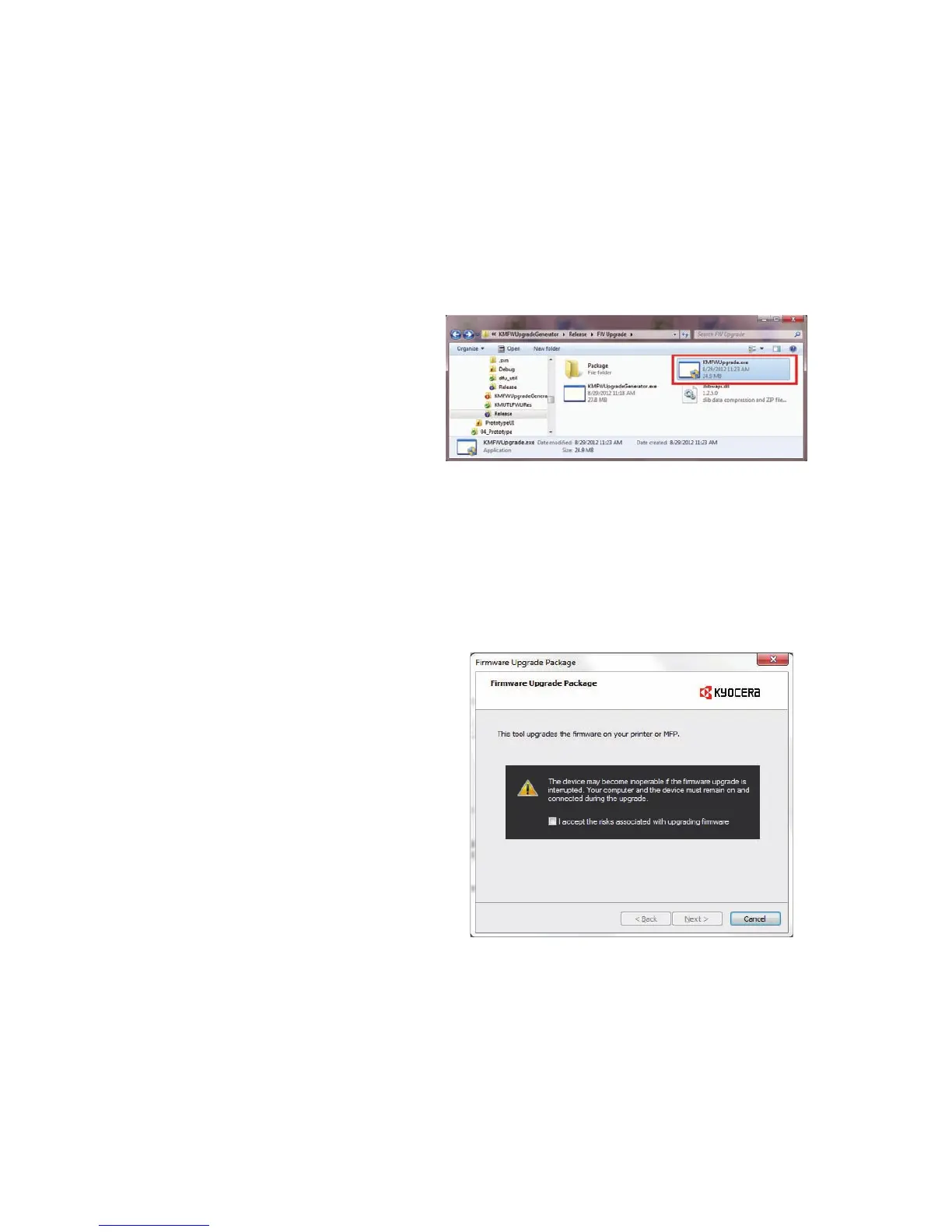
1. Run KMUpgrade.exe on your PC.
* : Before proceeding, save the Fax Pack-
age file in any folder on the PC.
Figure 1-6-1
2. Click the acknowledgement checkbox
in order to proceed with the upgrade.
3. Press [Next].
Figure 1-6-2


 To Next Page
 Loading...