2M4/2M5/2M6/2M7
1-2-19
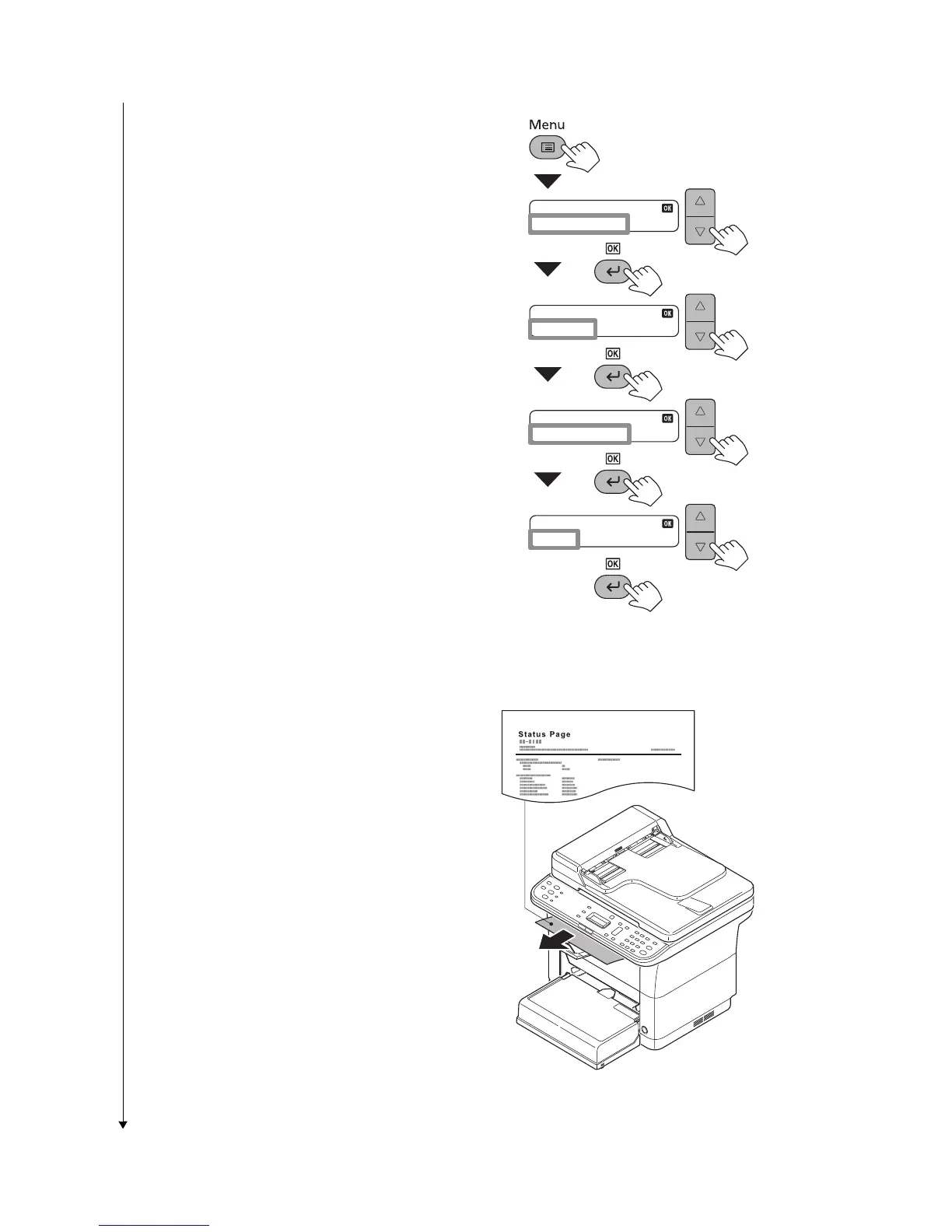
1. Press the Menu key.
2. In the Menu. menu screen, press cursor
key to select System menu.Press the
OK key.
3. In the System menu screen, press cur-
sor key to select Report.Press the OK
key.
4. In the Report menu screen, press cur-
sor key to select Status Page.Press the
OK key.
5. In the Status Page menu screen, press
cursor key to Yes.Press the OK key.
Figure 1-2-34
1. The status page will be printed.
Figure 1-2-35
Menu
: System Menu
System Menu
: Report
Report
: Status Page
Status Page
: Yes


 To Next Page
 Loading...