2KA
1-2-9
1. Install the optional devices (document fin-
isher etc.) as necessary.
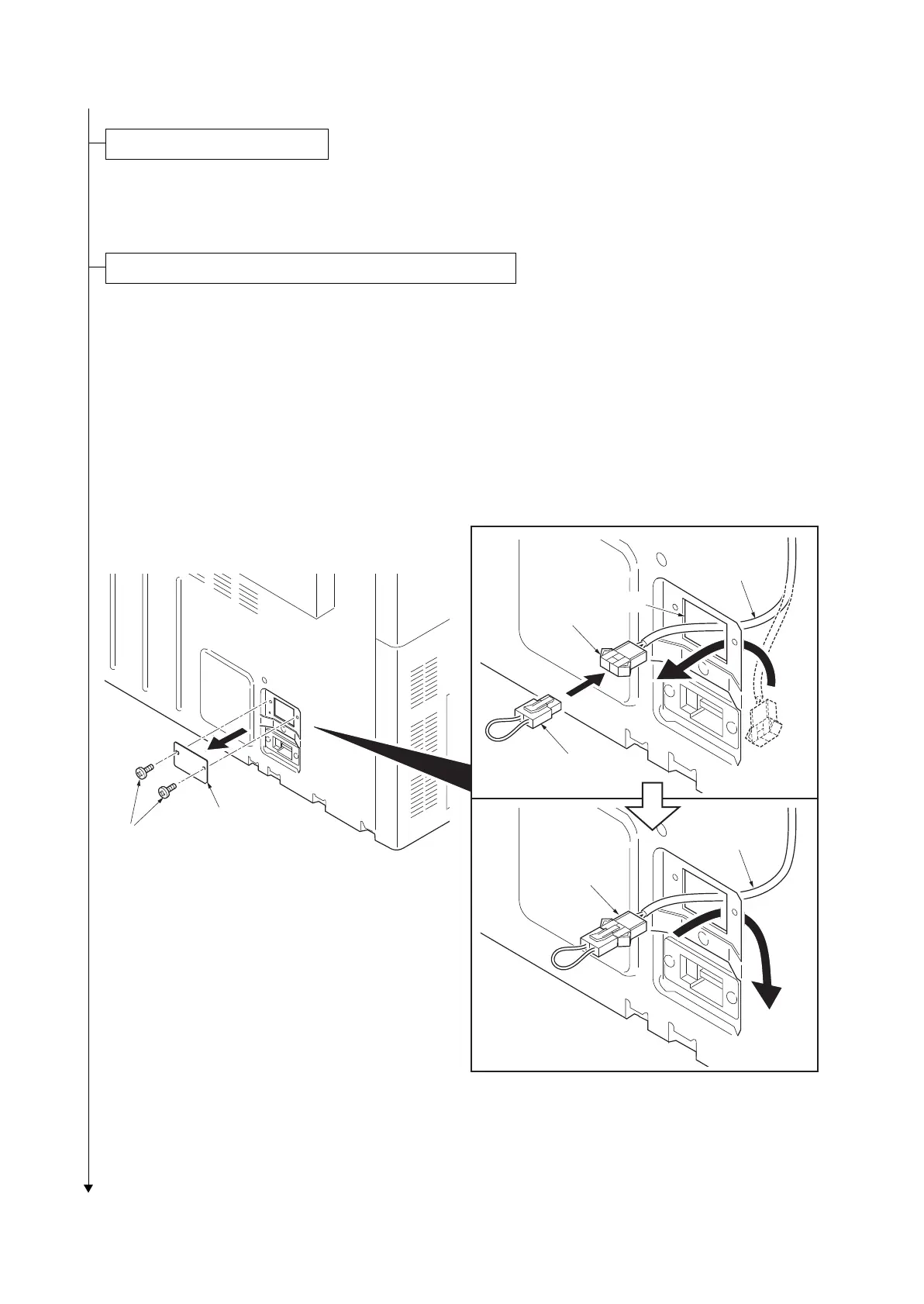
1. Remove two screws and then remove the
lid.
2. Pull the connector of the cassette heater
wire out from the aperture.
3. Connect the jumper connector to the con-
nector of the cassette heater wire.
4. Seat the cassette heater wire into the
machine inside.
5. Refit the lid.
6. Run maintenance item U327 and select
“Mode” and set “M2”.
Figure 1-2-11
Install other optional devices.
Connecting the cassette heater. (metric specifications only)
Lid
Screws
Connector
Cassette
heater wire
Cassette
heater wire
Jumper connector
Connector
Aperture



 To Next Page
 Loading...










