2NL/2P8
1-2-50
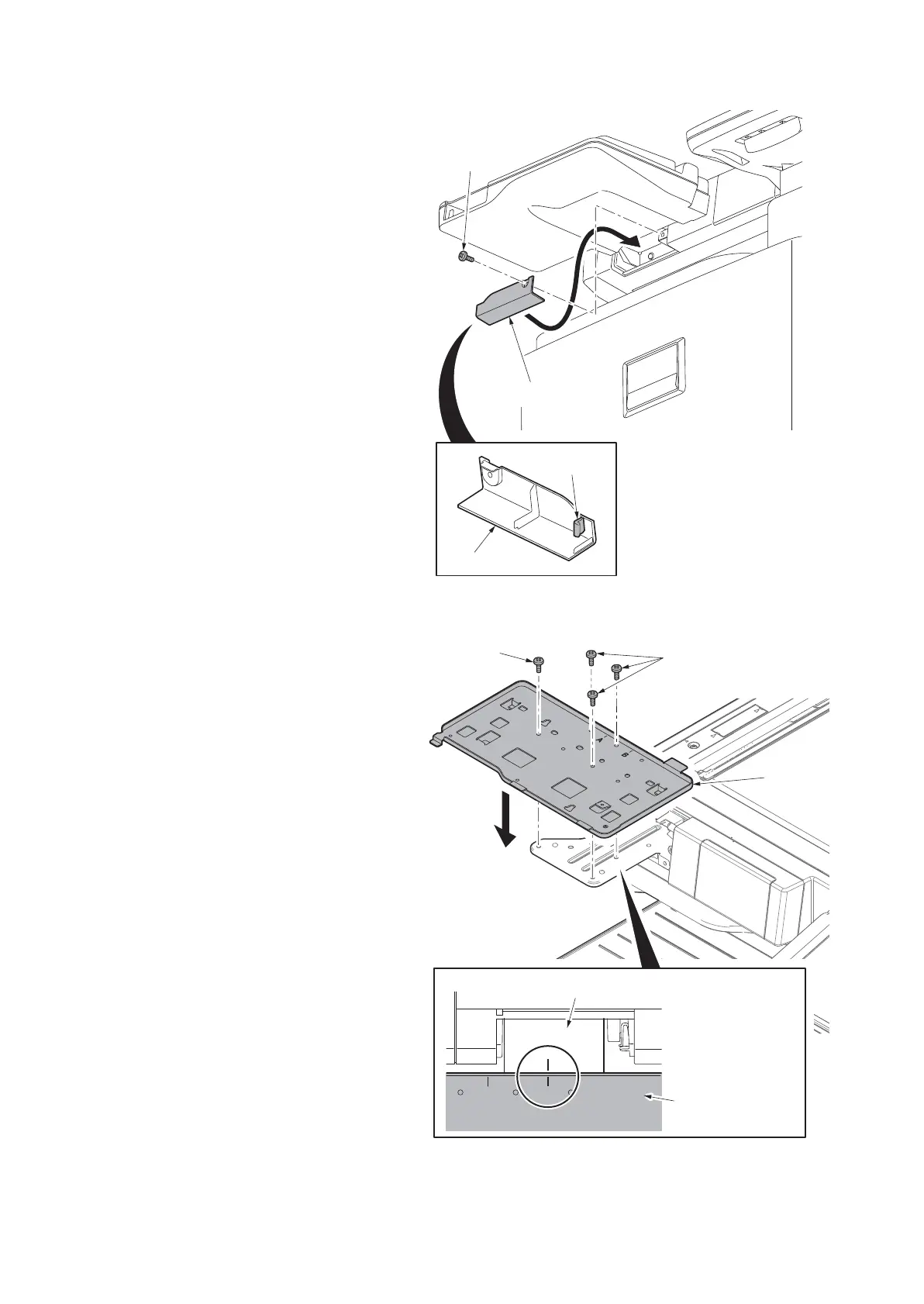
6. Latch the hook of the lower lid with the
machine.
7. Fit the lower lid with the machine using
a S Tite screws M3 x 8.
Figure 1-2-65
8. Fix the upper keyboard mounting
bracket onto the lower keyboard mount-
ing bracket using the four S Tite screws
M3 x 8.
Align them with each other at the mark
B.
Figure 1-2-66
Lower lid
Lower lid
Hook
S Tite screws
M3 x 8
AB
S Tite screws
M3 x 8
Upper
keyboard
mounting
bracket
Upper keyboard
mounting bracket
Lower keyboard mounting bracket
S Tite screw
M3 x 8









 To Next Page