2NL/2P8
1-2-51
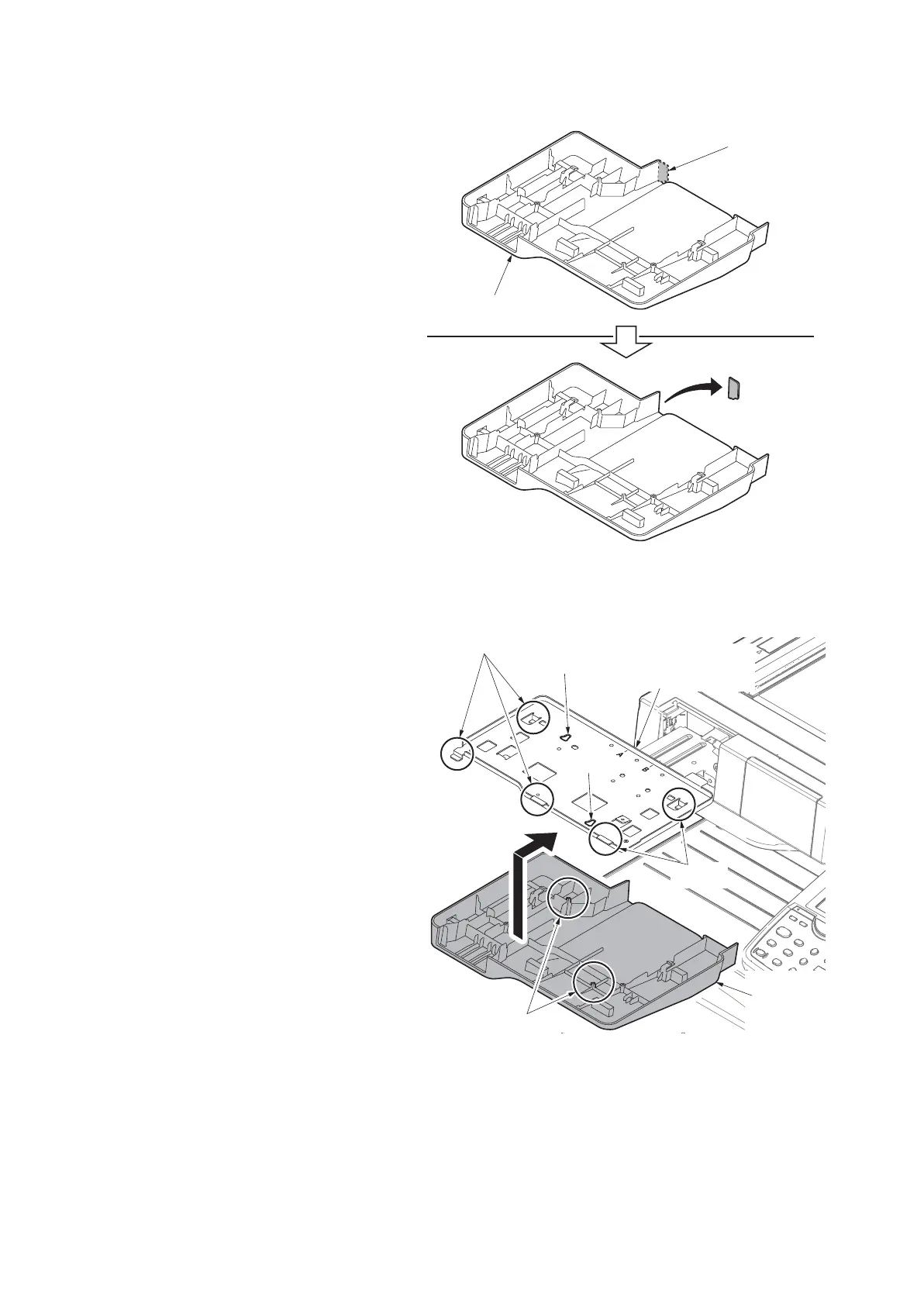
9. Cut out the cutaway portion of the lower
keyboard cover by using a pair of nip-
pers.
Figure 1-2-67
10. Insert the two positioning pins at the
bottom of the lower keyboard cover in
the holes on the keyboard mounting
bracket, and slide towards the rear.
11. Latch the lower keyboard cover with the
upper keyboard mount by the five
hooks.
Figure 1-2-68
Cutaway portion
Lower keyboard cover
hole
hooks
hooks
hole
Upper keyboard
mount
Lower
keyboard
cover
Positioning pins










 To Next Page