2NL/2P8
1-2-52
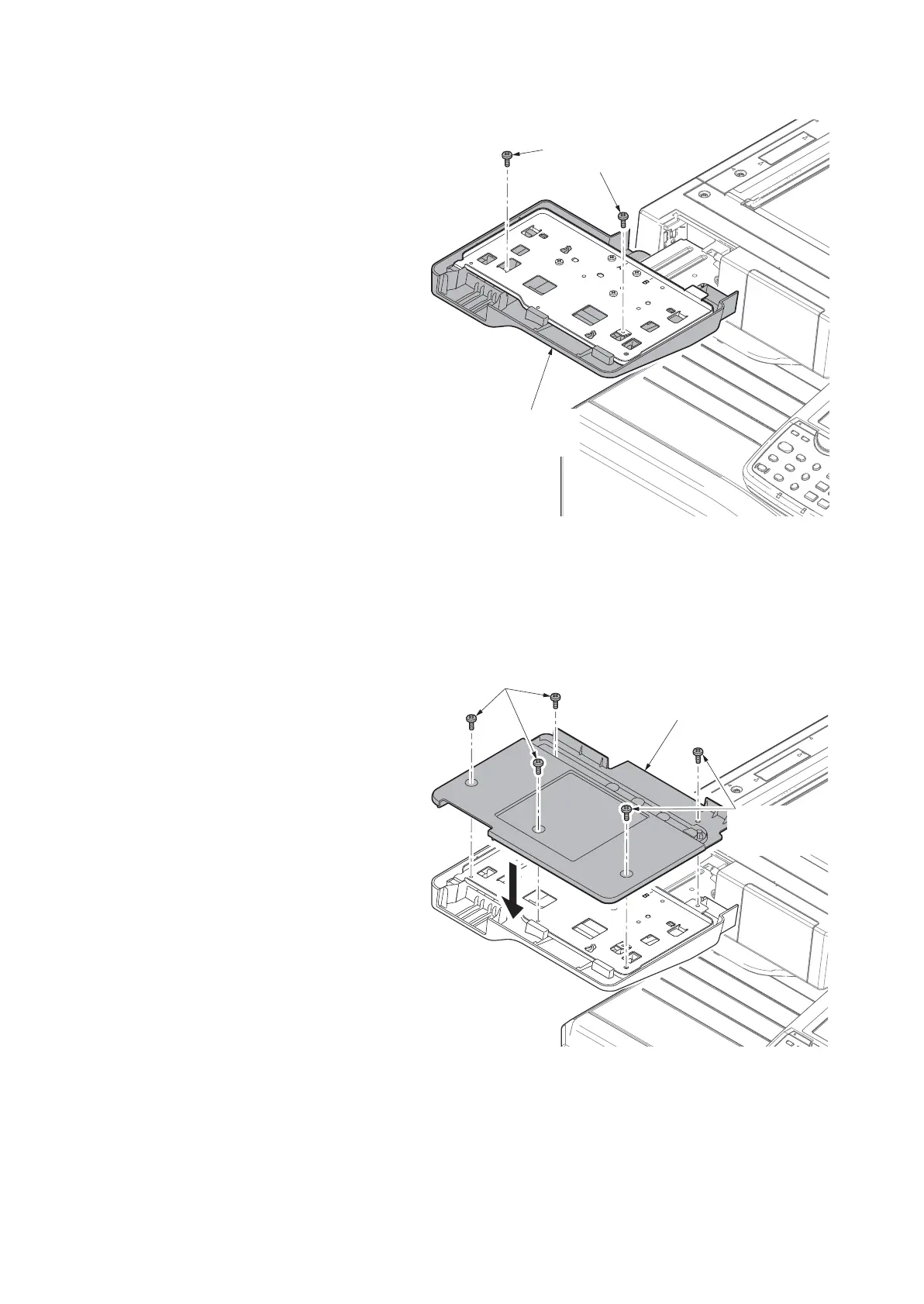
12. Fix the lower keyboard mounting
bracket onto the upper keyboard
mounting bracket using the two P Tite
screws M3 x 8.
Figure 1-2-69
13. Fix the lower keyboard mounting
bracket onto the upper keyboard
mounting bracket using the two P Tite
screws M3 x 8.
Figure 1-2-70
Lower keyboard
cover
P Tite screws
M3 x 8
Upper keyboard
cover
S Tite screws
M3 x 8
S Tite screws
M3 x 8









 To Next Page