LACO ORIGINAL OPERATING INSTRUCTIONS TITANTEST™
23
© 2018 LACO TECHNOLOGIES, INC. - [TitanTest itna01en1-07 BA.fm] - 1807
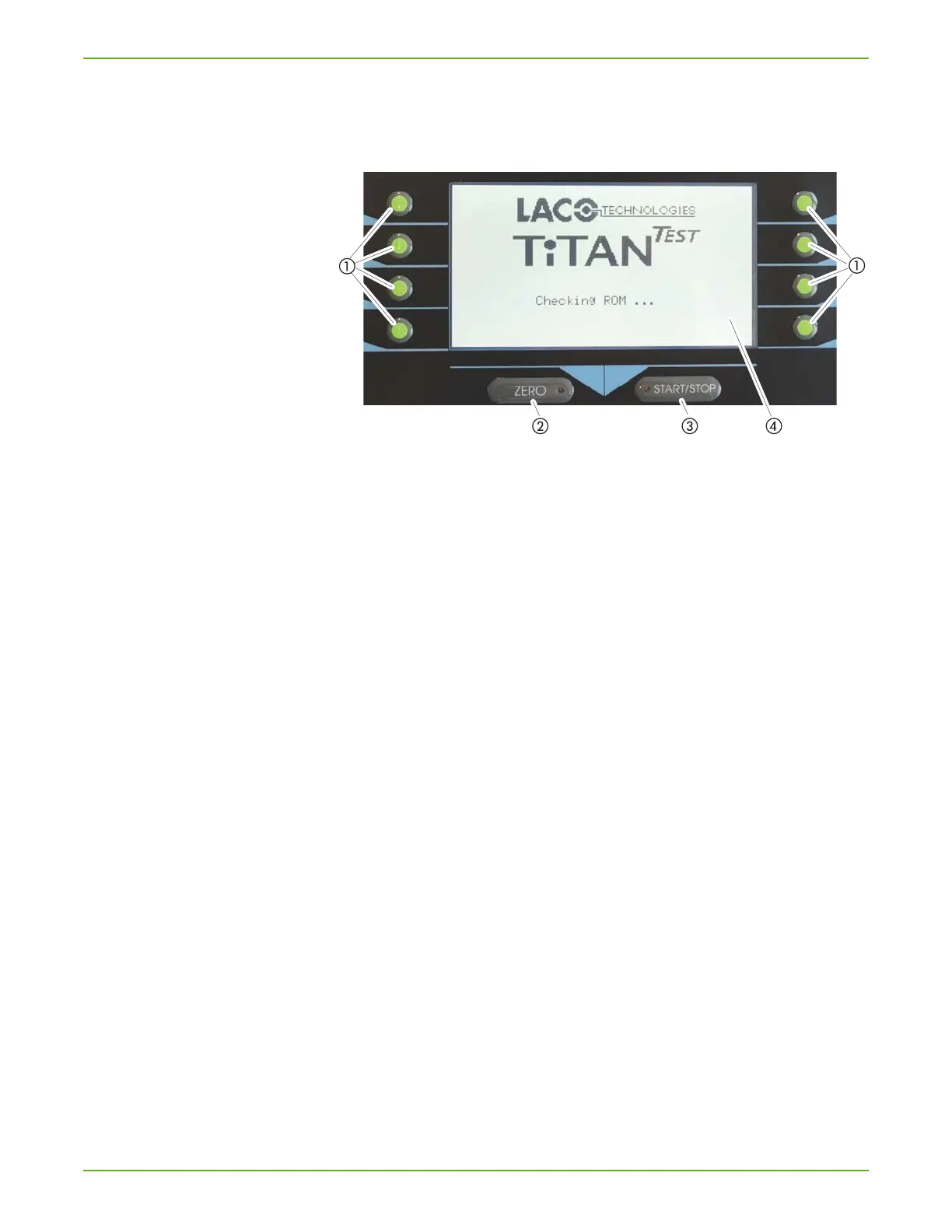
6.2.2 Display and buttons
The control unit is the display, operating, and control component for the de-
vice.
Fig. 6: Control unit
a Option buttons
b ZERO button
c START/STOP button
d Display
Option buttons a
All settings and inputs in the menus are made with the eight buttons to the
left and the right of the display. Switch menus, select settings areas or
change the settings by pressing the adjacent button. The current assign-
ment is shown next to the respective button.
For information on the symbols next to the buttons, see Chapter 6.2.3: "Re-
curring function symbols", page 24.
ZERO button
b
Activates the background suppression during measurement mode. If you
press the button longer than 3 seconds, the background suppression is
switched off (see Chapter 6.4.2: "Set filter & ZERO", page 43).
If ZERO is activated, the associated LED lights up.
START/STOP button c
Starts or stops the measuring operation.
The associated LED lights up permanently during measurement mode and
flashes during an evacuation.
Display
d
The display shows measured values, device states and settings in different
menus.



 To Next Page