LACO ORIGINAL OPERATING INSTRUCTIONS TITANTEST™
69
© 2018 LACO TECHNOLOGIES, INC. - [TitanTest itna01en1-07 BA.fm] - 1807
8.4.2 Removing the cover (M-Series only)
For a variety of purposes you have to remove the cover of the device.
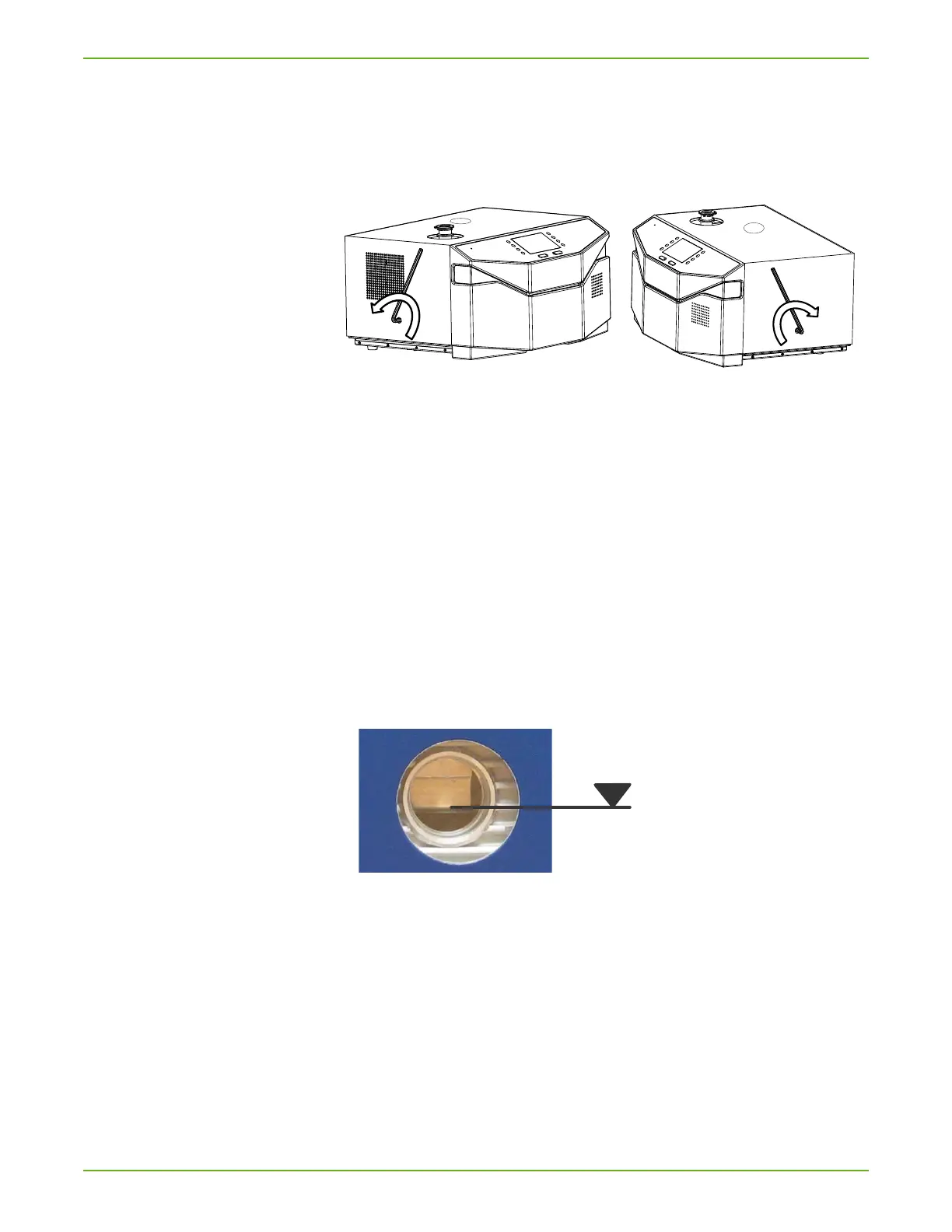
► Loosen the cover on the left and right side using an 8 mm Allen wrench.
Note to open the lock on both sides twist towards the back of the device.
Fig. 16: How to remove the cover
After the maintenance replace the cover and secure it with an 8 mm Allen
wrench by turning it in the other direction.
8.4.3 Backing pump (M-Series only)
Maintenance work for devices with oil-sealed backing pump:
TITANTEST™ Wet Series
8.4.3.1 Check oil level from outside
► Check oil level every week.
1. Look at the oil sight glass (back) to check the oil level and discoloration
of the oil in the UNO
006A.
The oil level must be at least 2 mm over the lower edge of the oil sight
glass.
Fig. 17: Oil sight glass on the back of TitanTest™
2. If the oil level is lower, replenish the oil (see below).
3. If the oil is discolored, change the oil (see Chapter 8.4.3.3: "Change the oil
(M-Series only)", page 70).
8.4.3.2 Replenish the oil (M-Series only)
1. Switch the device off at the mains plug.
2. Pull out the mains plug.
Required material: Pump Oil, 1 qt. Ordering no. LVOEZ1QT



 To Next Page